
How to Edit a Webhook
Learn how to access and modify the settings of an existing webhook on the UniRadio platform to keep your integrations active and up to date.
Step by Step
1. Access the UniRadio platform
Navigate to app.uniradio.vet.br/exams
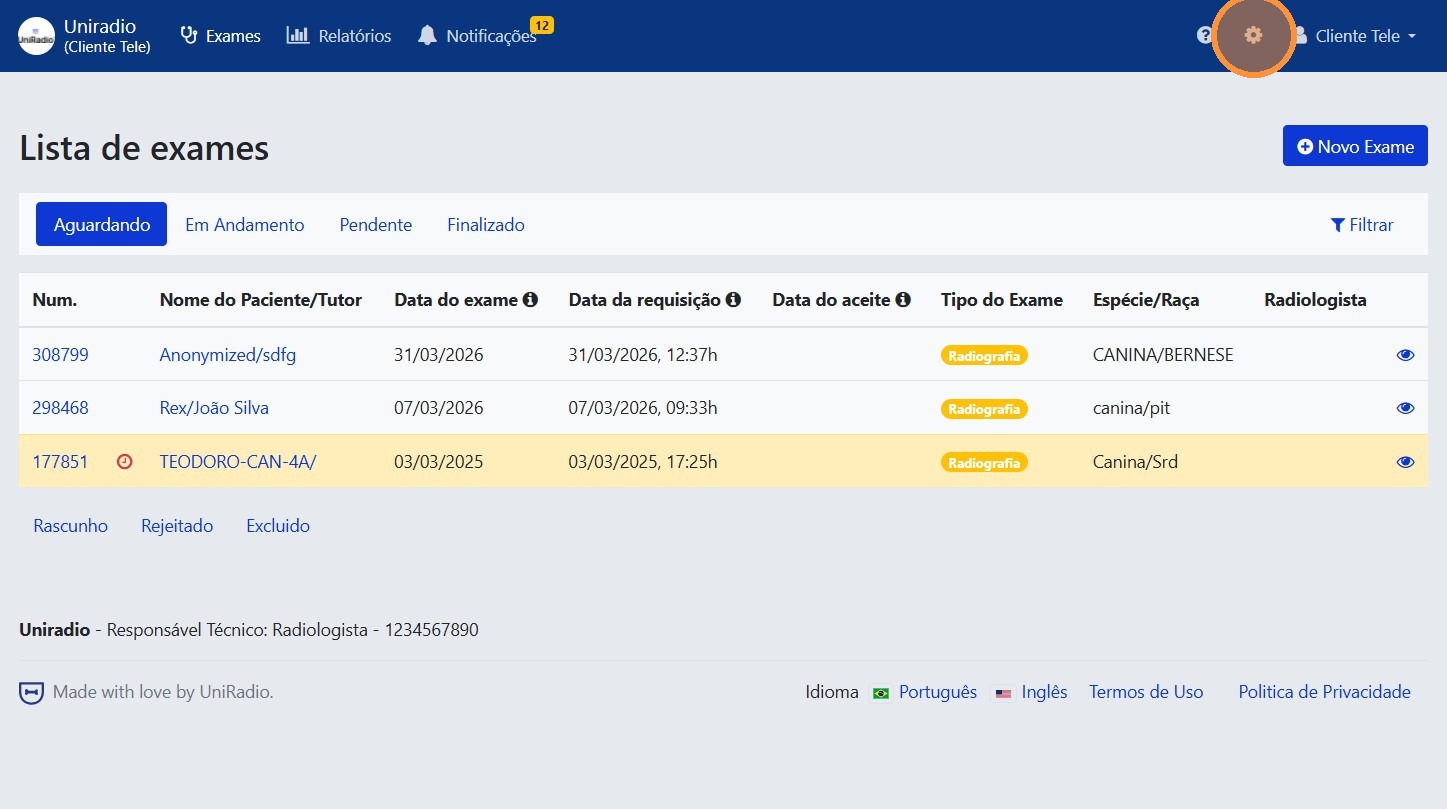
2. Access the account settings
Click the gear icon in the top-right corner to access the account settings.
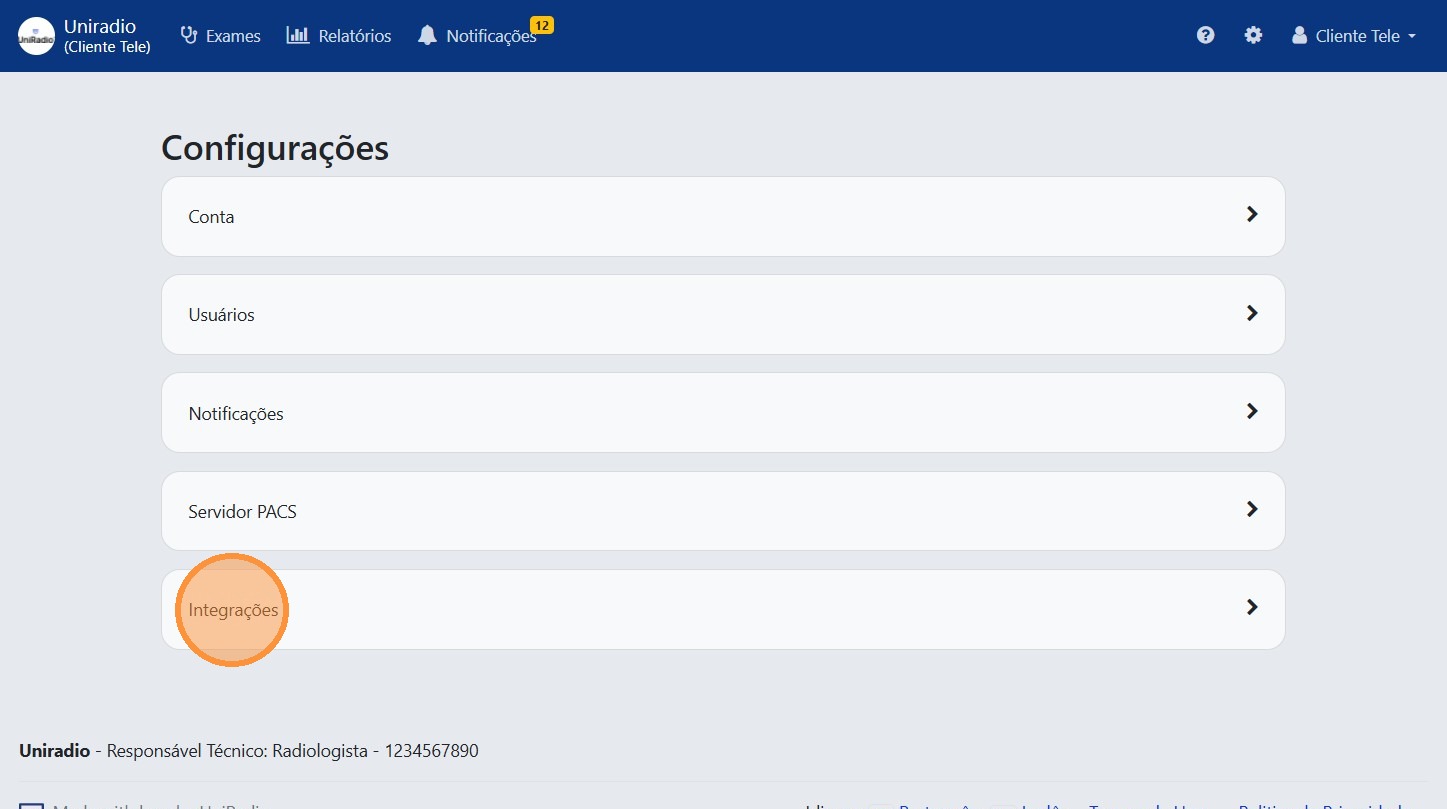
3. Click "Integrations"
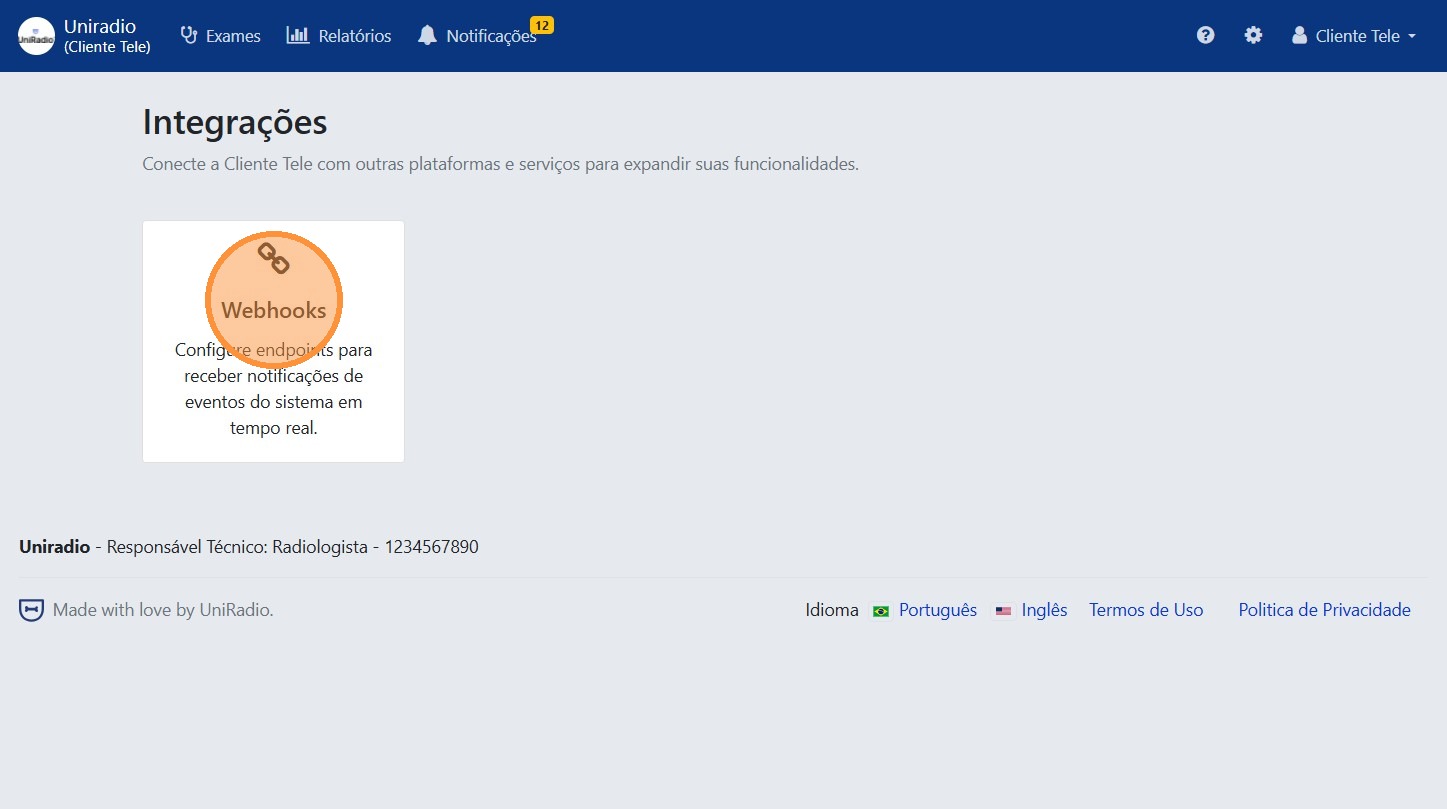
4. Click "Webhooks"
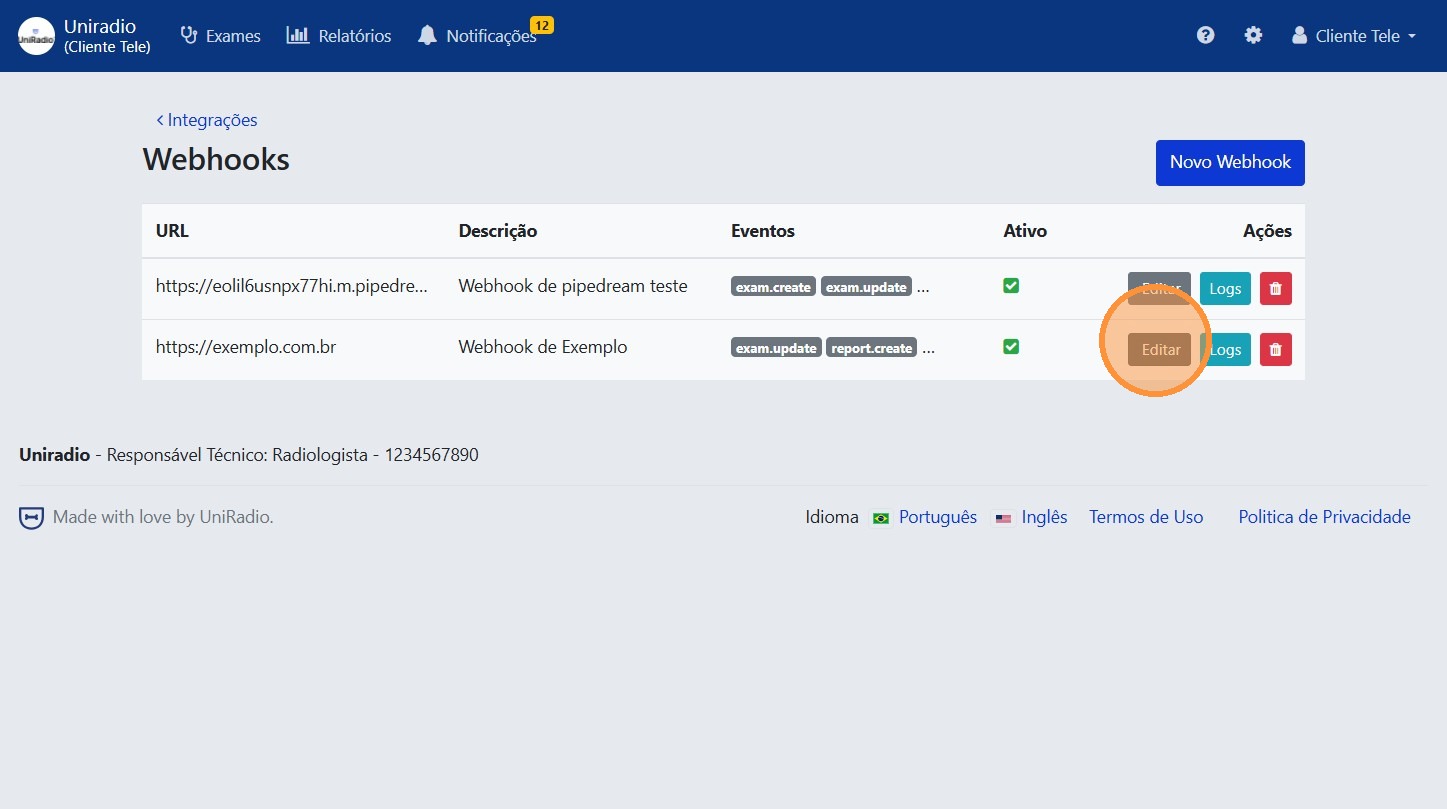
5. Find the webhook you want to edit
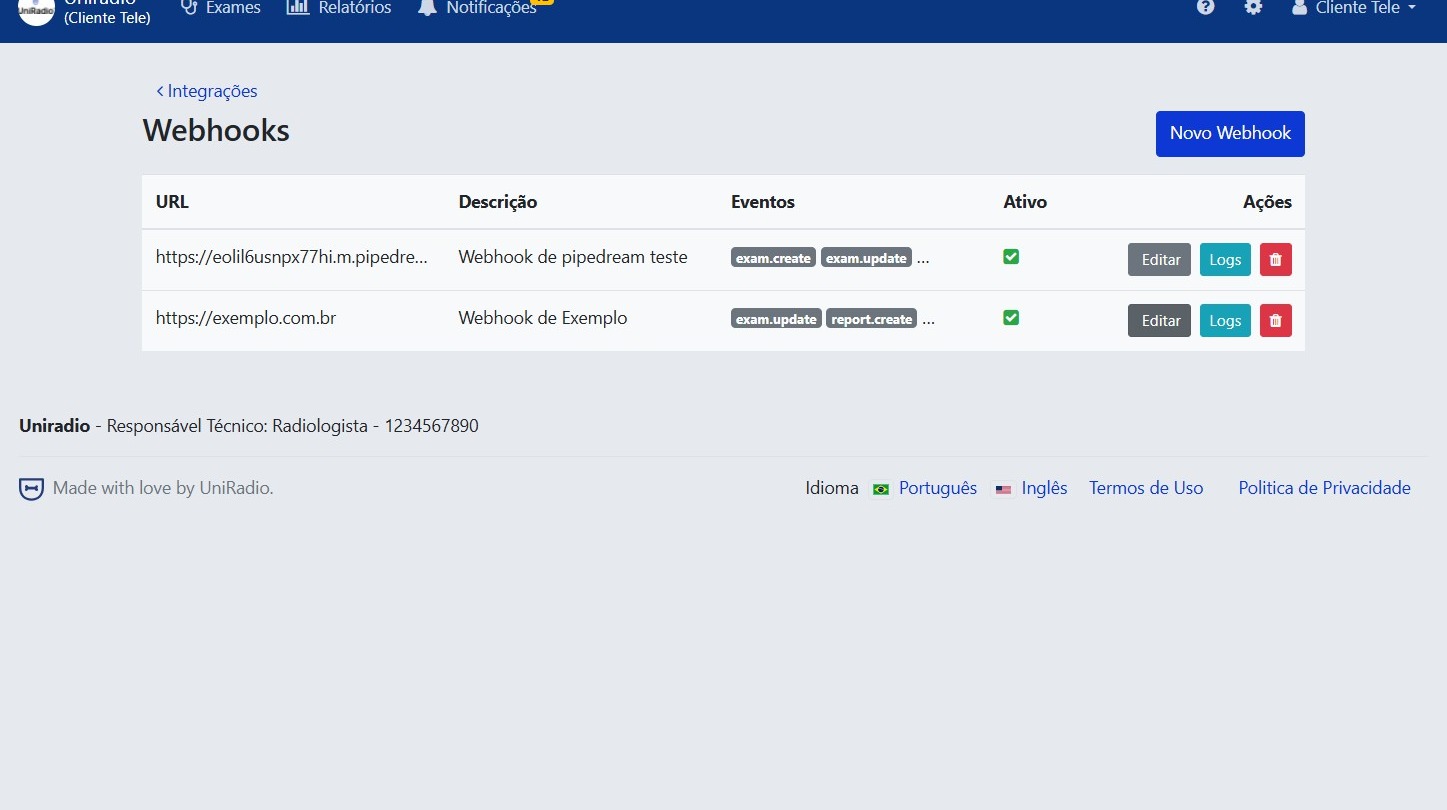
6. Click "Edit"
7. Update the desired information
Modify the destination URL, name, or events monitored by the webhook.
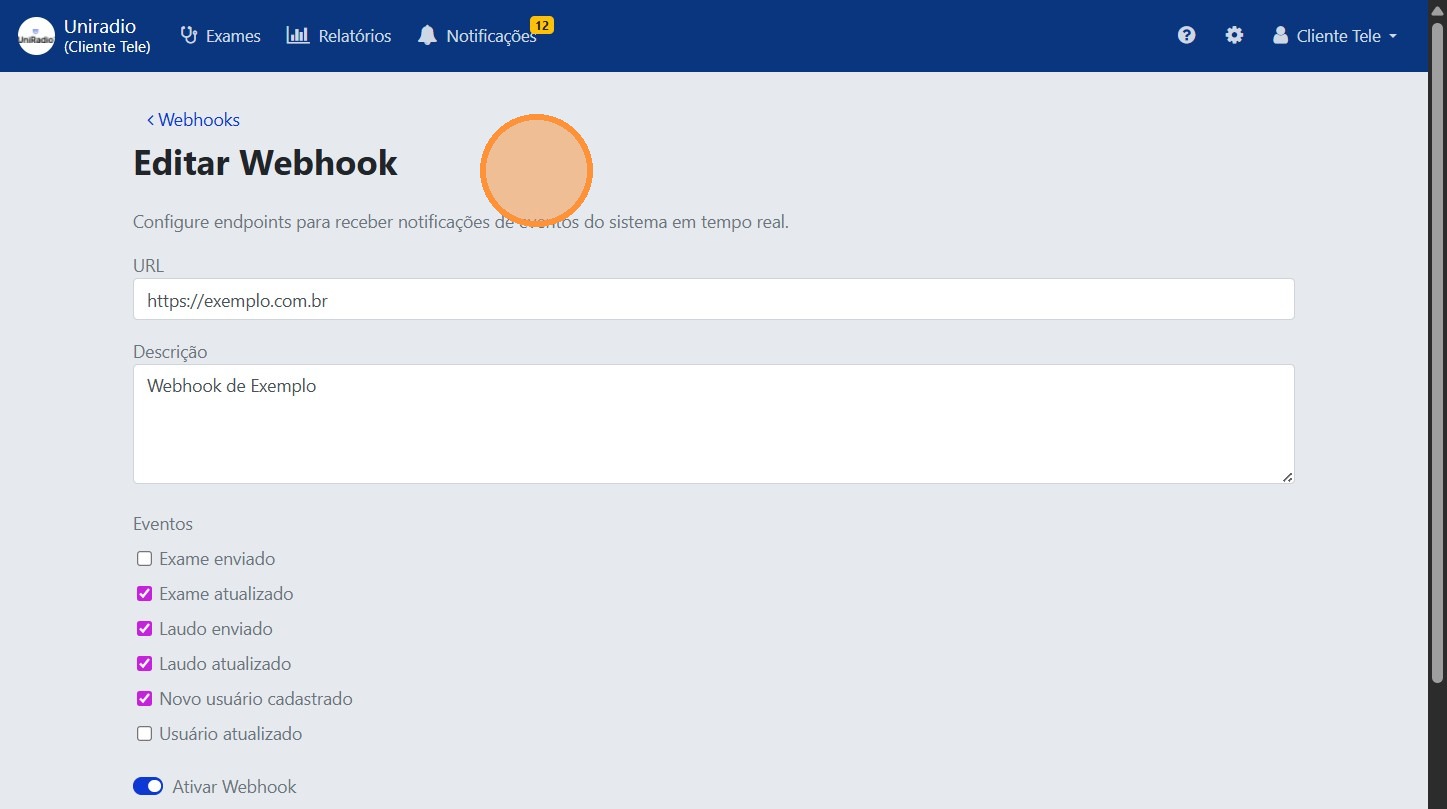
Disable webhook
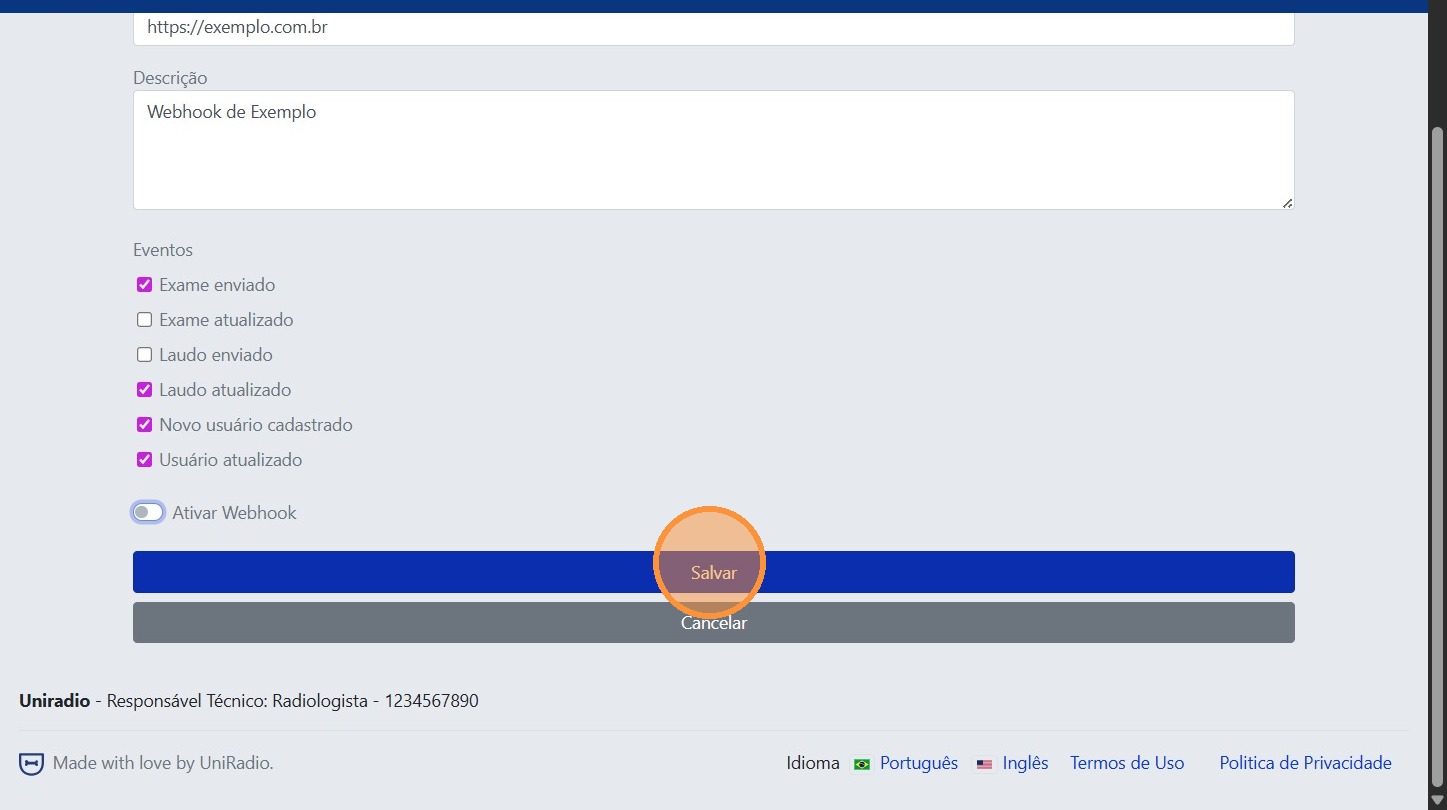
The form has an option to uncheck the webhook activation. When disabled, it stops triggering events but is not deleted from the platform. Use this option if you want to temporarily pause the integration without losing the settings.
8. Click "Save"
Need Help?
Check our FAQ or contact your radiologist if you encounter any issues.