
How to View Webhook Logs
Learn how to access and analyze the event records of a webhook on the UniRadio platform for monitoring or troubleshooting purposes.
Step by Step
1. Access the UniRadio platform
Navigate to app.uniradio.vet.br/exams
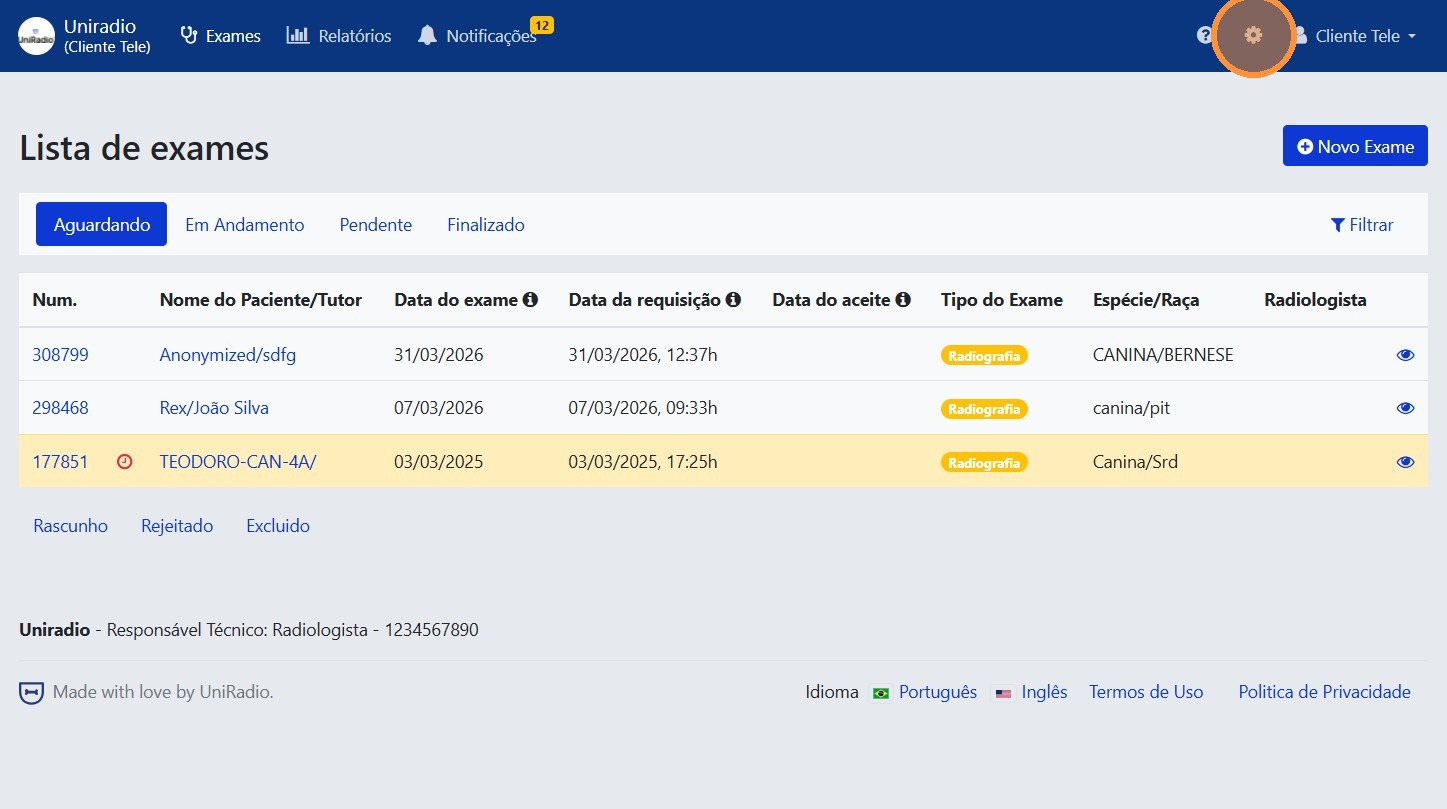
2. Access the account settings
Click the gear icon in the top-right corner to access the account settings.
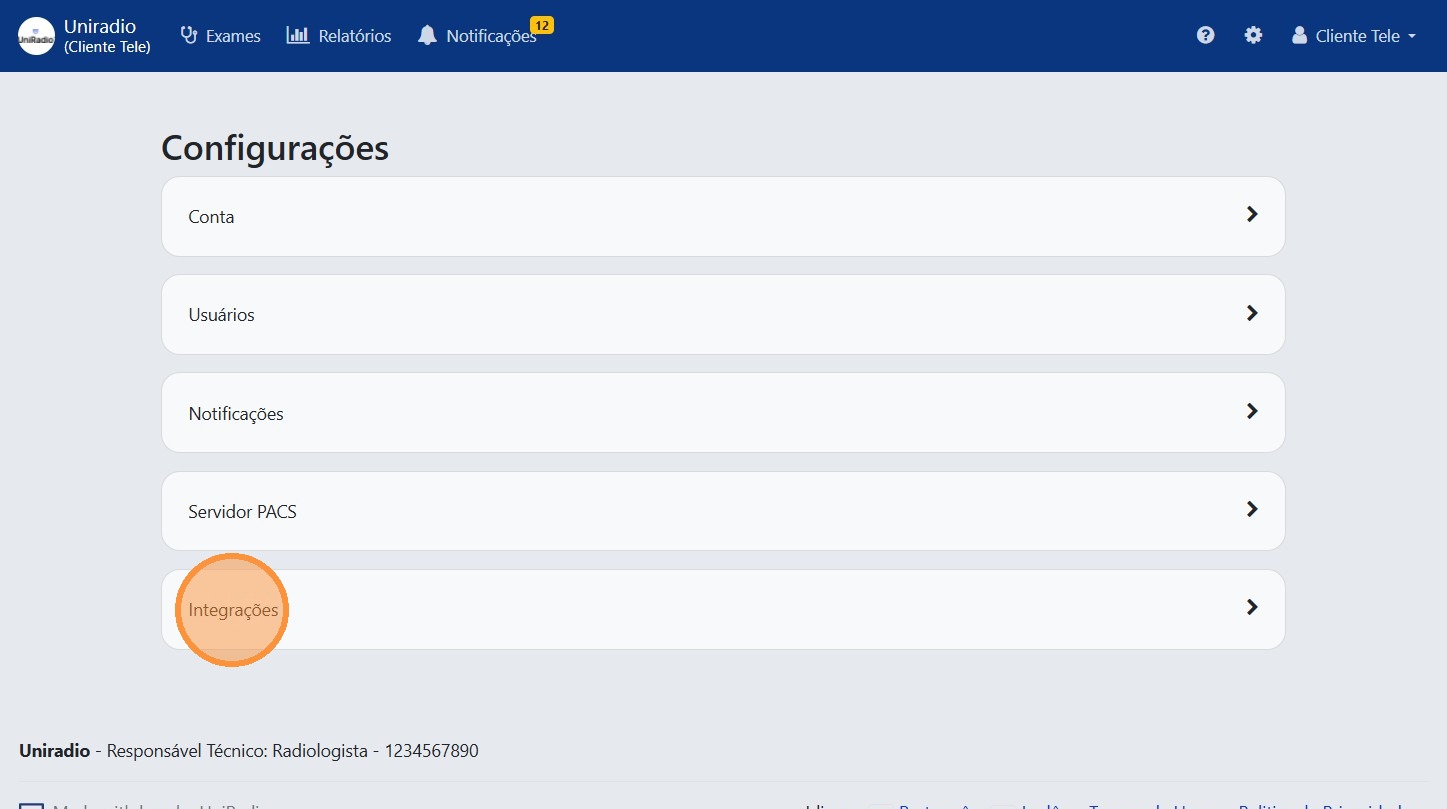
3. Click "Integrations"
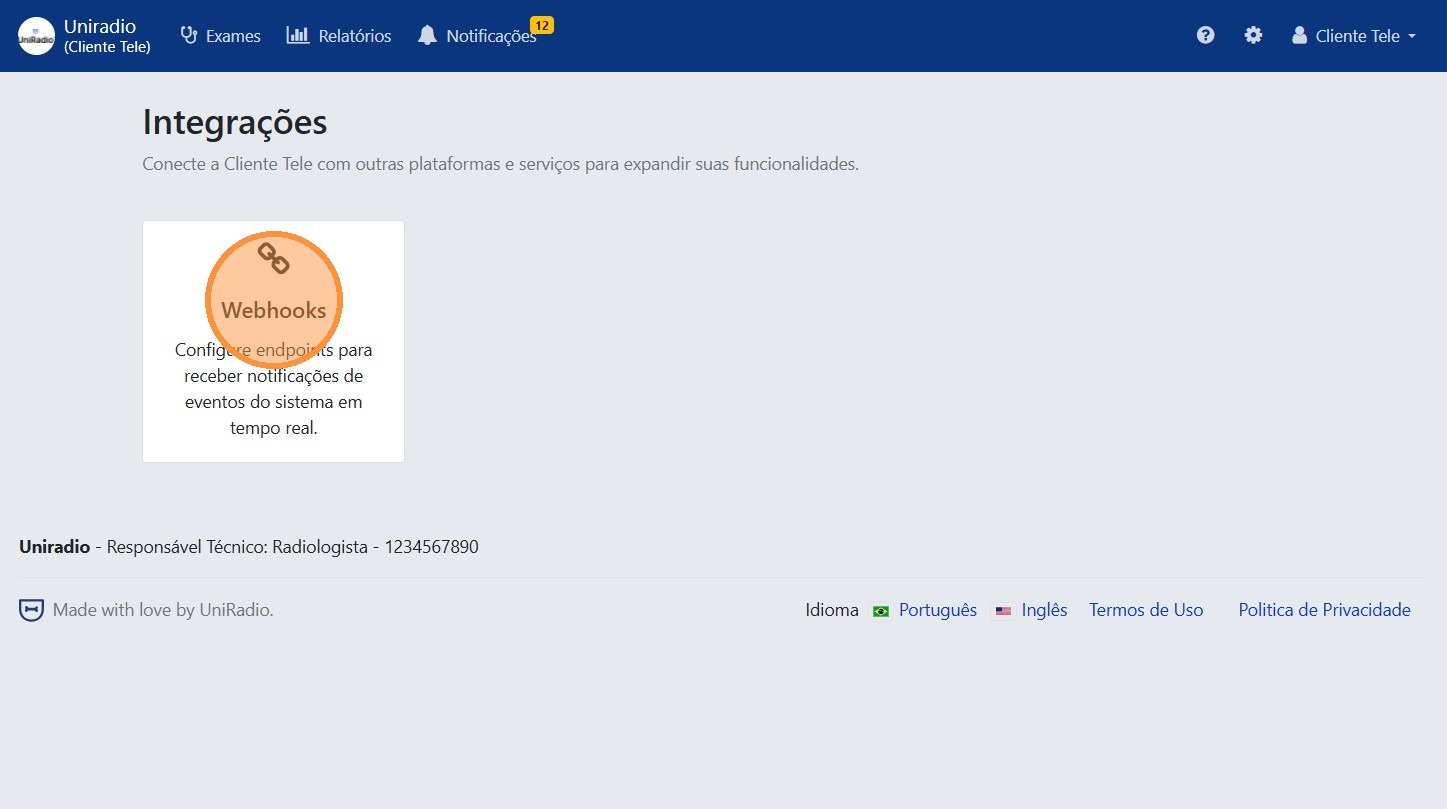
4. Click "Webhooks"
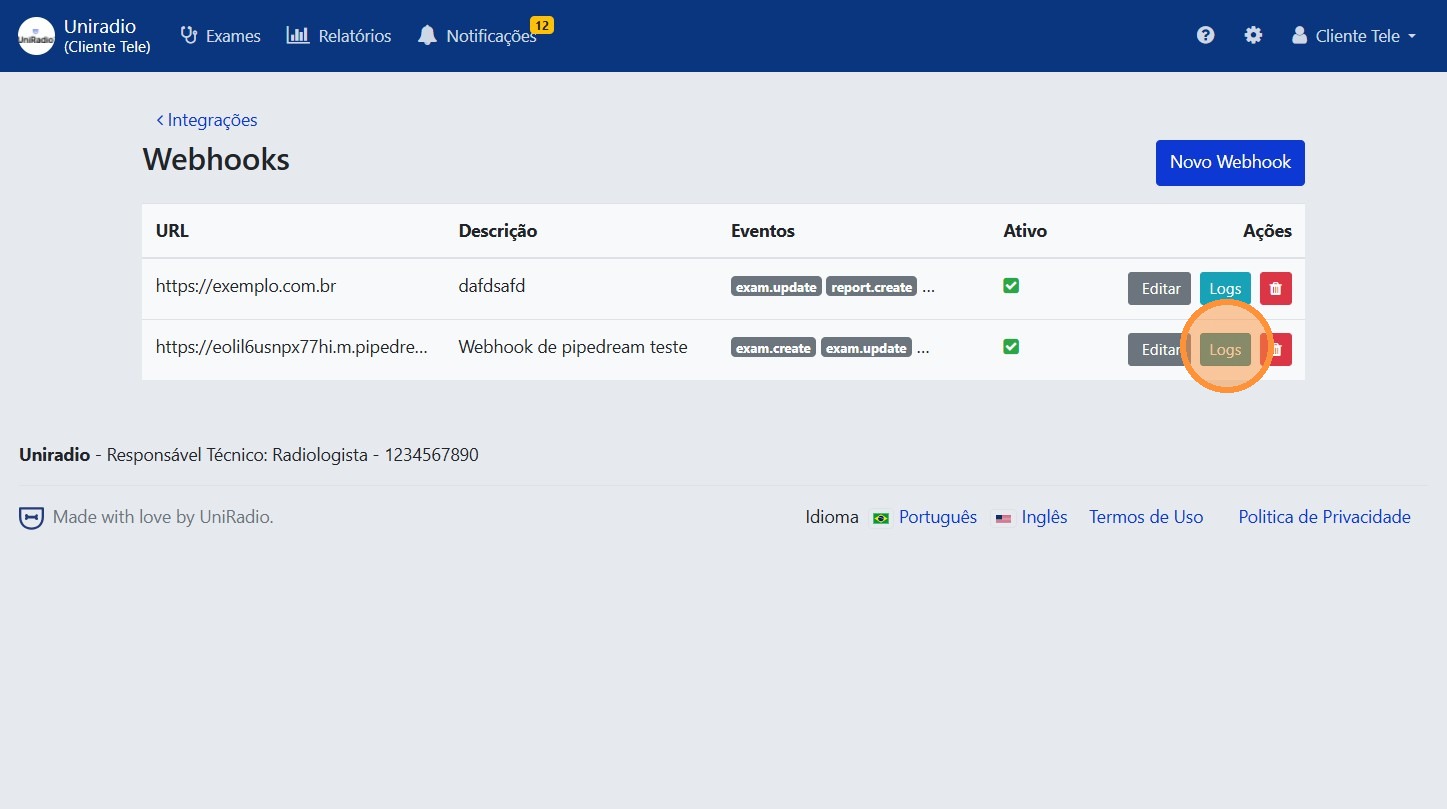
5. Click "Logs"
Access the logs tab of the desired webhook.
6. View the event records
The list displays a quick summary of recent events triggered by the webhook, including status and the response returned by the webhook.
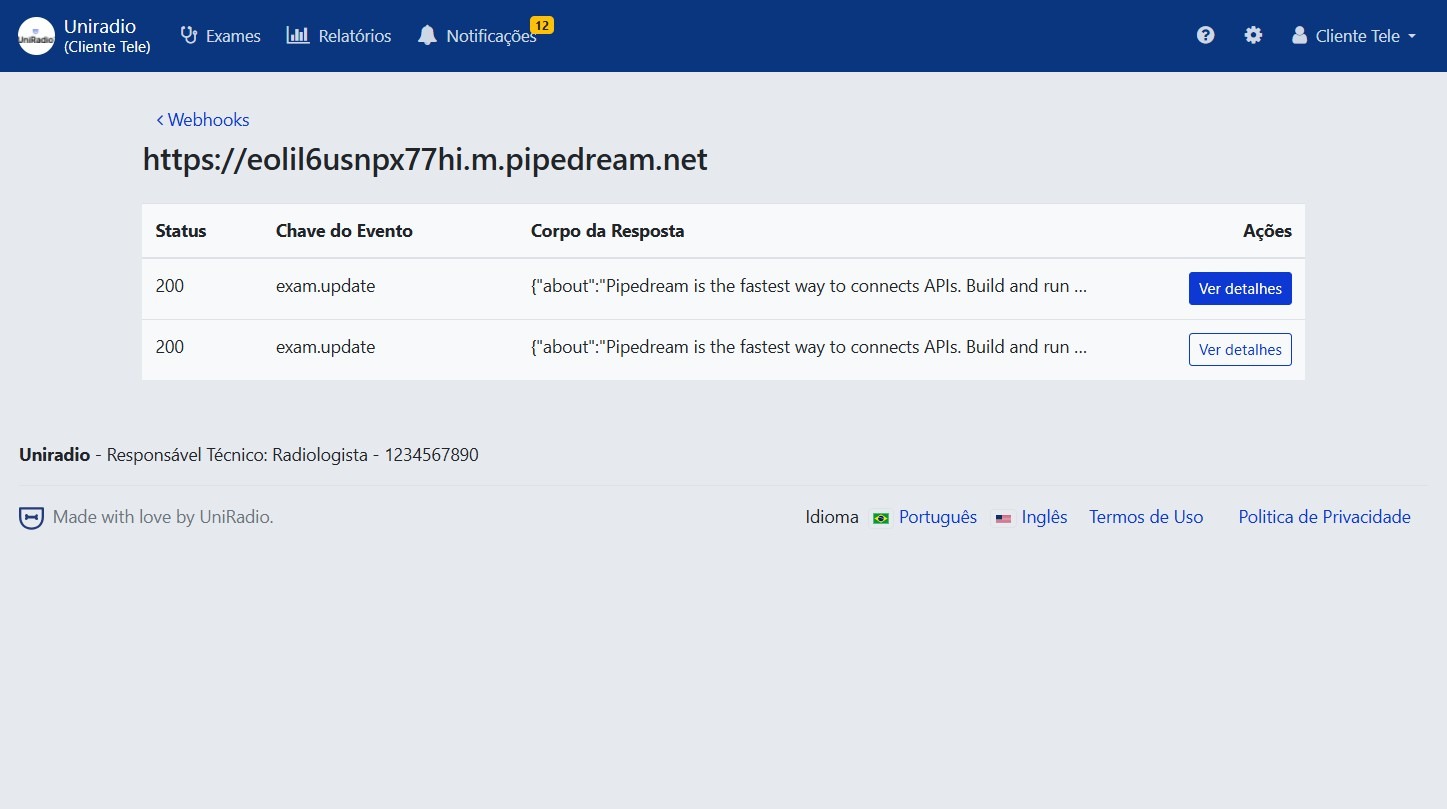
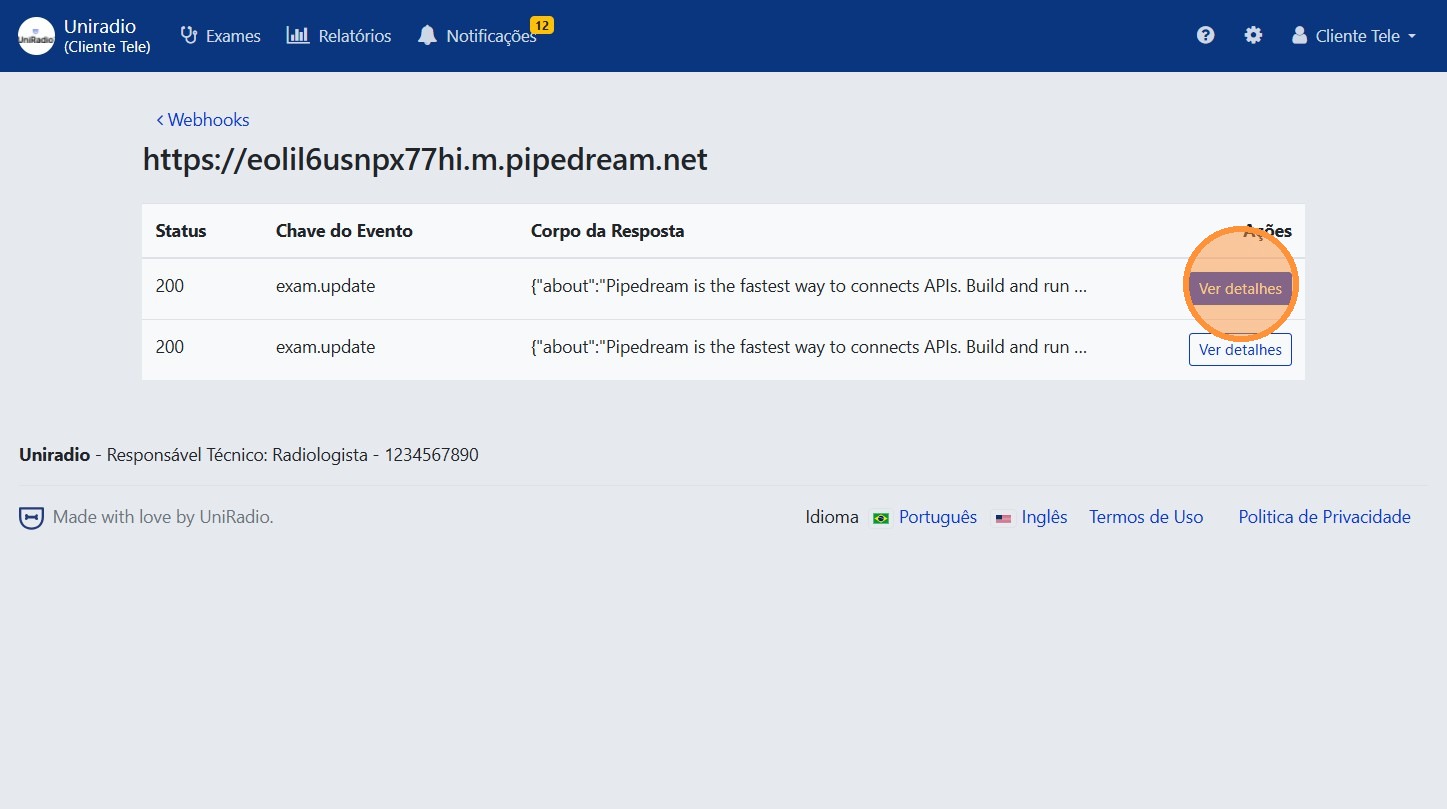
7. Click "View details" to inspect an event
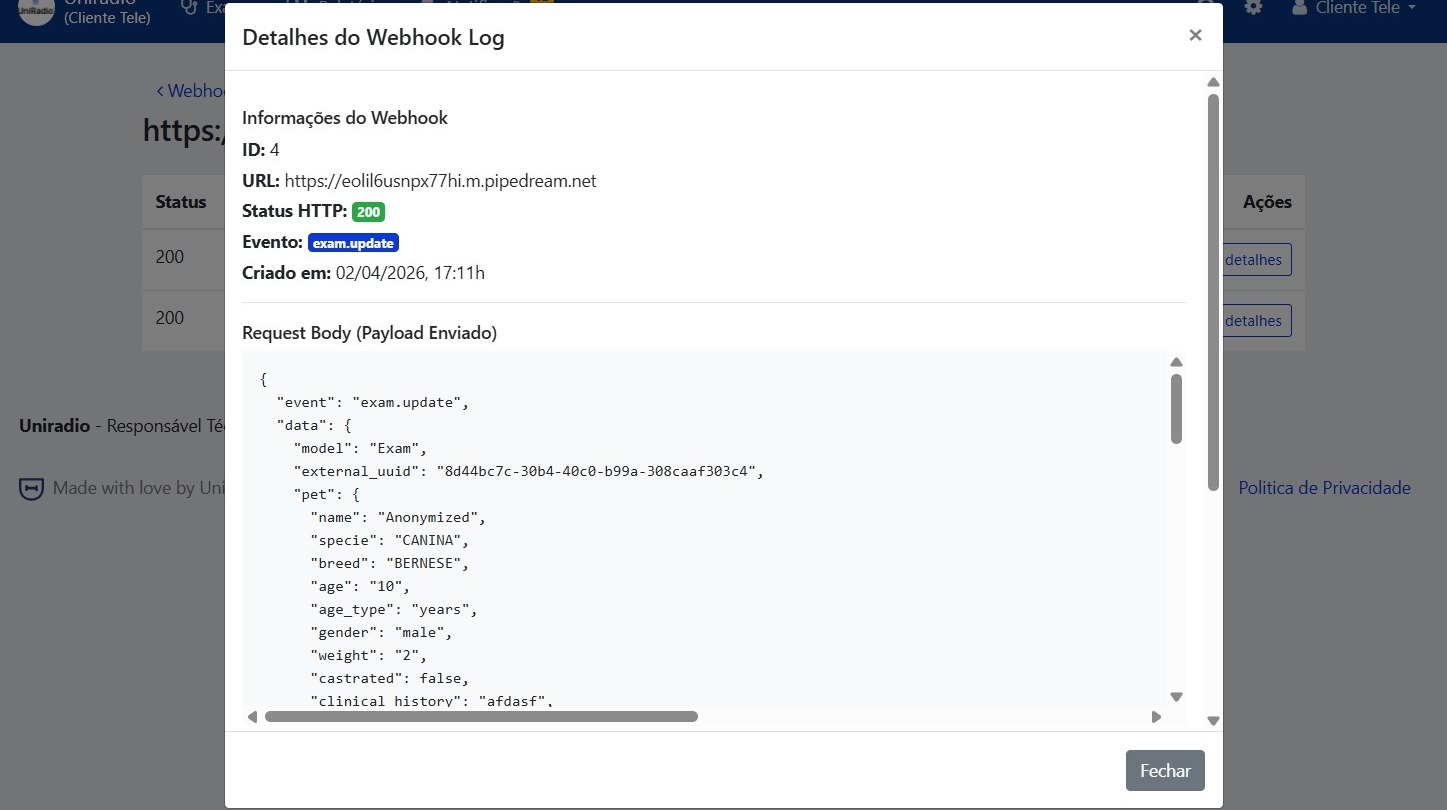
8. Analyze the full event details
View the complete technical information for the selected event, such as the sent payload, response code, and timestamp.
Need Help?
Check our FAQ or contact your radiologist if you encounter any issues.