
How to Enable Two-Factor Authentication
Improve your account security by enabling two-factor authentication (2FA) on the UniRadio platform.
Available methods
The UniRadio app offers two two-factor authentication methods:
- Email — a verification code will be sent to the email address registered in your profile.
- WhatsApp — a verification code will be sent to the phone number registered in your profile.
Make sure your profile email and phone number are up to date before enabling.
Step by Step
1. Access the UniRadio platform
Navigate to app.uniradio.vet.br/exams
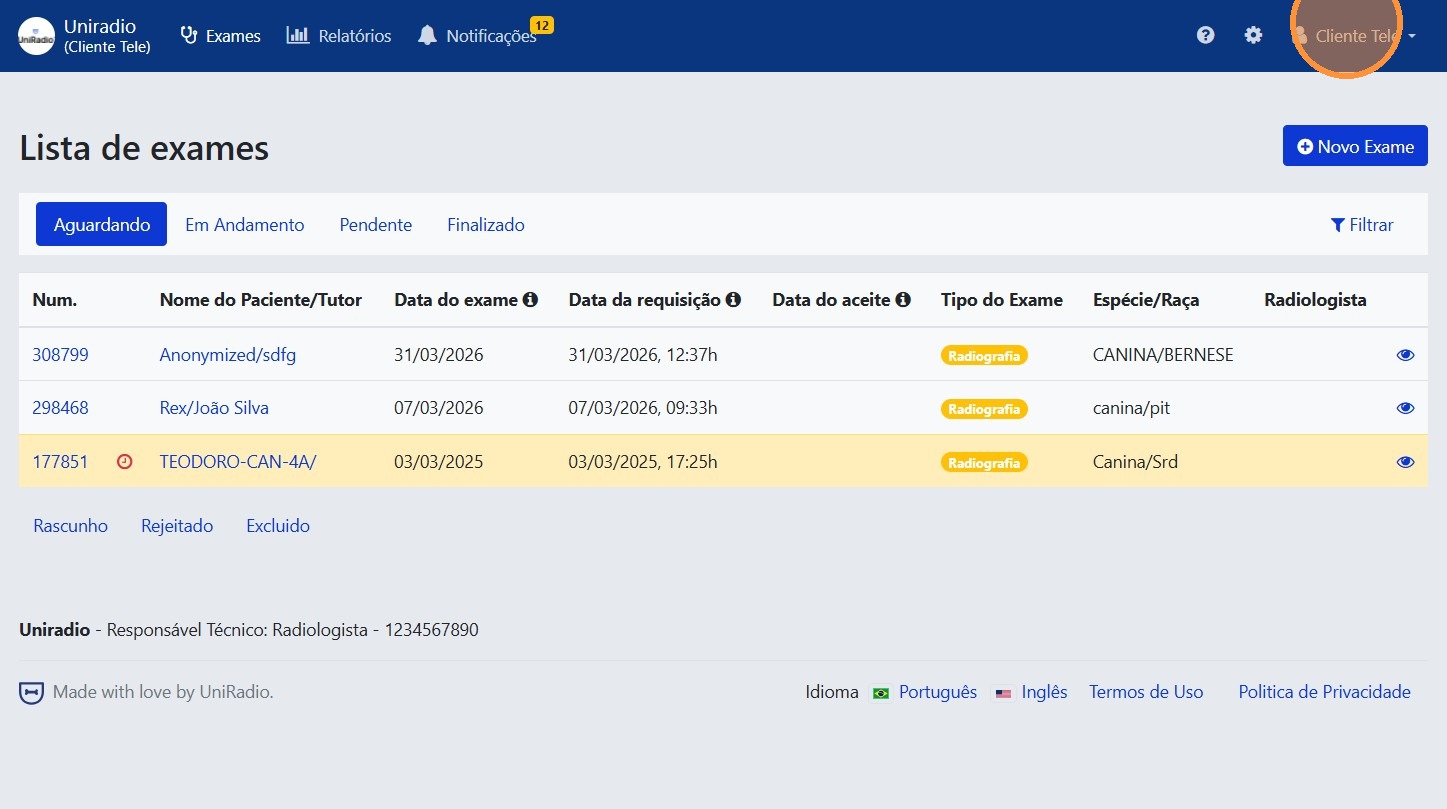
2. Open the user menu
Click on your name or avatar at the top to open the user menu.
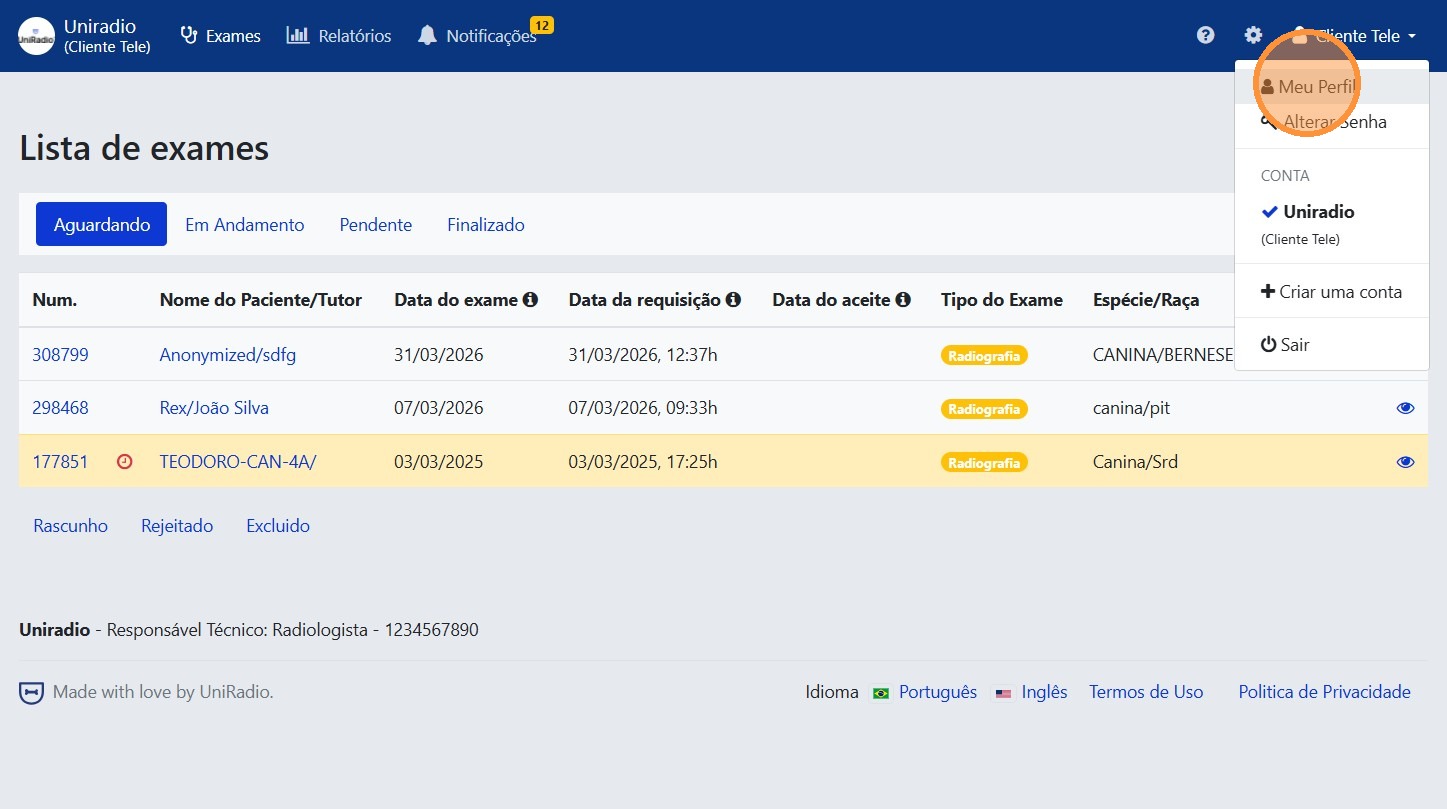
3. Click "My Profile"
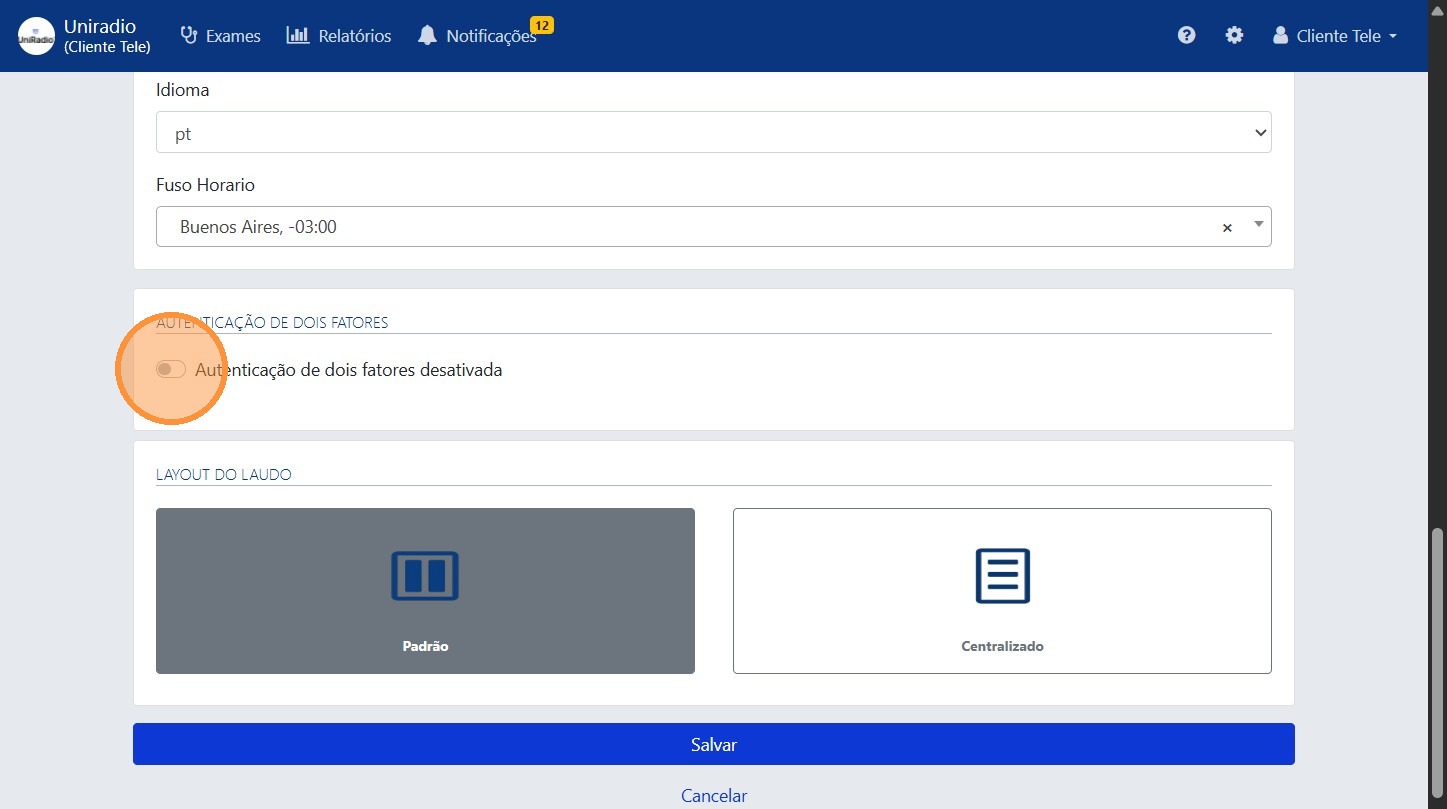
4. Click the indicated button to select the authentication method
Find the two-factor authentication option and click it to start the activation.
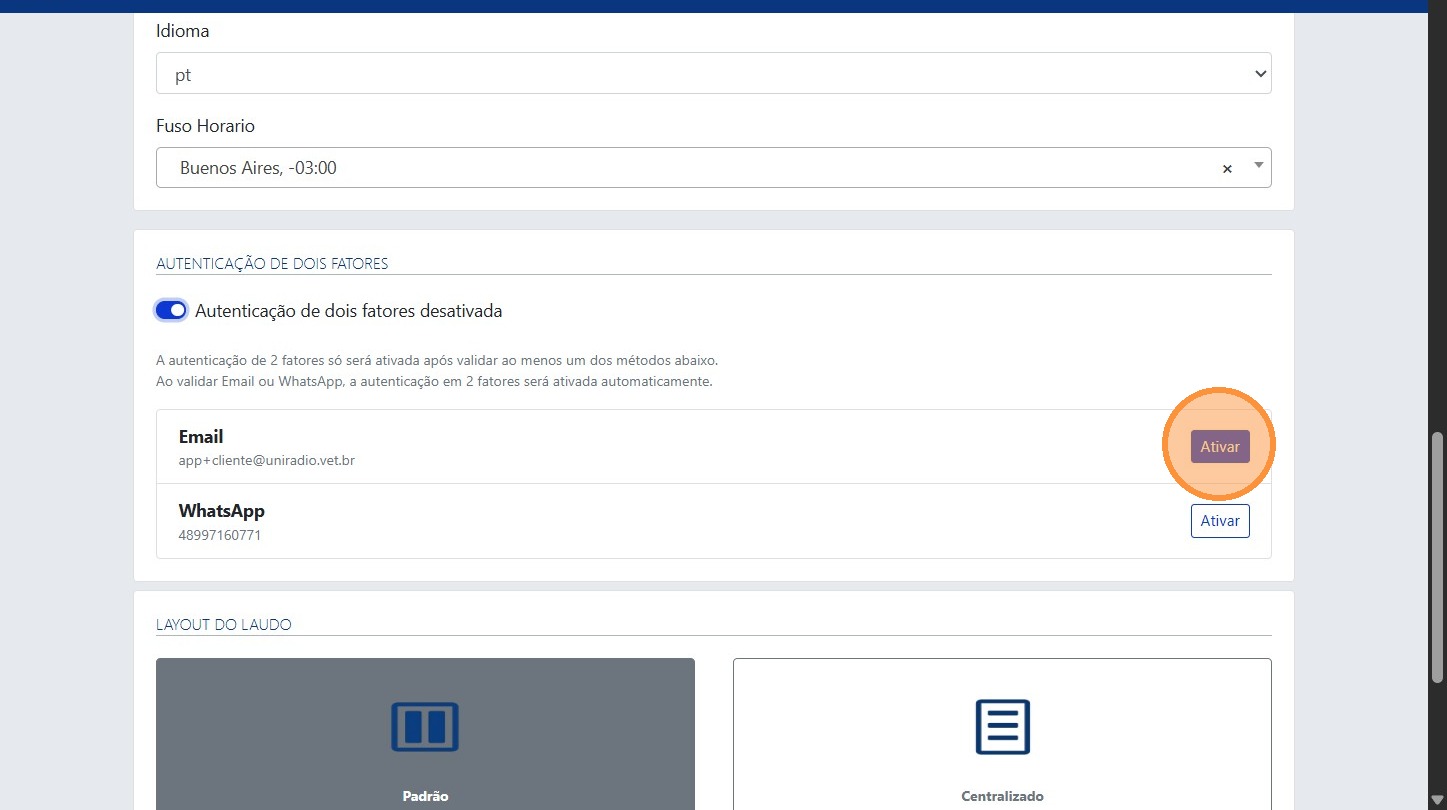
5. Click "Enable"
Select the desired method and click "Enable" to start the activation.
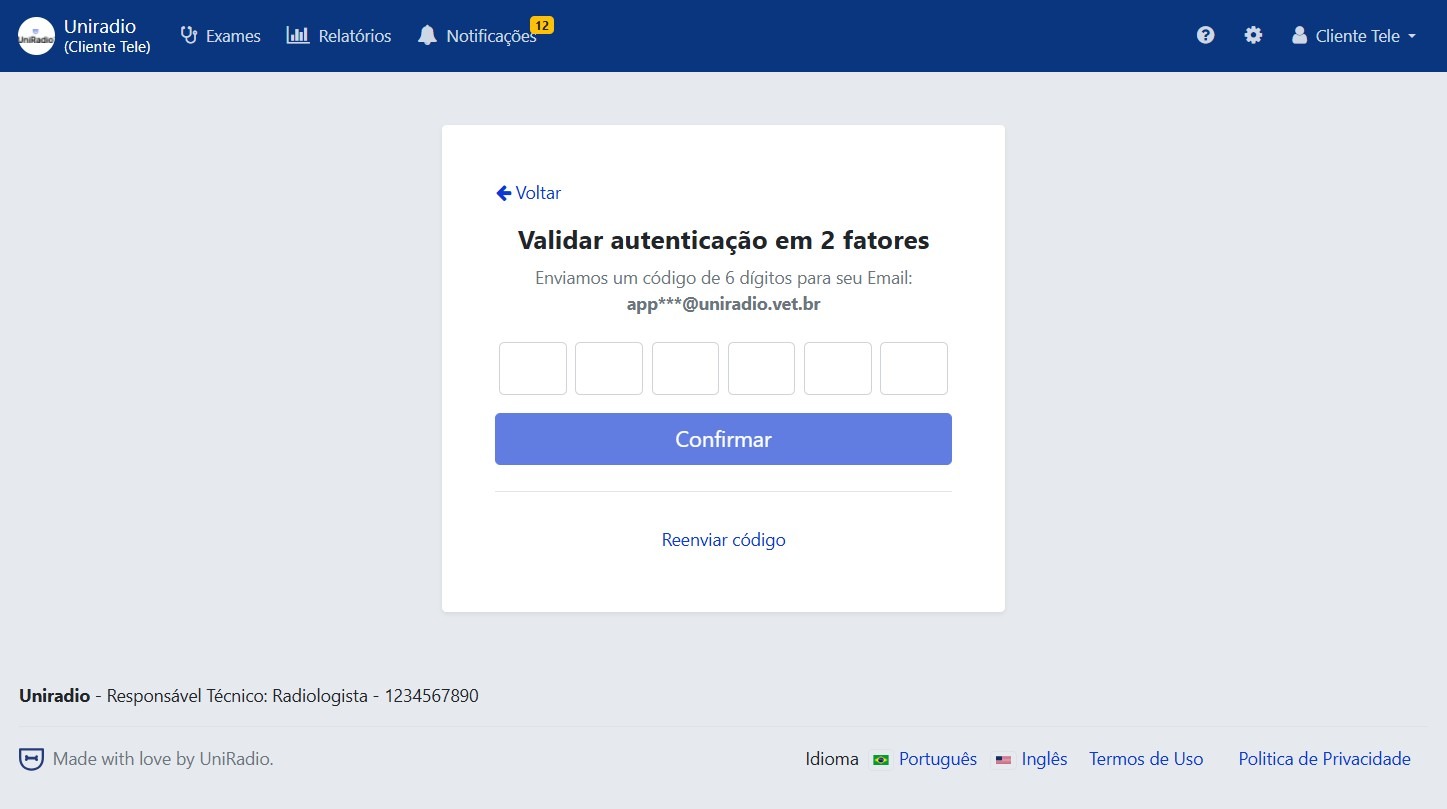
6. Enter the verification code
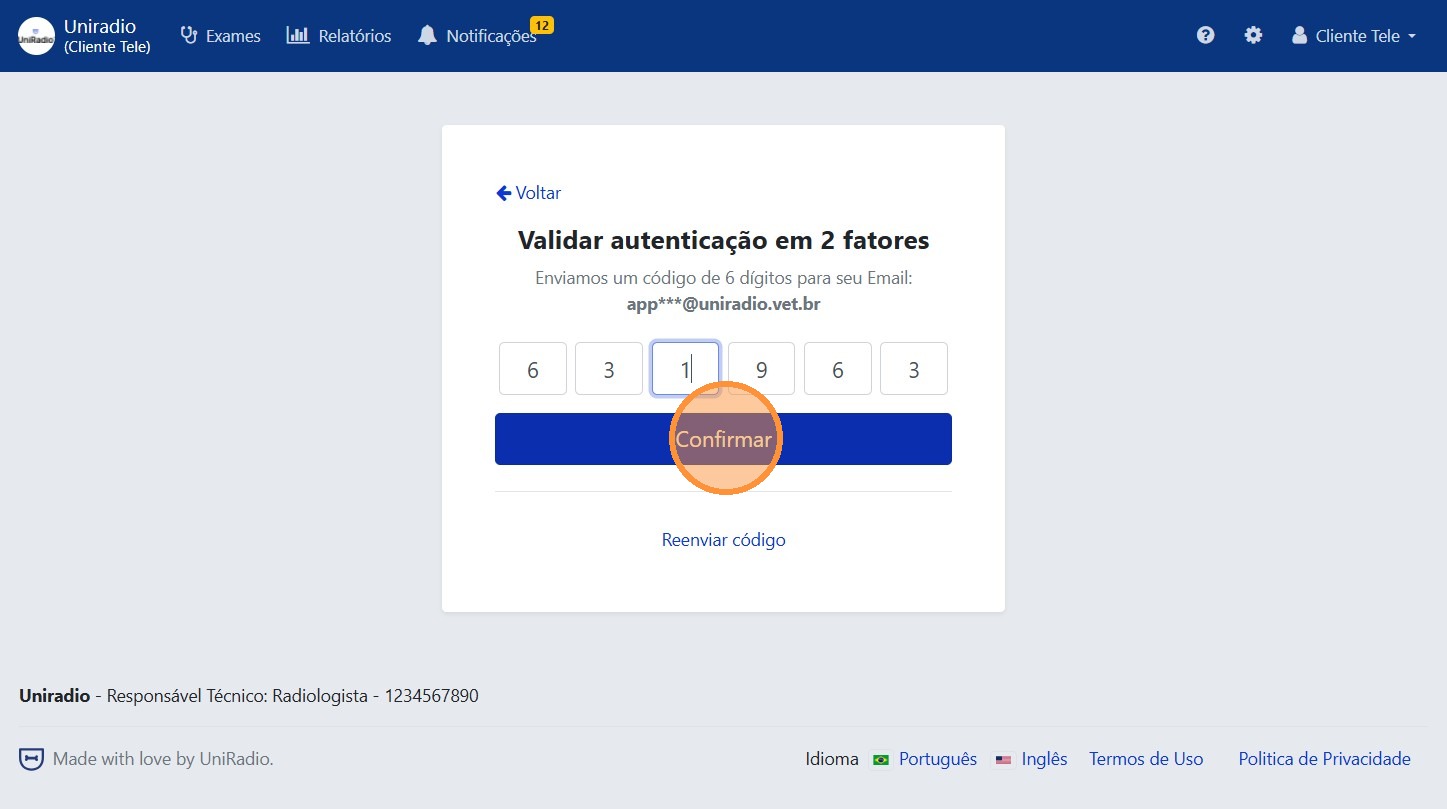
An email or message will be sent by the UniRadio app with the verification code for the selected authentication method. Enter the code in the indicated field and click "Confirm".
7. Click "Confirm"
Click the "Confirm" button to complete the activation.
Need Help?
Check our FAQ or contact your radiologist if you encounter any issues.