
How to Invite a New User
Learn how to add a new member to your account on the UniRadio platform by sending an invitation.
Step by Step
1. Access the UniRadio platform
Navigate to app.uniradio.vet.br/exams
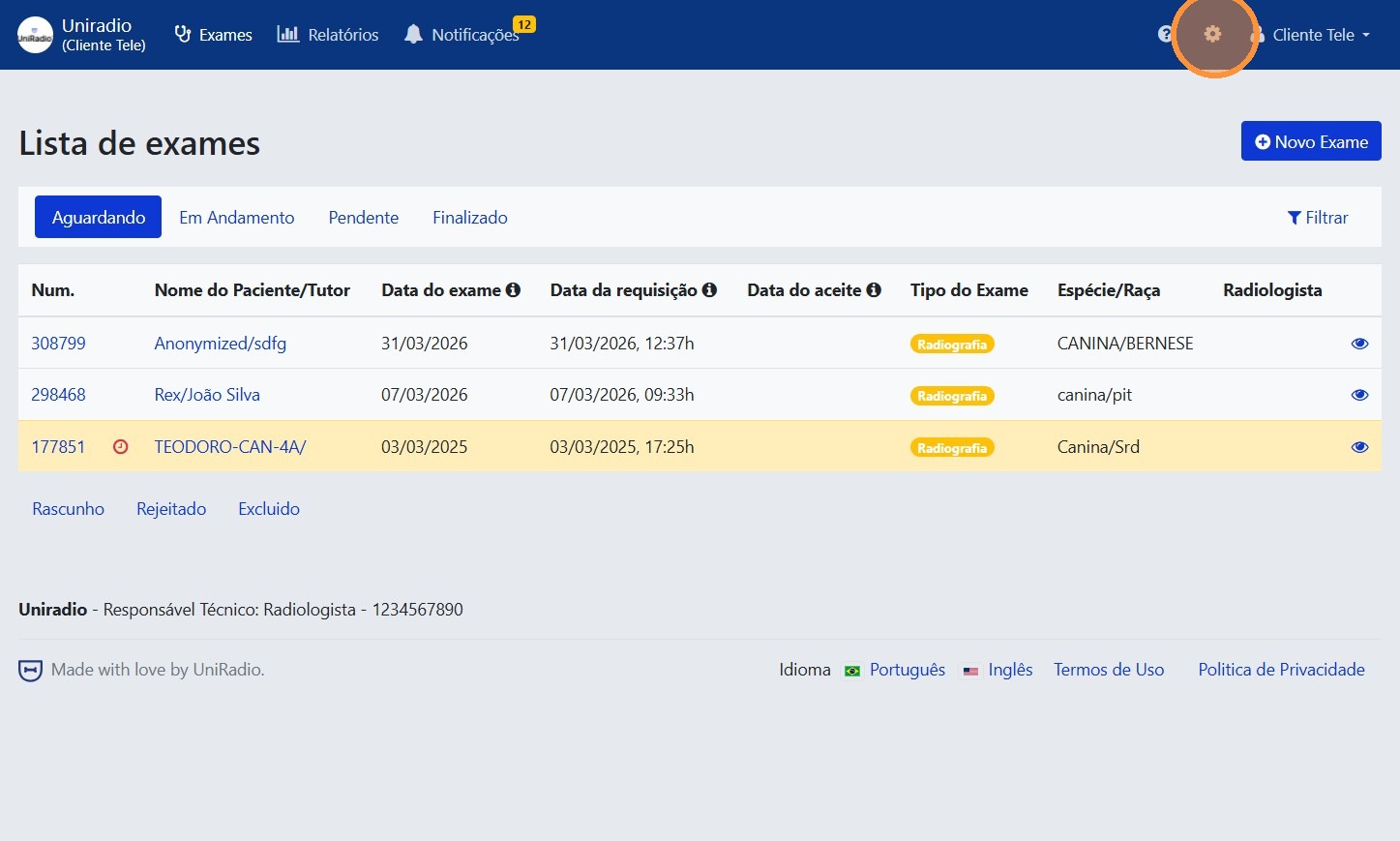
2. Access the account settings
Click the gear icon in the top-right corner to access the account settings.
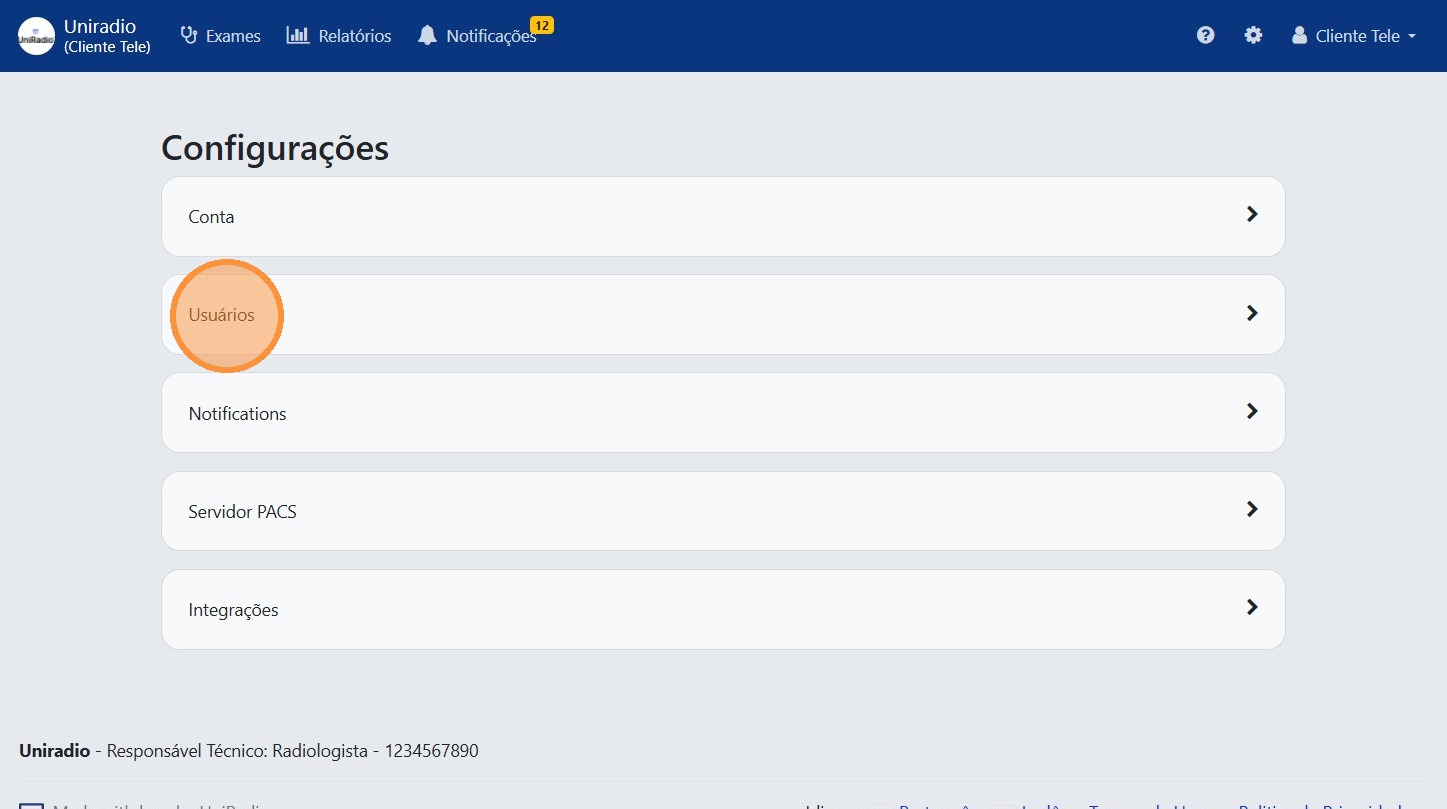
3. Click "Users"
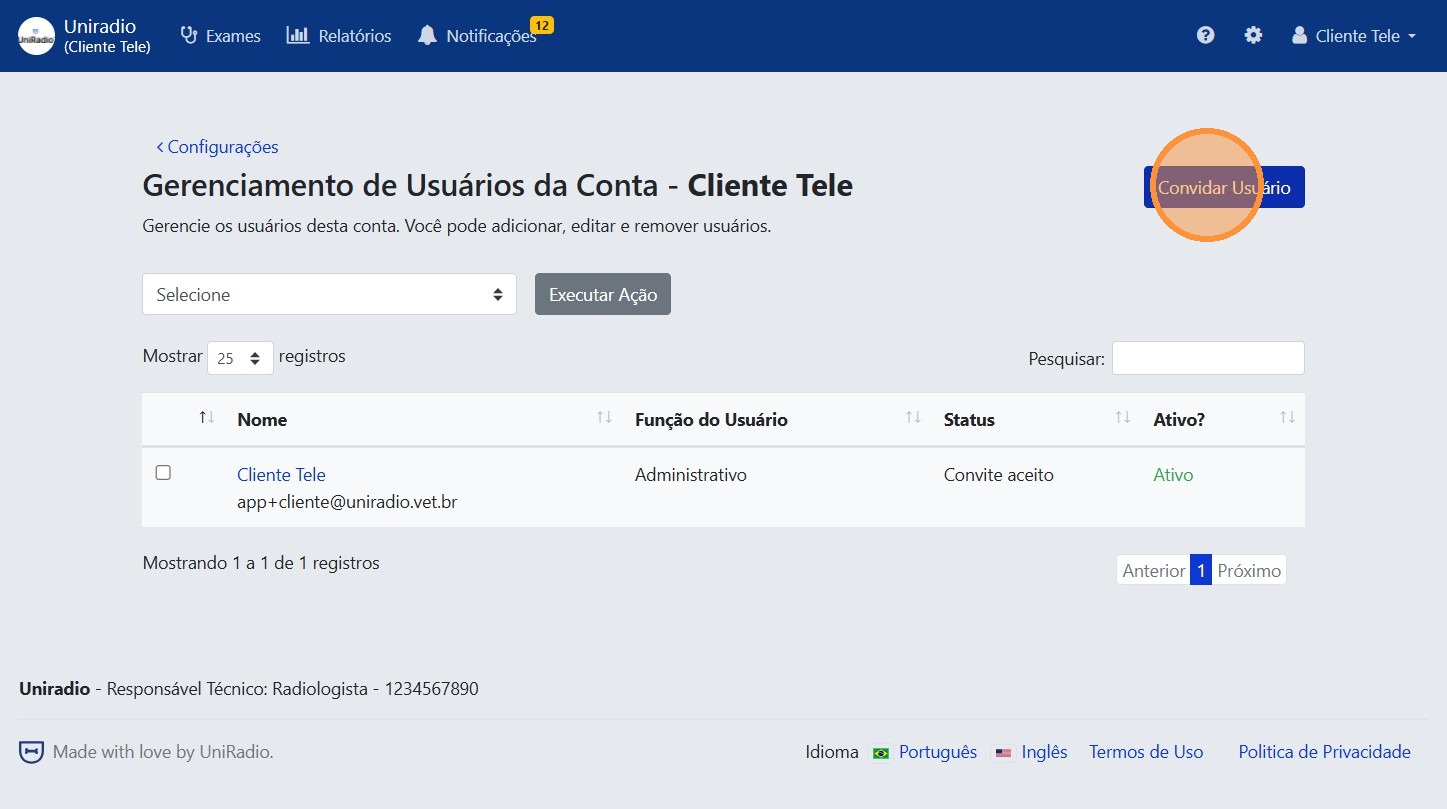
4. Click "Invite User"
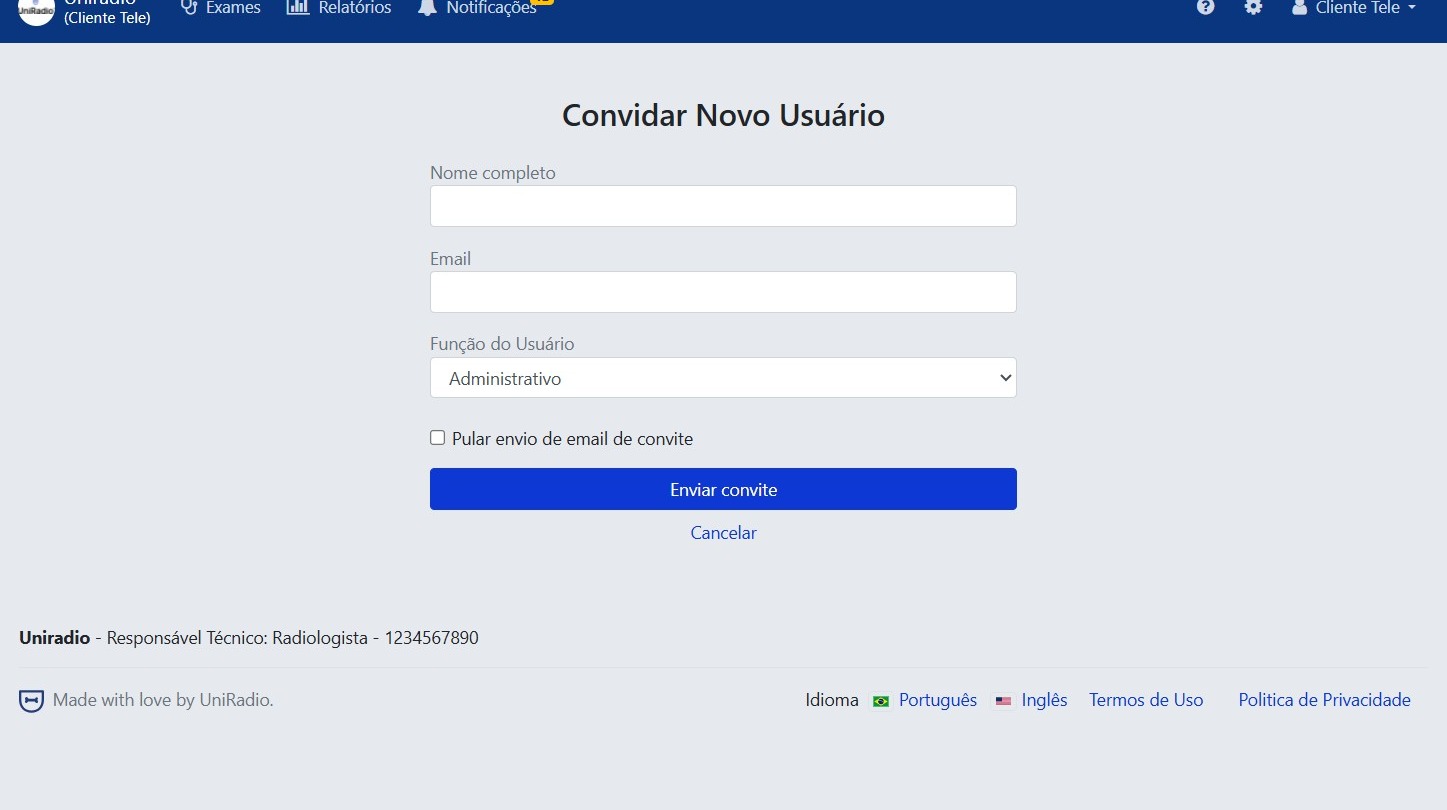
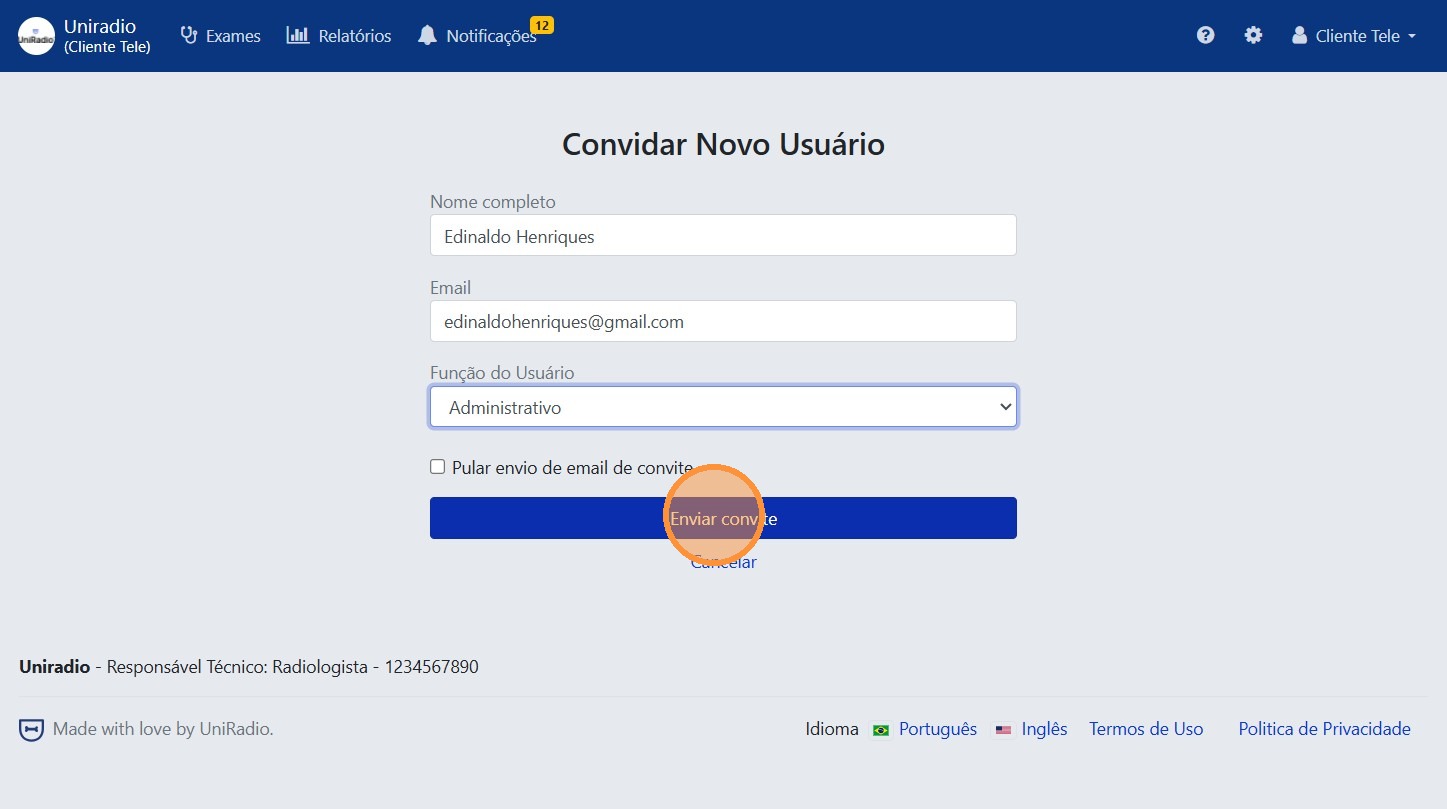
5. Fill in the invitation form
Enter the full name, email, and role of the new user.
Available roles
- Administrator: has full access to the account, and can manage users, exams, and settings.
- Member: restricted access. When selecting this role, you can define individually what permissions the user will have within the platform.
User not yet registered?
If the provided email does not belong to any existing account on the platform, the user will be automatically created and will receive access instructions along with the invitation.
Skip invitation email
If the "Skip invitation email" option is checked, the invited user will not receive any email notification and will be activated automatically.
6. Click "Send invitation"
Need Help?
Check our FAQ or contact your radiologist if you encounter any issues.