
How to Share the Report Link
Learn how to find and share the URL link for the report of a finalized exam on the UniRadio platform.
Step by Step
1. Access the Exams page
Navigate to app.uniradio.vet.br/exams
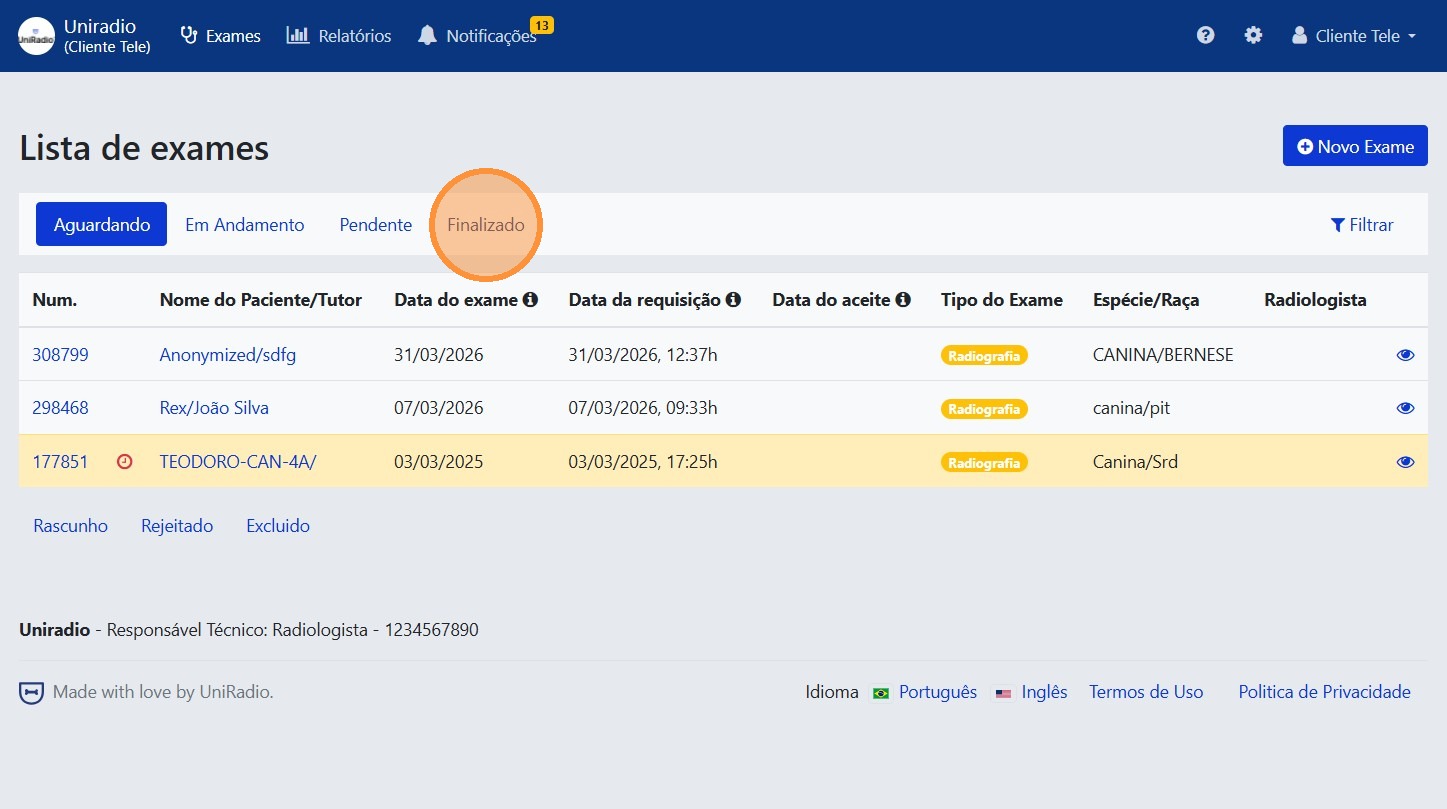
2. Filter by finalized exams
Click the "Finalized" tab to list only exams that already have a report available.
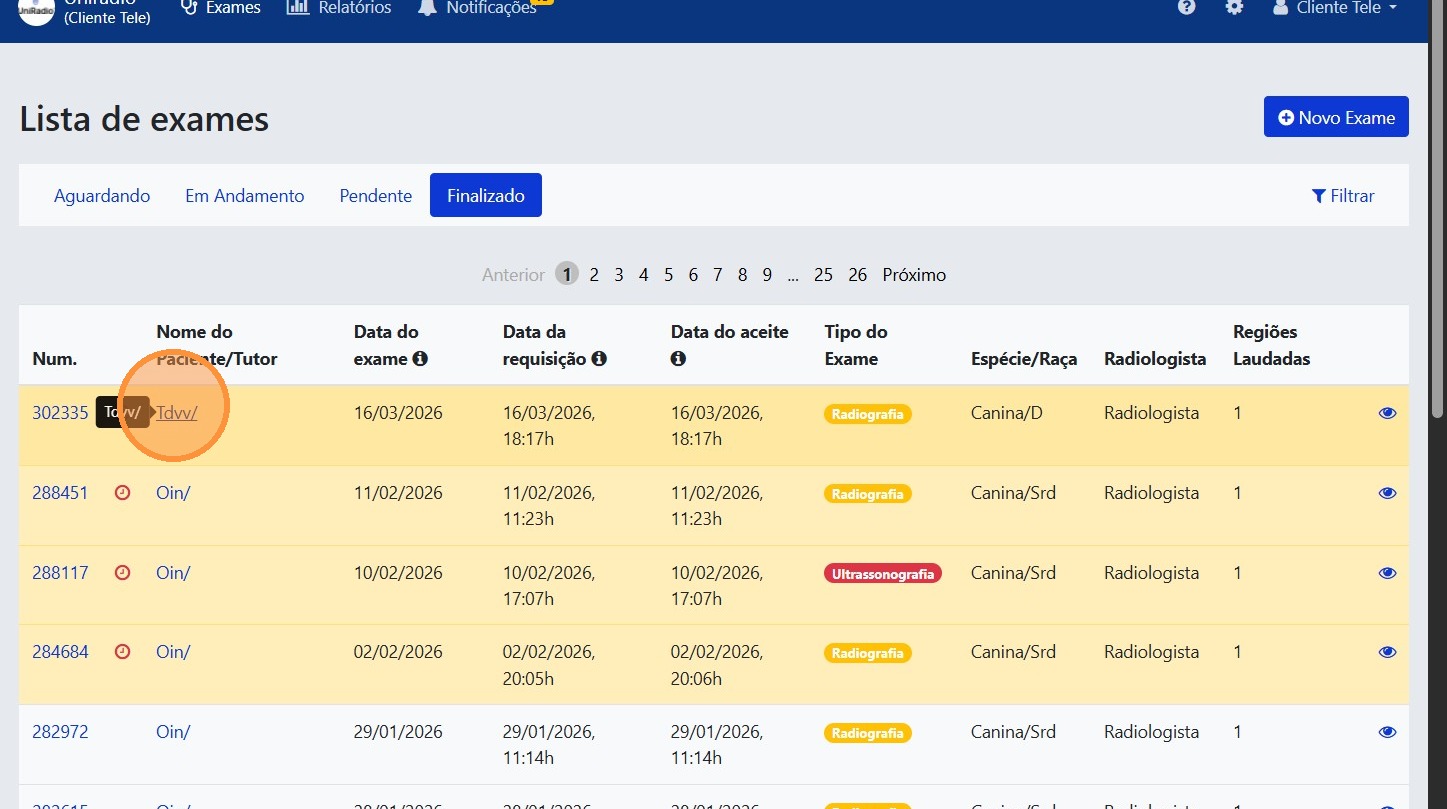
3. Select the exam
Click on the exam whose report you want to share.
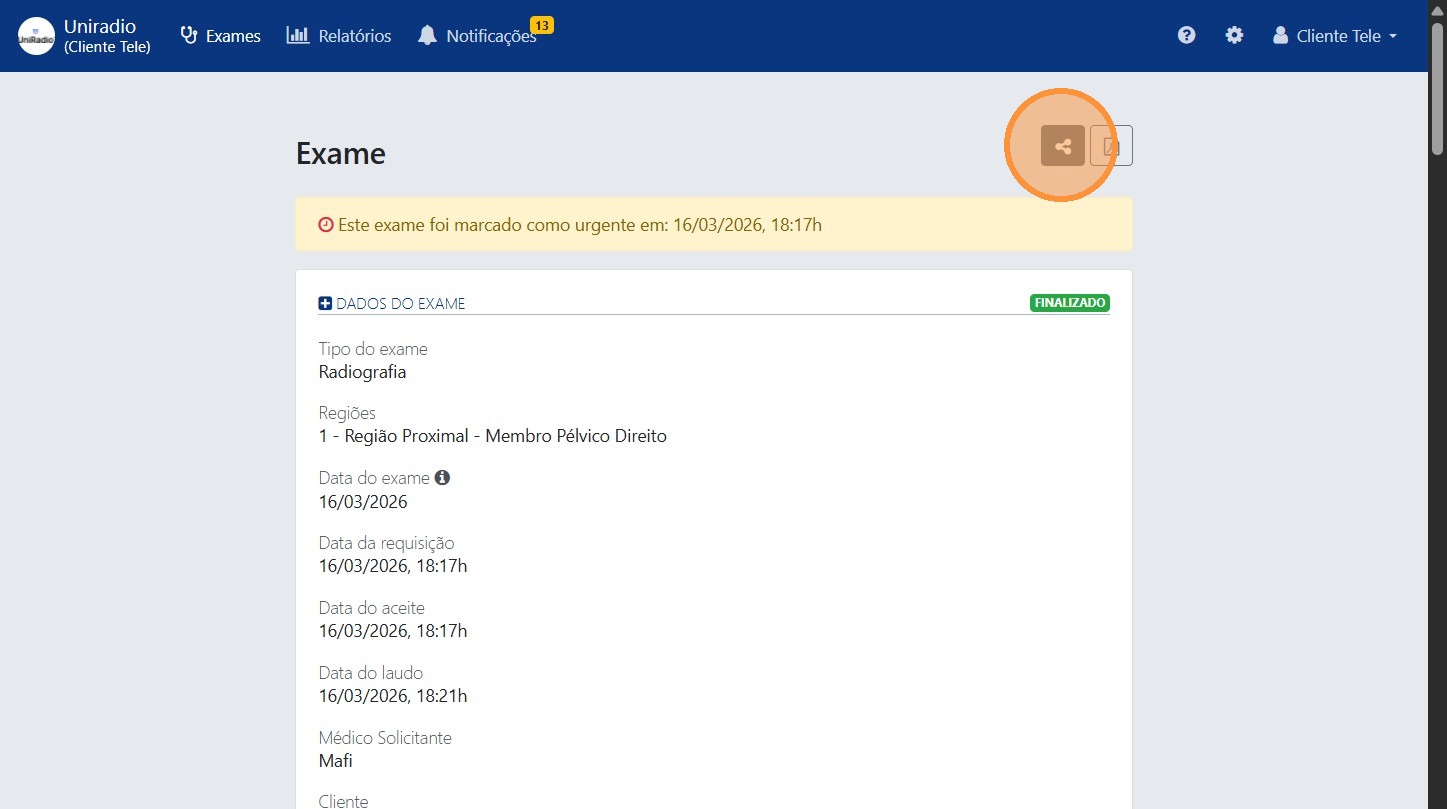
4. Click the share button
Click the share icon to open the report sharing options.
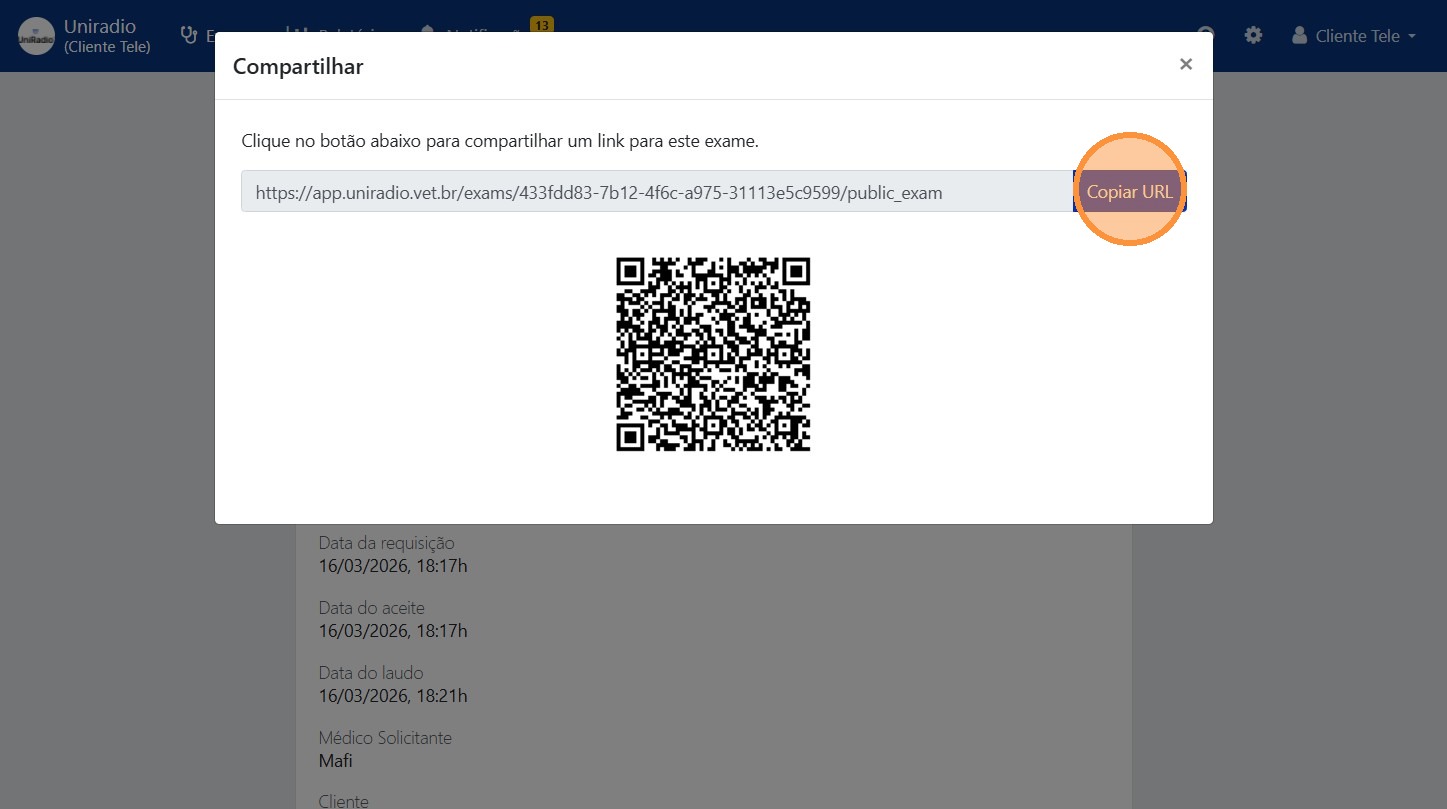
5. Copy the link or scan the QR Code
Copy the report URL to send to whoever you wish, or scan the QR Code directly.
Need Help?
Check our FAQ or contact your radiologist if you encounter any issues.