
How to Edit a Client Account User
Learn how to update the information and permissions of a user linked to a client account on the UniRadio platform.
Step by Step
1. Access the UniRadio platform
Sign in to your account and go to app.uniradio.vet.br/exams
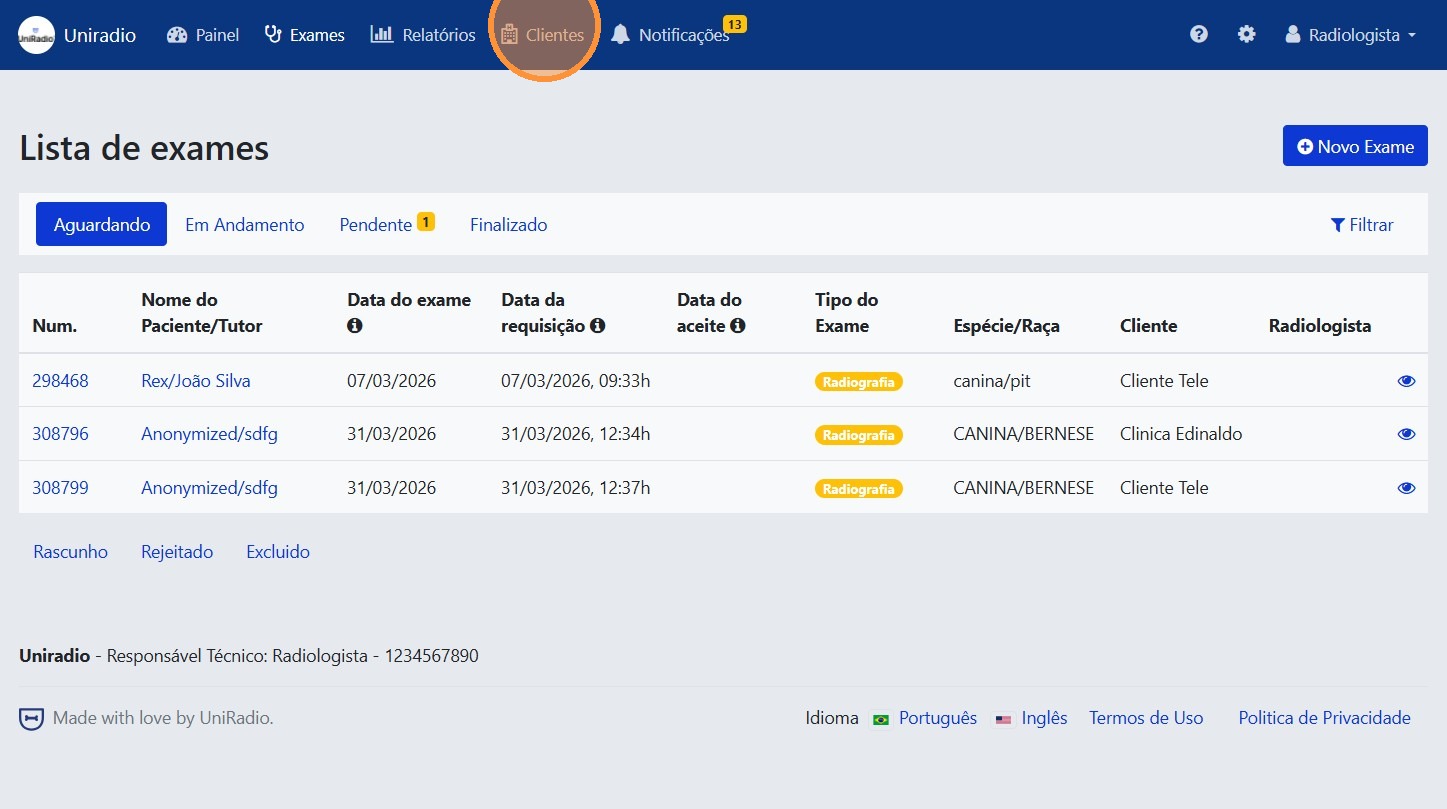
2. Access "Clients"
In the side menu, click on "Clients" to view the list of registered clients.
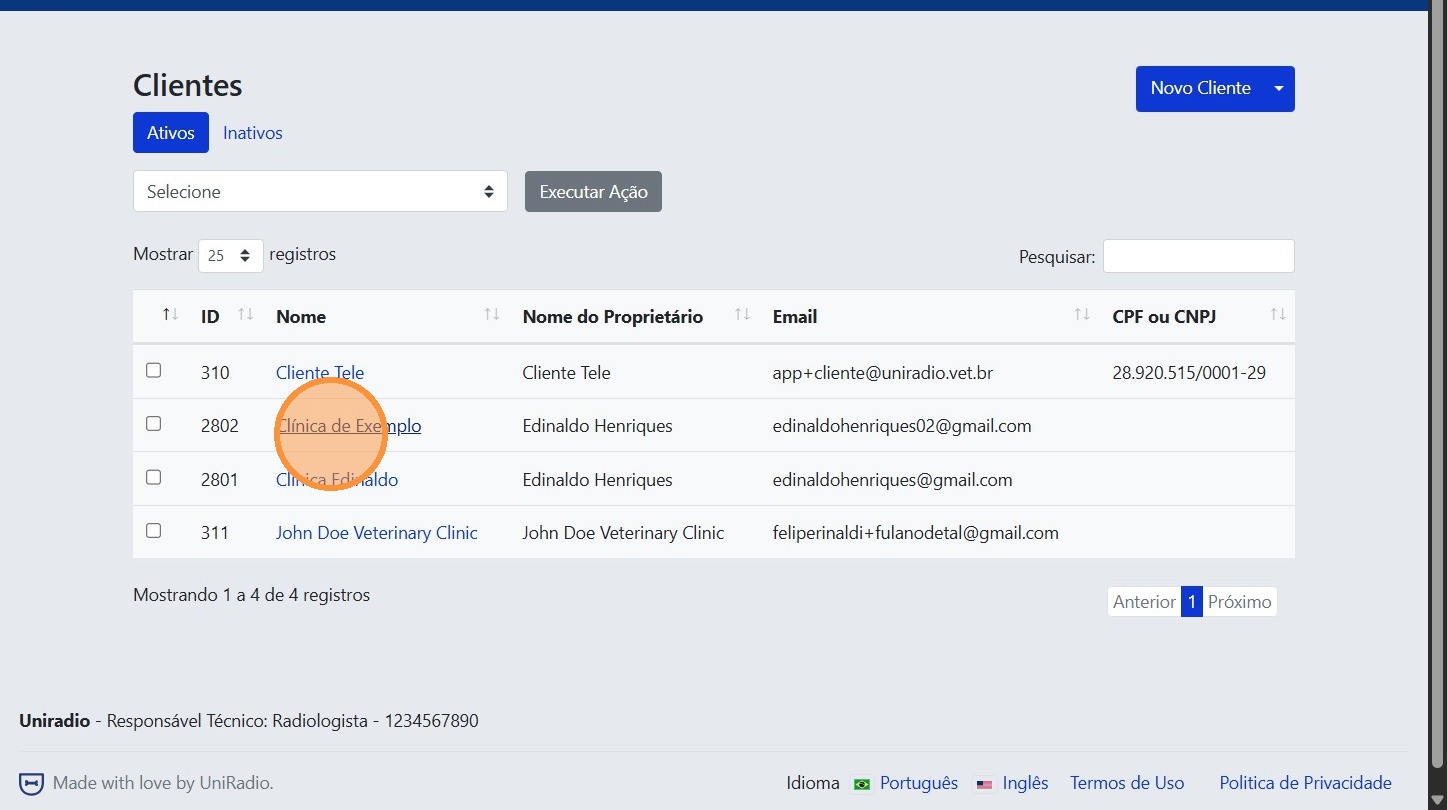
3. Select the clinic
Click on the clinic to open its management page.
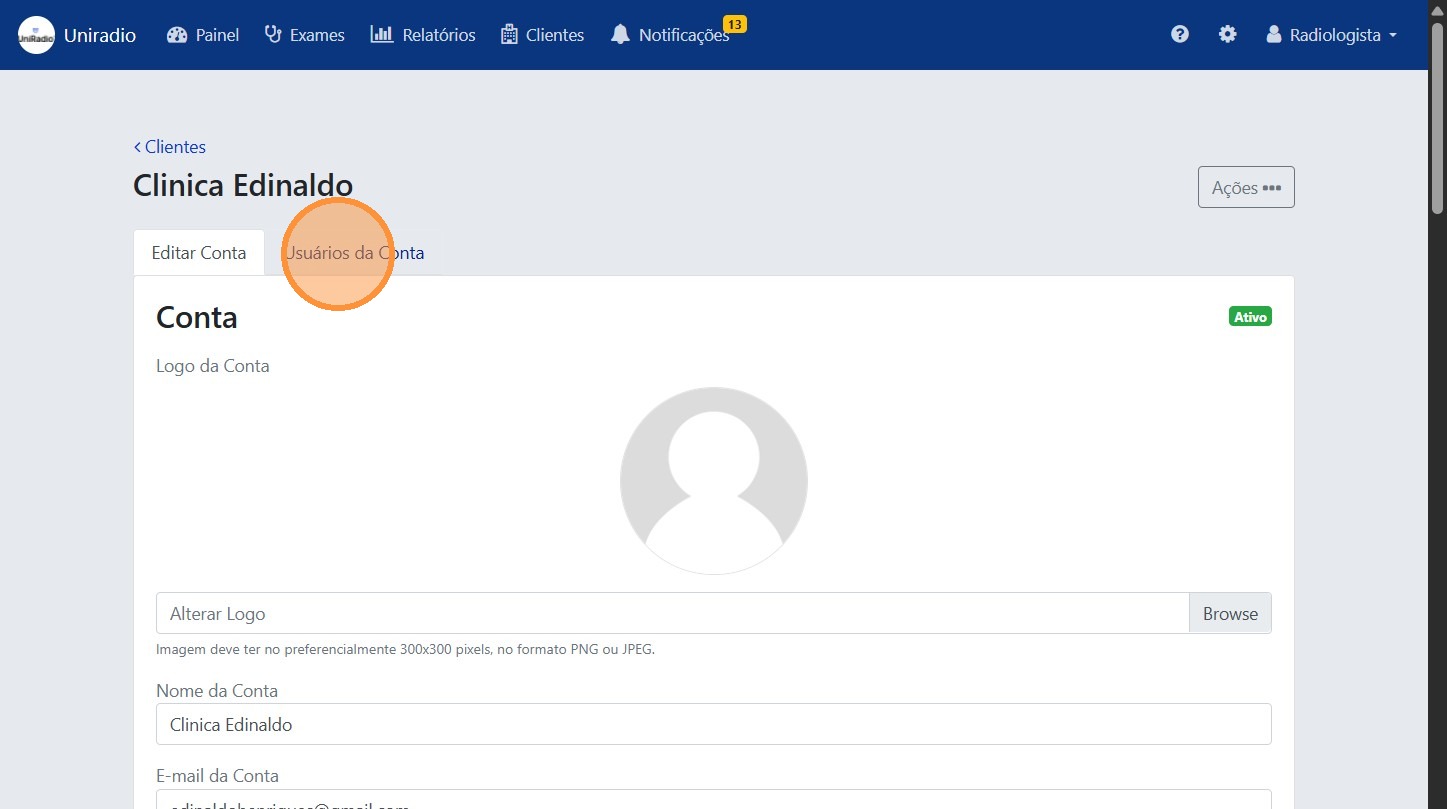
4. Access "Account Users"
Inside the client profile, click on "Account Users" to view the users linked to it.
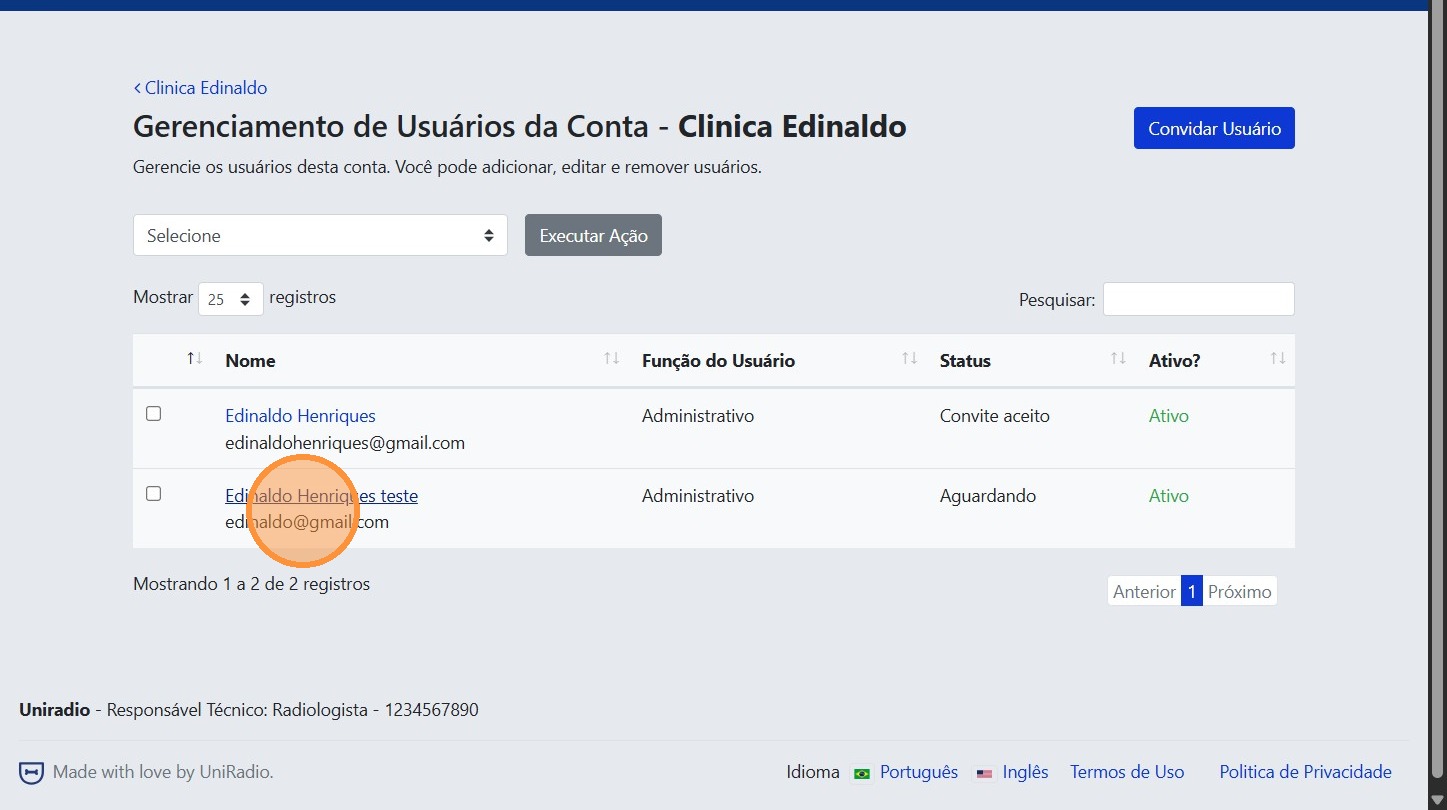
5. Select the user
Click on the name of the user you want to edit.
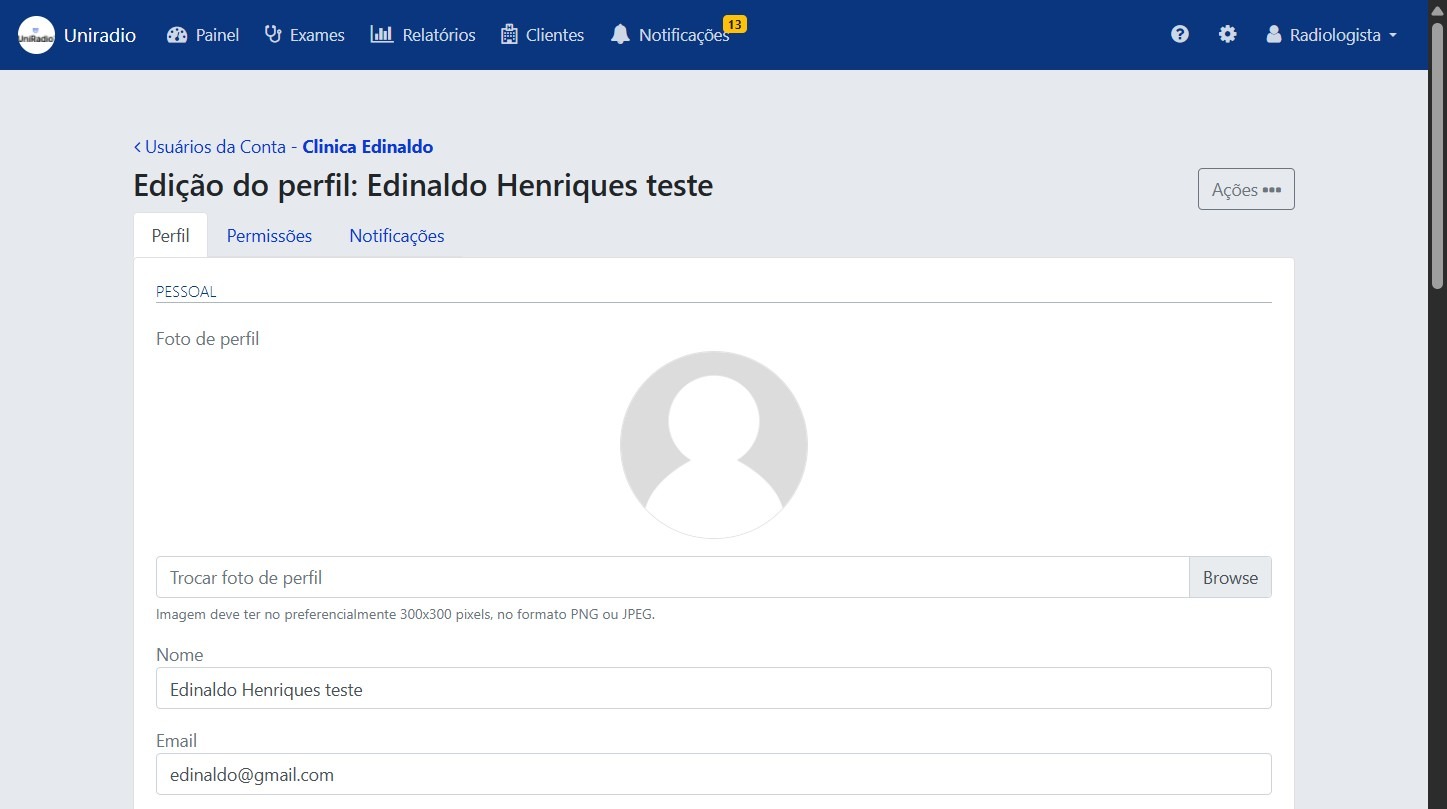
6. Update the information
Edit the desired fields, such as the user's name, role, or permissions.
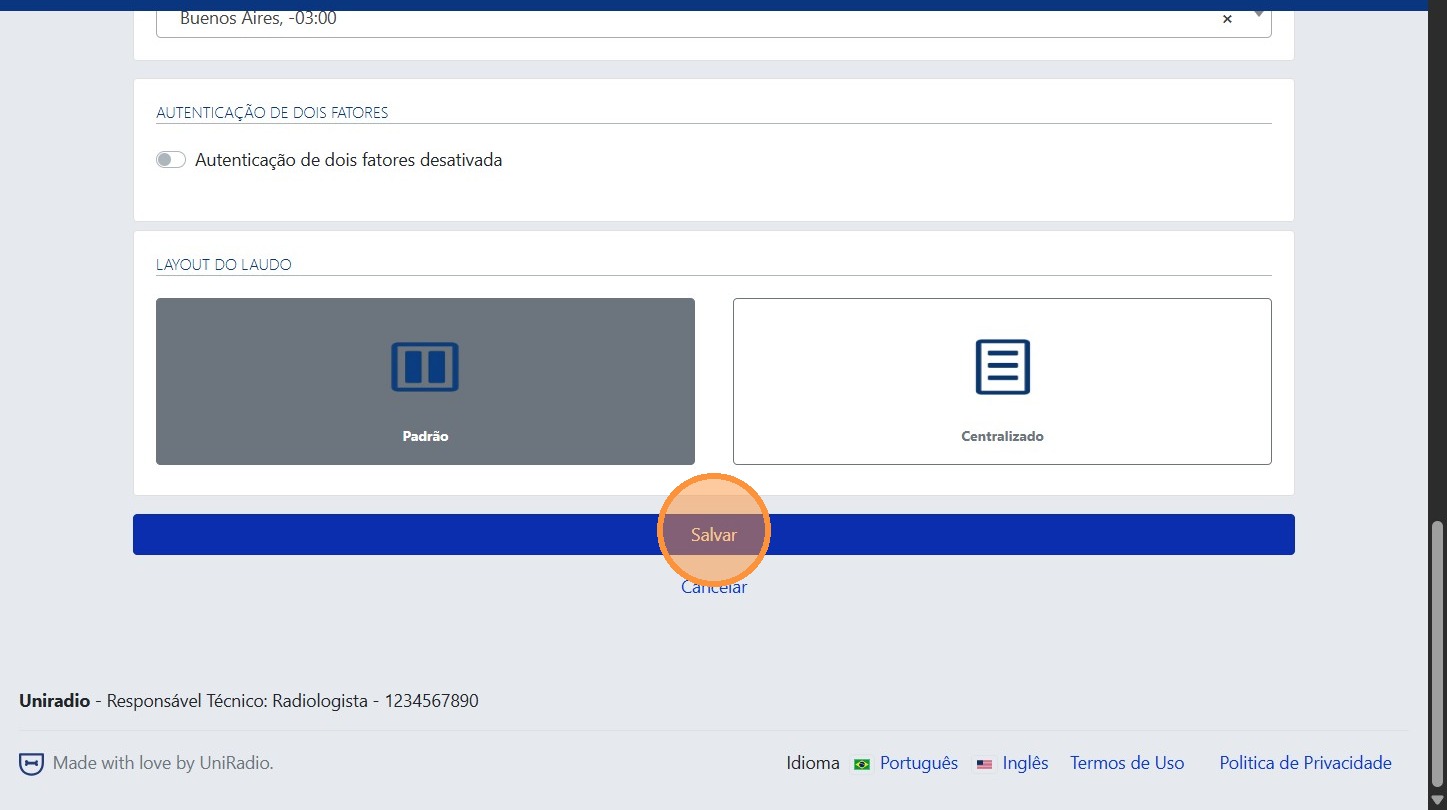
7. Click "Save"
After making the changes, click "Save" to confirm them.
Need Help?
Check our FAQ or contact support if you encounter any issues editing users.