
How to Invite a New User to the Account
Learn how to grant access to your team by sending invitations through the settings area of the UniRadio platform.
Step by Step
1. Access the UniRadio platform
Sign in to your account and go to app.uniradio.vet.br/exams
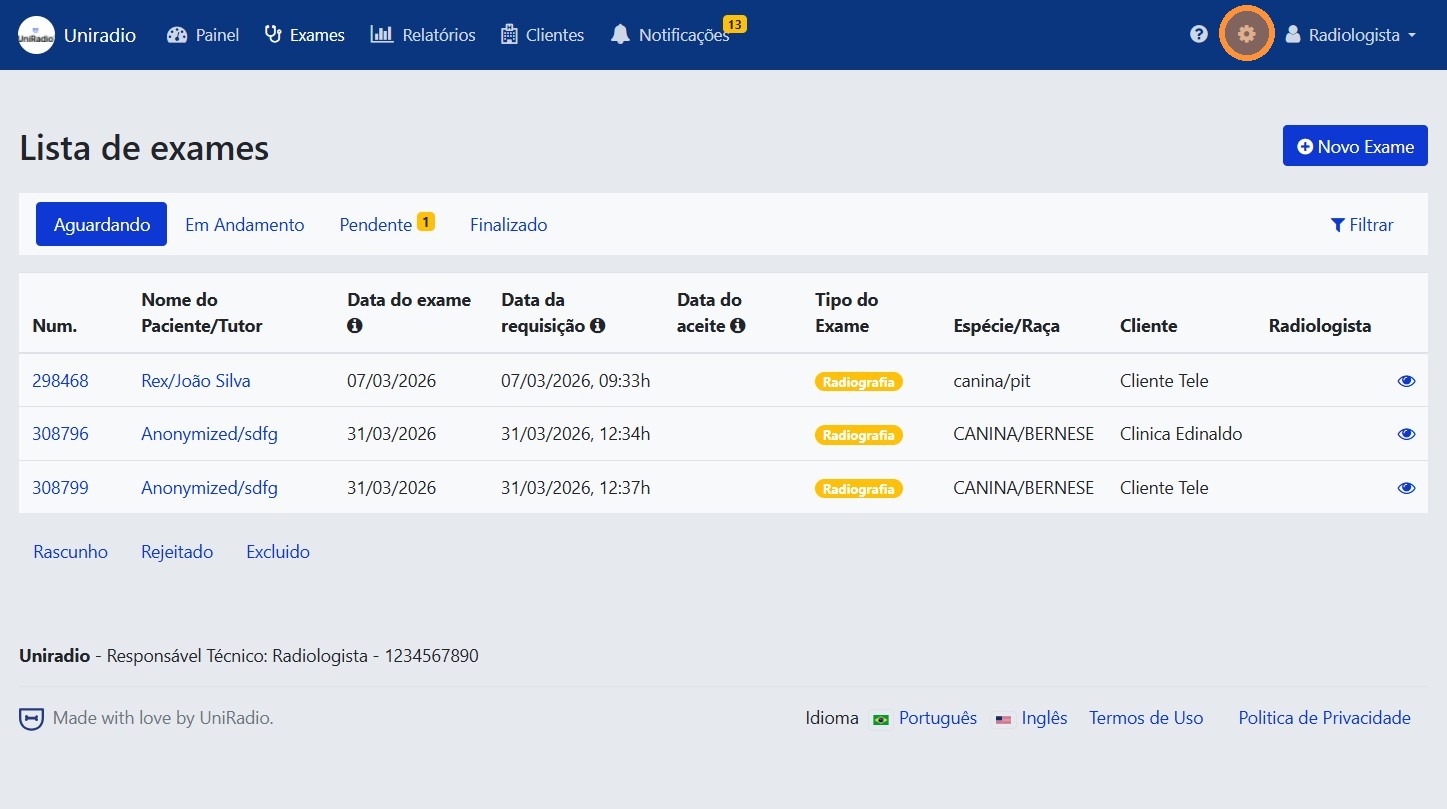
2. Open the settings menu
In the side menu, click the settings icon to open the account options.
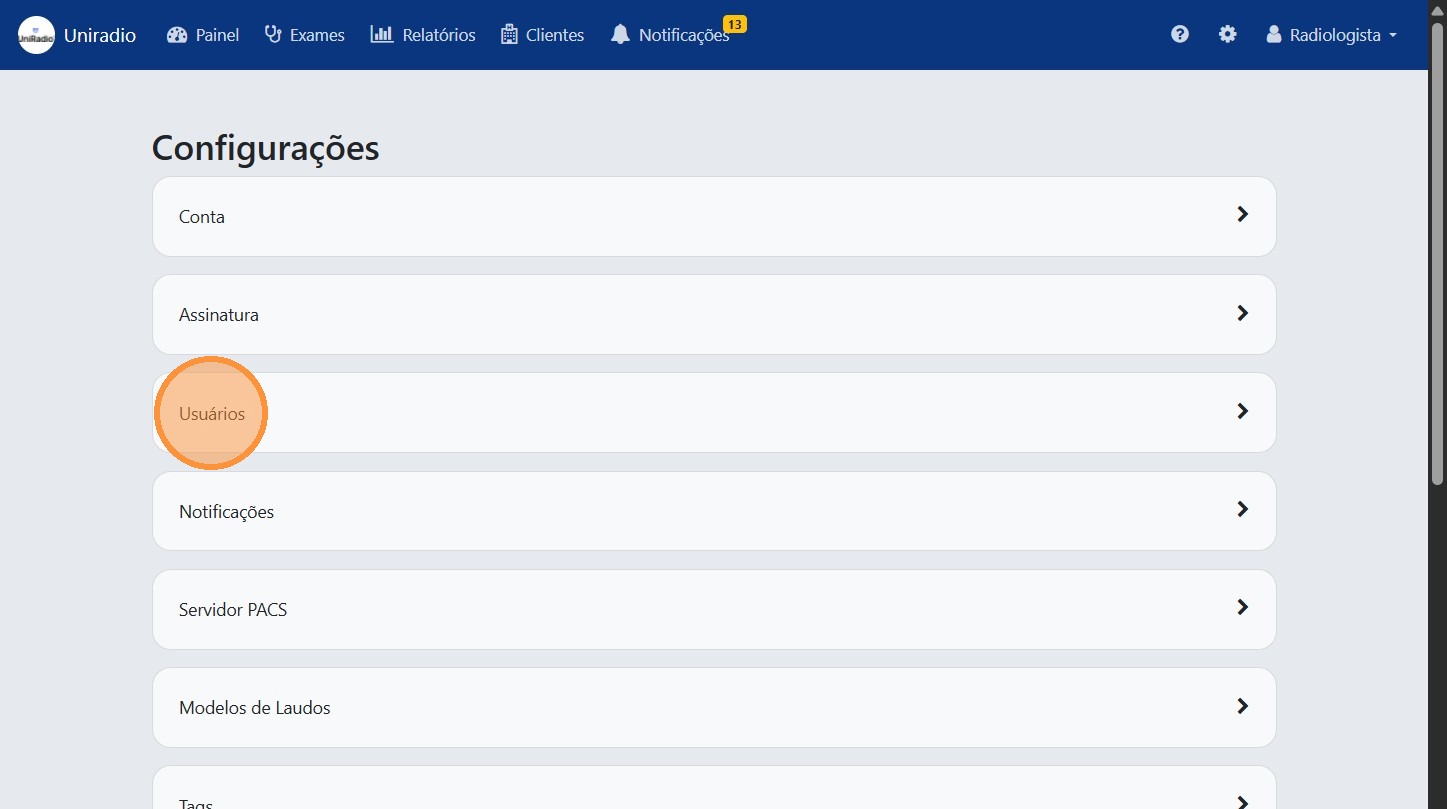
3. Click "Users"
In the settings menu, click "Users" to manage the members of your account.
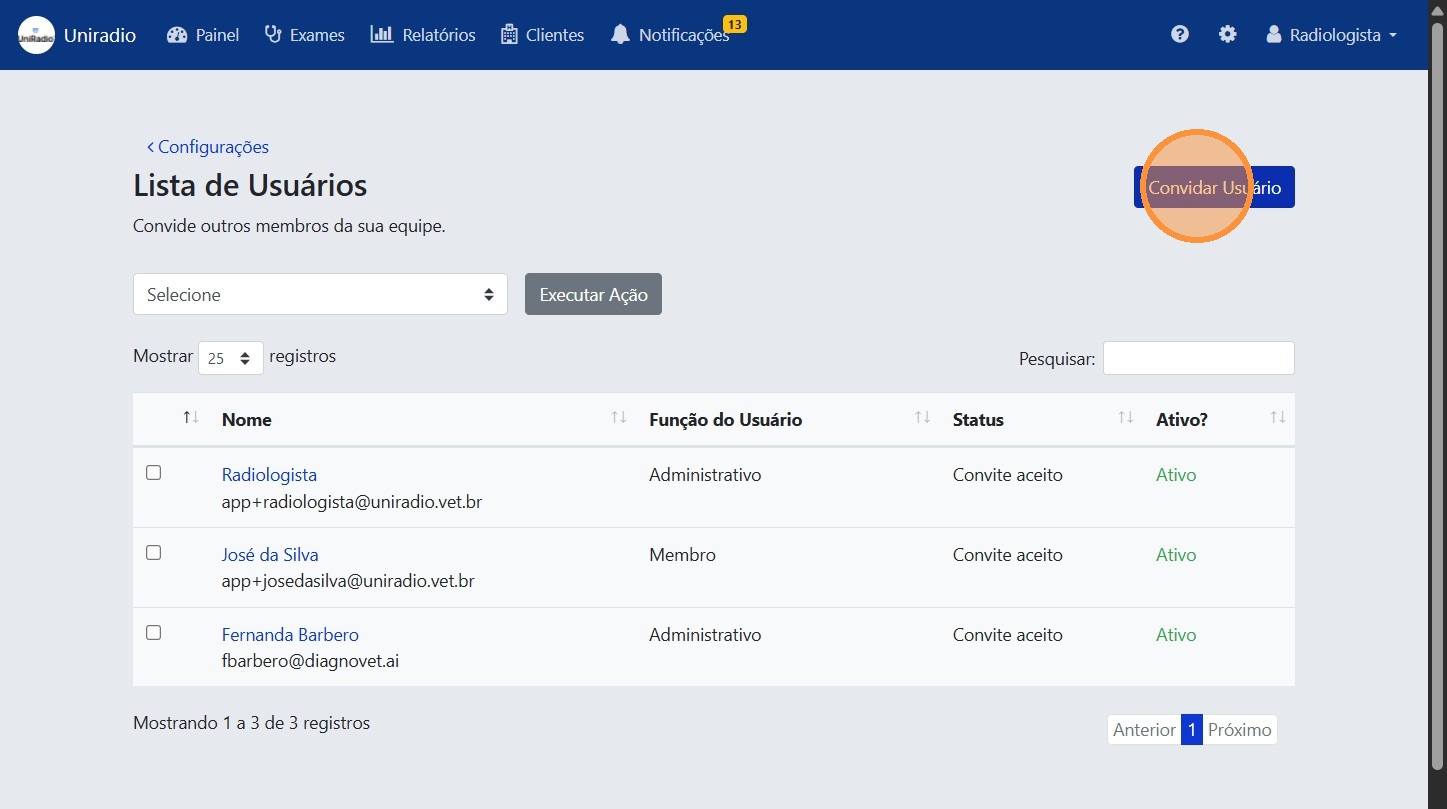
4. Click "Invite User"
Click the "Invite User" button to start the invitation process.
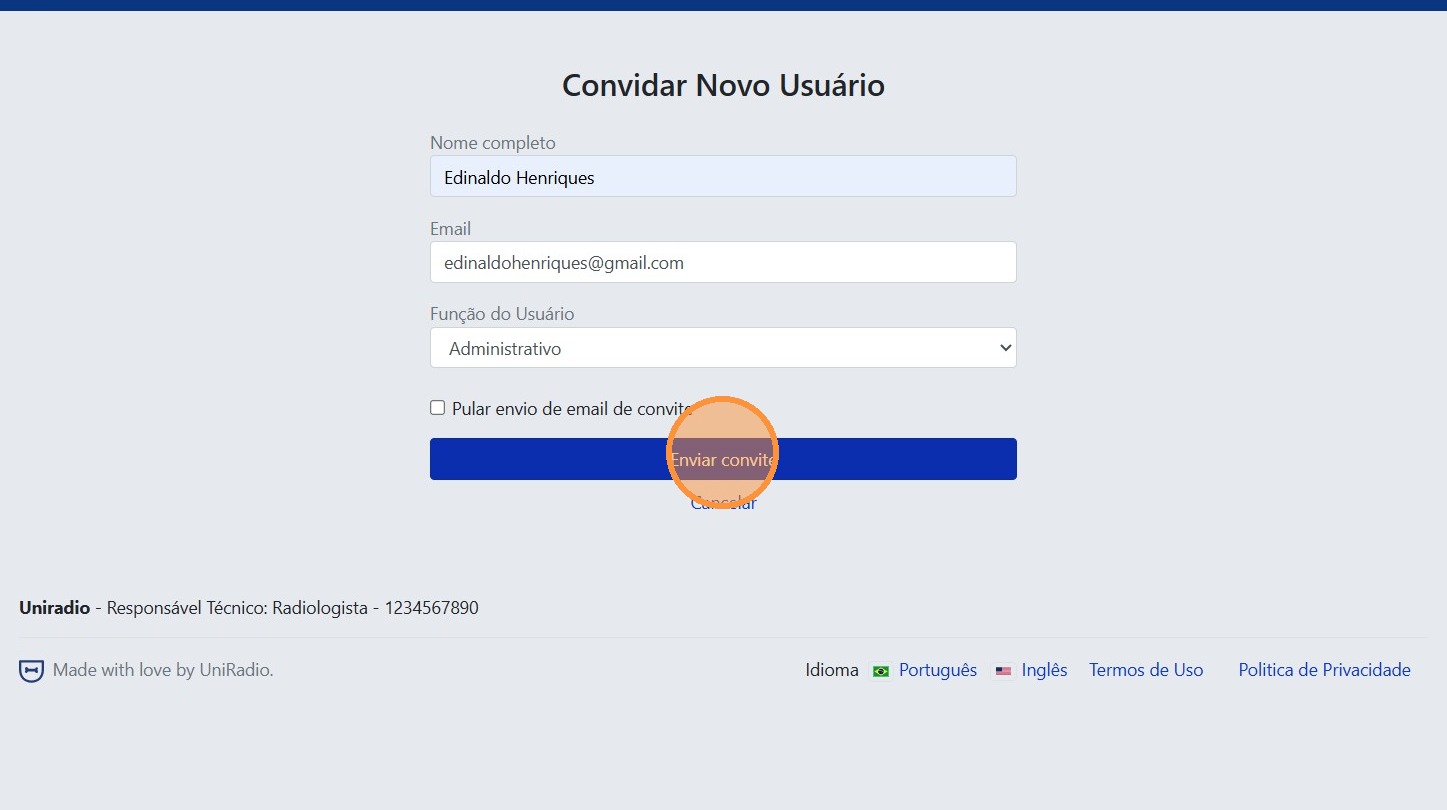
5. Fill in the user information
Enter the name, email, and other required information for the invitation.
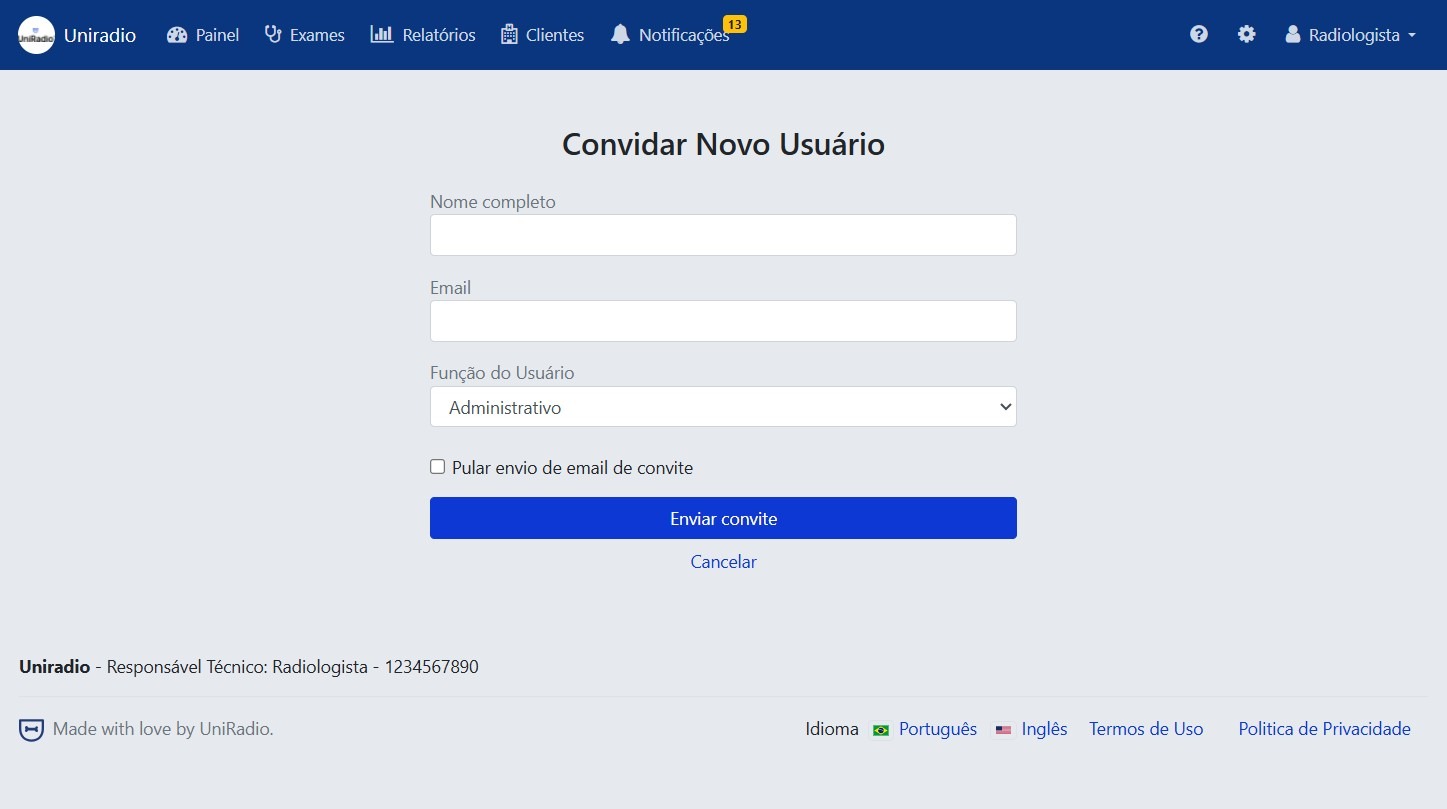
6. Click "Send invitation"
After filling in the details, click "Send invitation" to finalize and send the invitation to the new user.
Field Descriptions
To understand the meaning of each field in this form, see Invite user to account (Radiologist).
Need Help?
Check our FAQ or contact support if you have trouble inviting new users.