
How to Reactivate a Client Account
Learn how to restore access to a deactivated client account on the UniRadio platform.
Step by Step
1. Access the UniRadio platform
Sign in to your account and go to app.uniradio.vet.br/exams
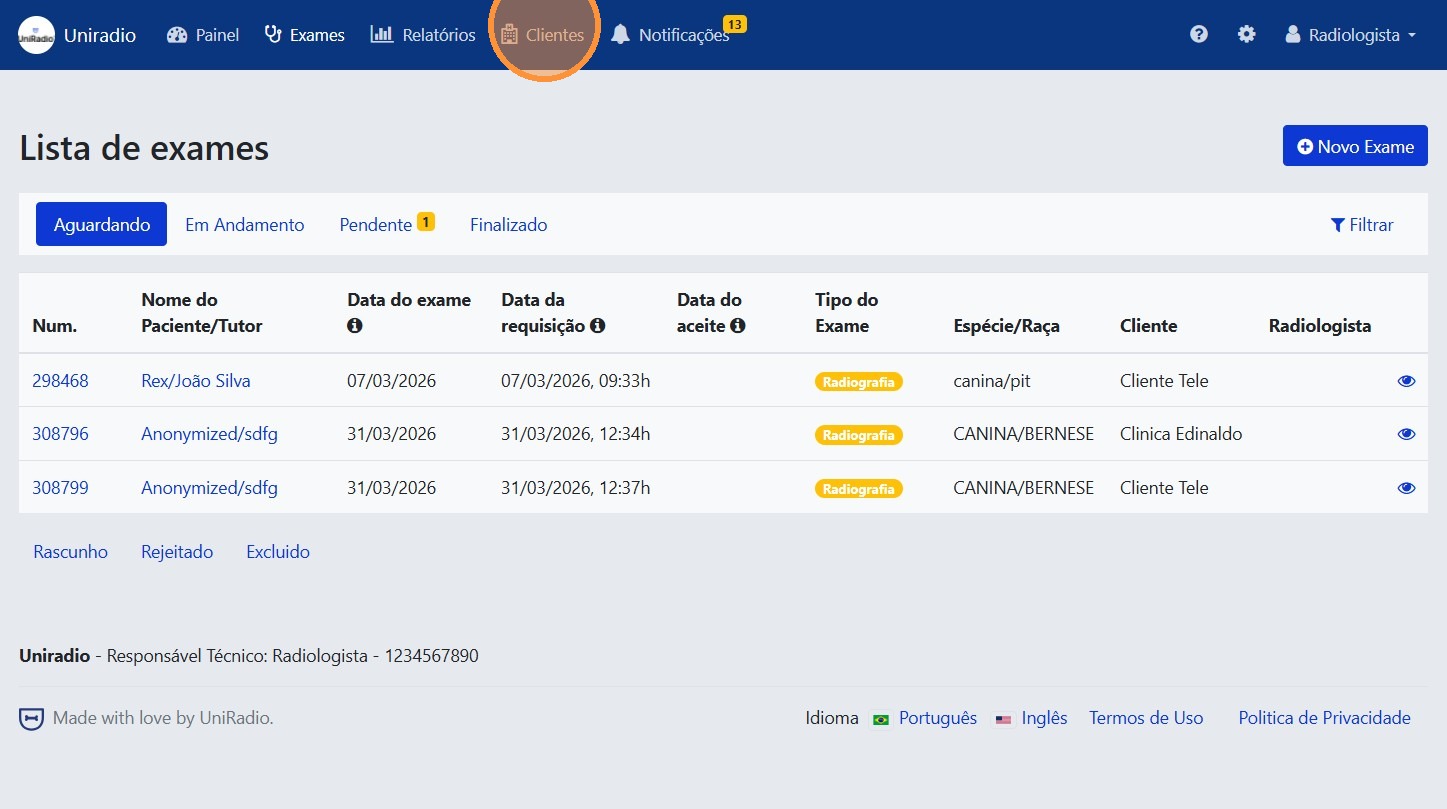
2. Open "Clients"
In the side menu, click "Clients" to view the list of registered clients.
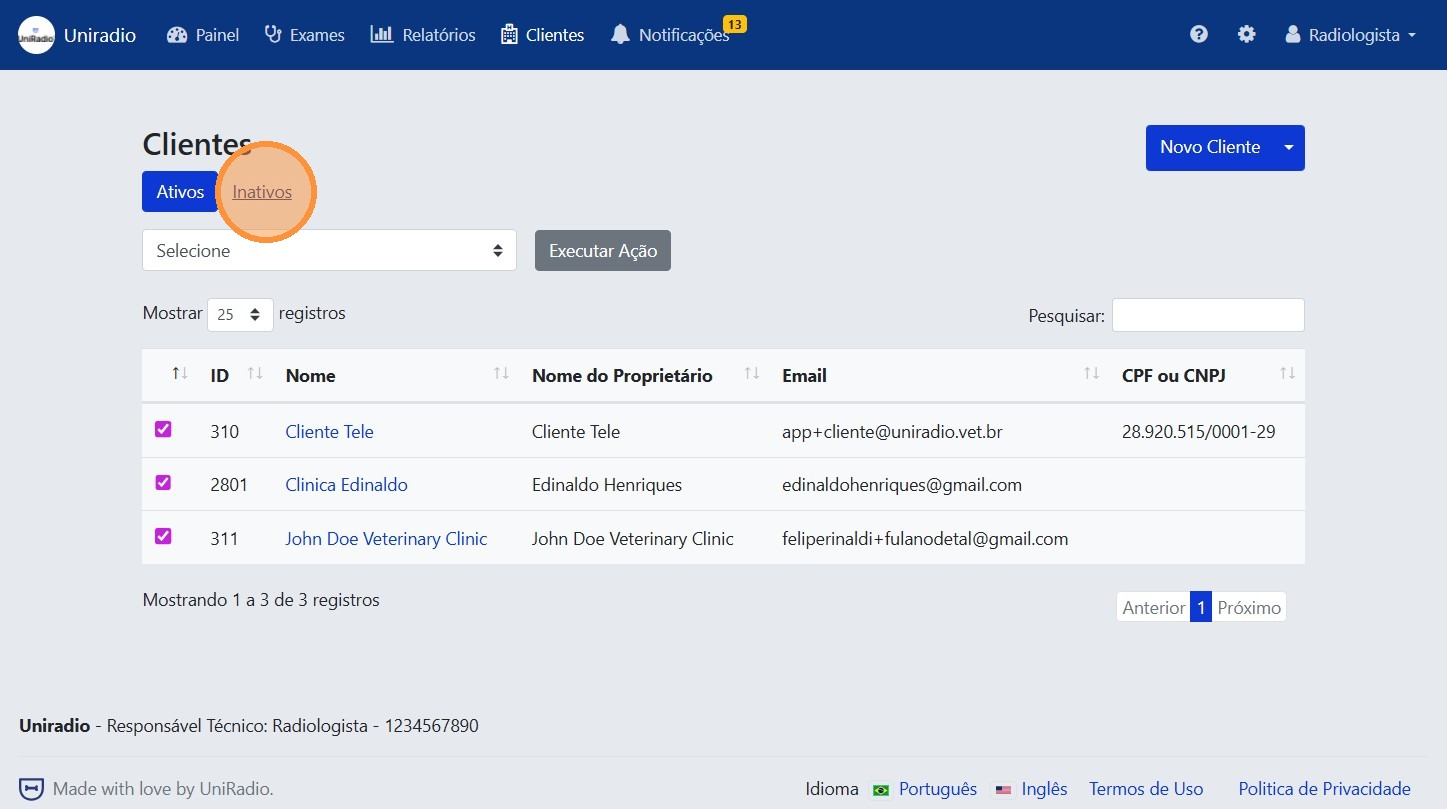
3. Click the "Inactive" tab
Click the "Inactive" tab to list only the deactivated accounts.
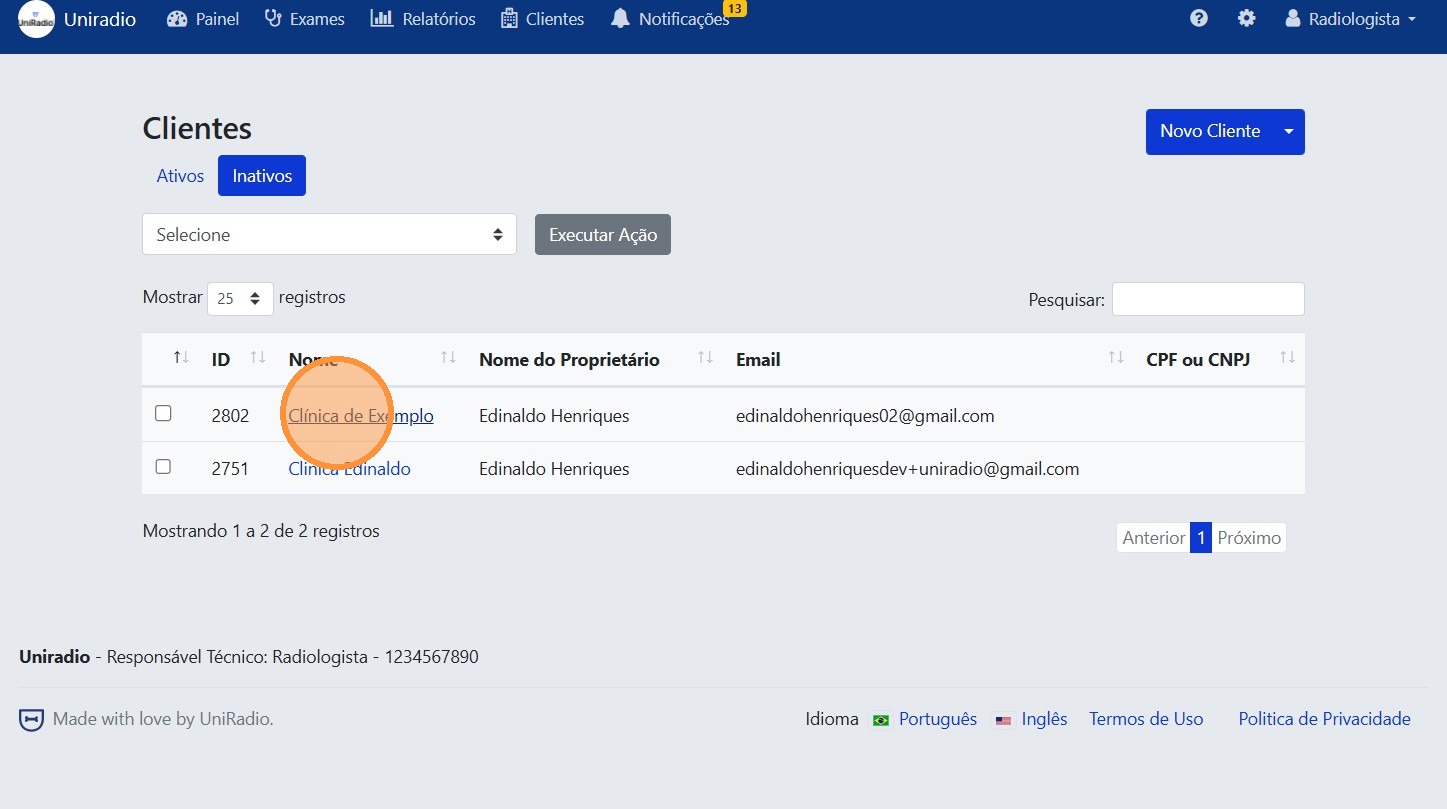
4. Select the client
Click on the client whose account you want to reactivate.
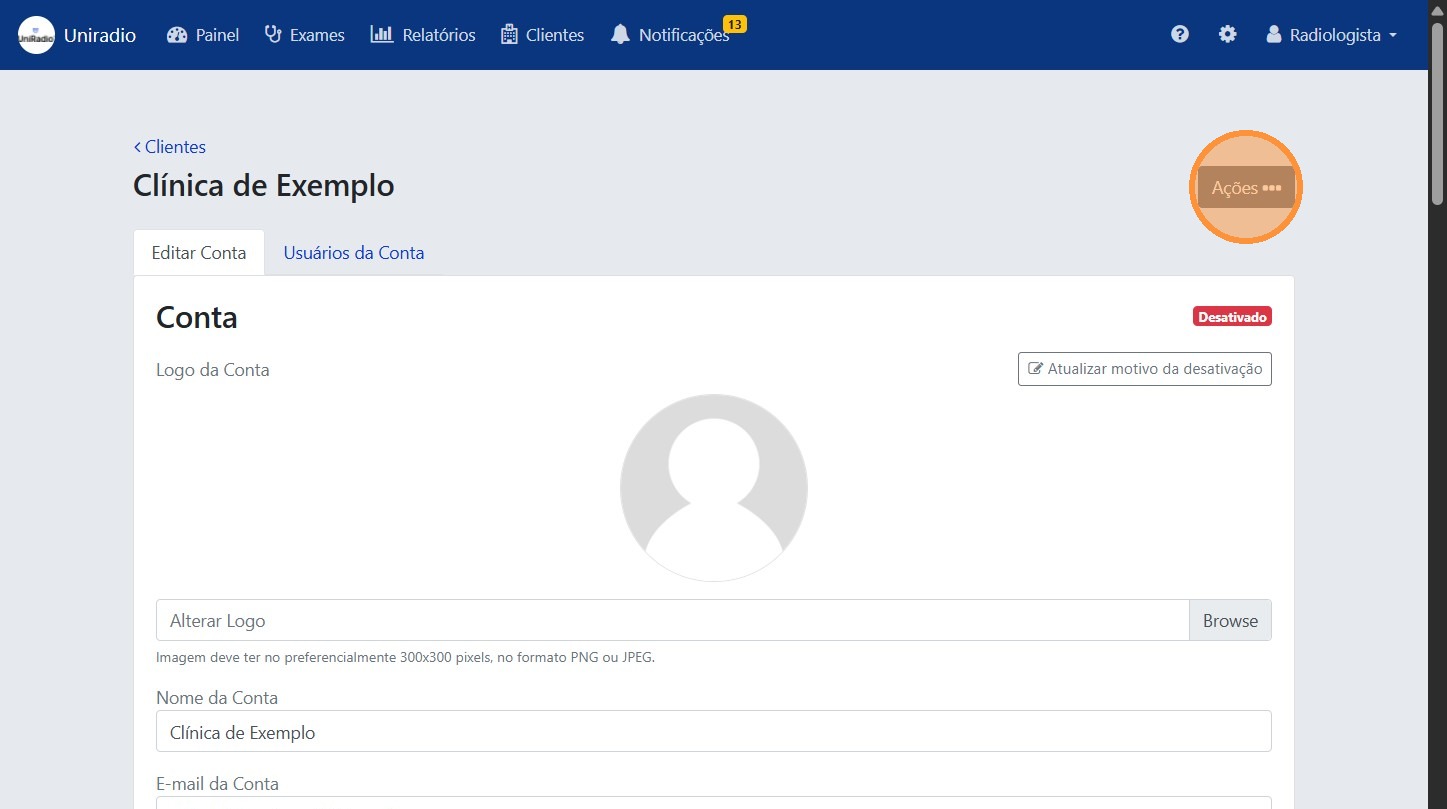
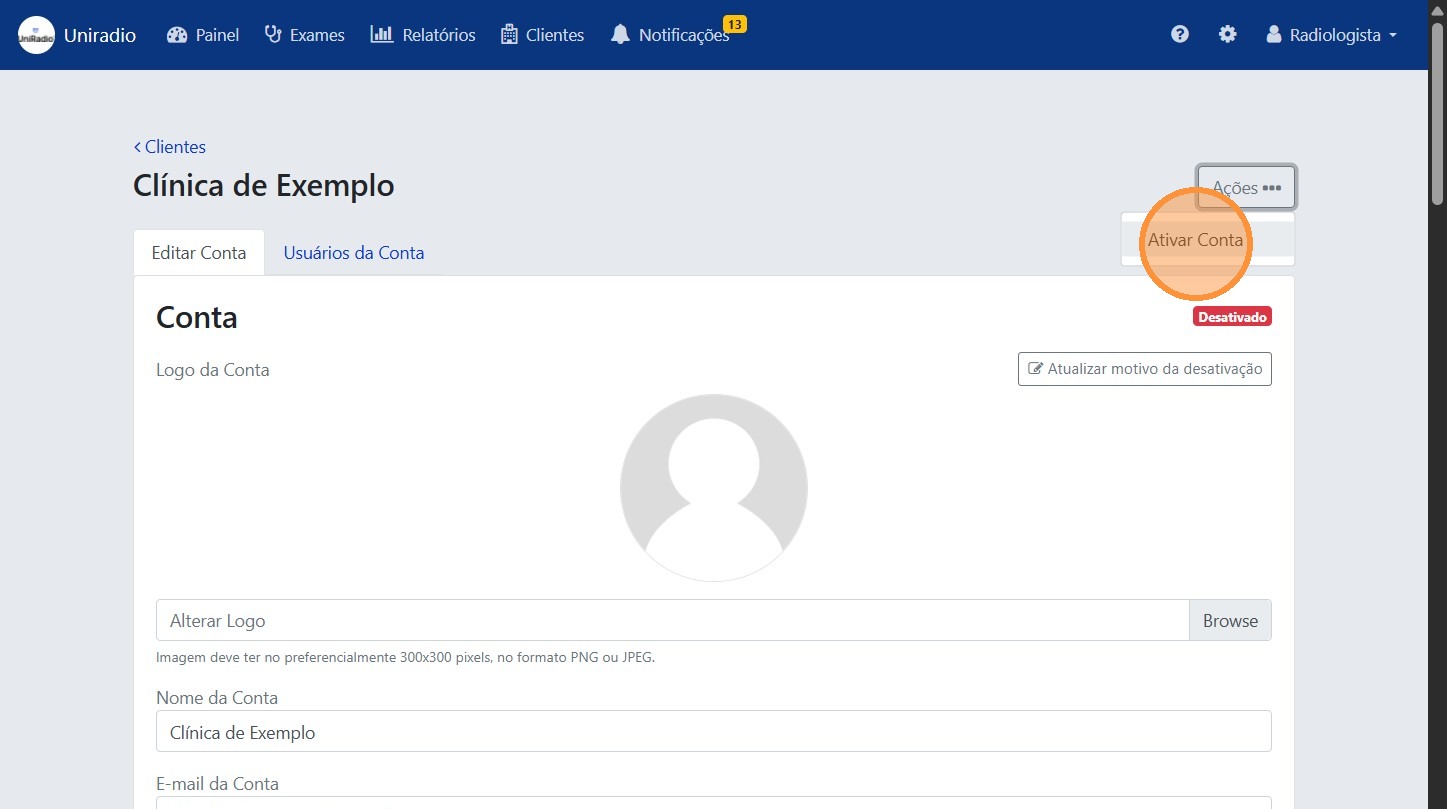
5. Click "Actions"
Click the "Actions" button to open the options menu available for the client.
6. Click "Activate Account"
Select the "Activate Account" option from the actions menu.
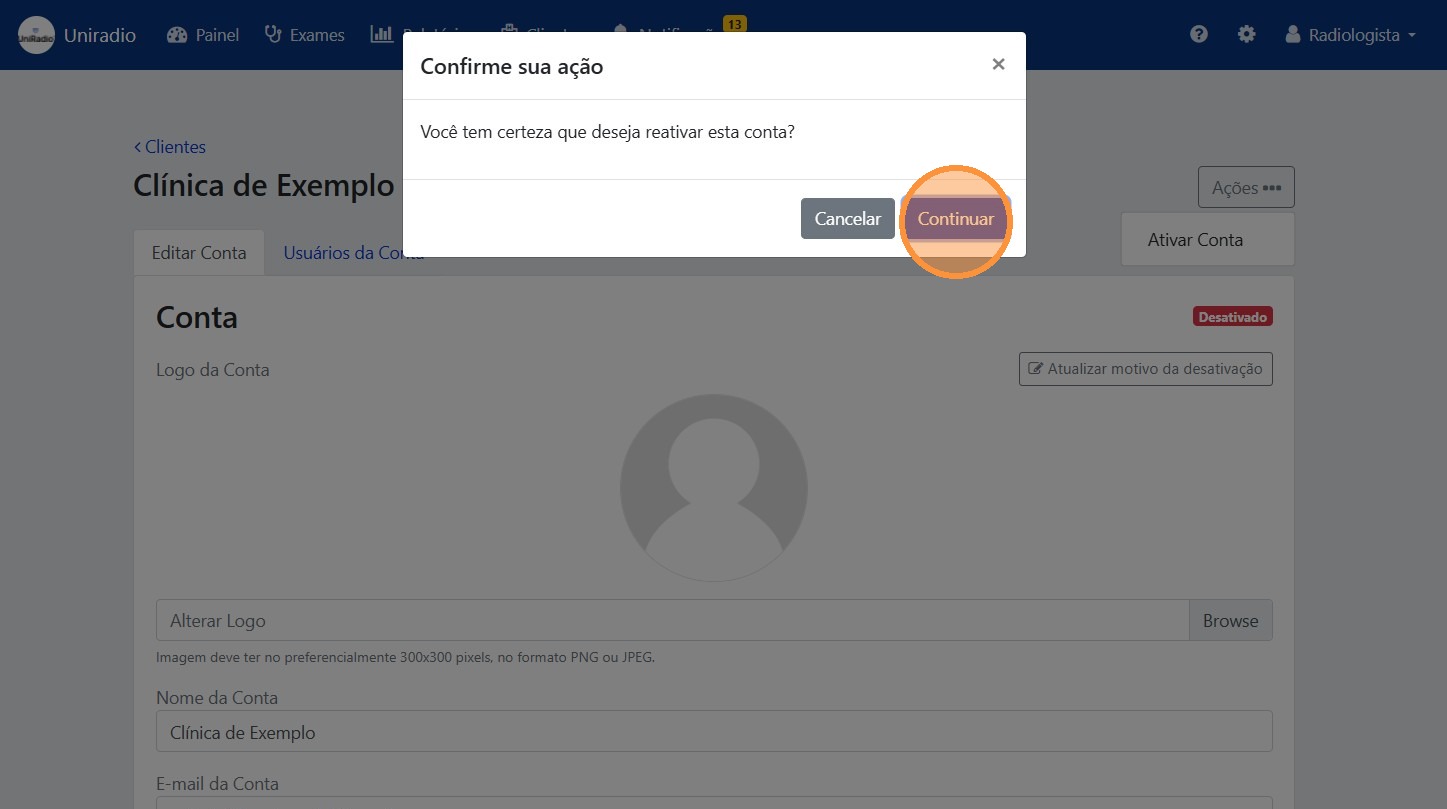
7. Click "Continue" to confirm
Click "Continue" to confirm the reactivation. The client will regain access to the platform immediately.
Need Help?
Check our FAQ or contact support if you have issues reactivating client accounts.