
How to Delete an Exam
Learn how to locate and delete an exam in the UniRadio platform.
Step by Step
1. Access the UniRadio platform
Sign in to your account and go to app.uniradio.vet.br/exams
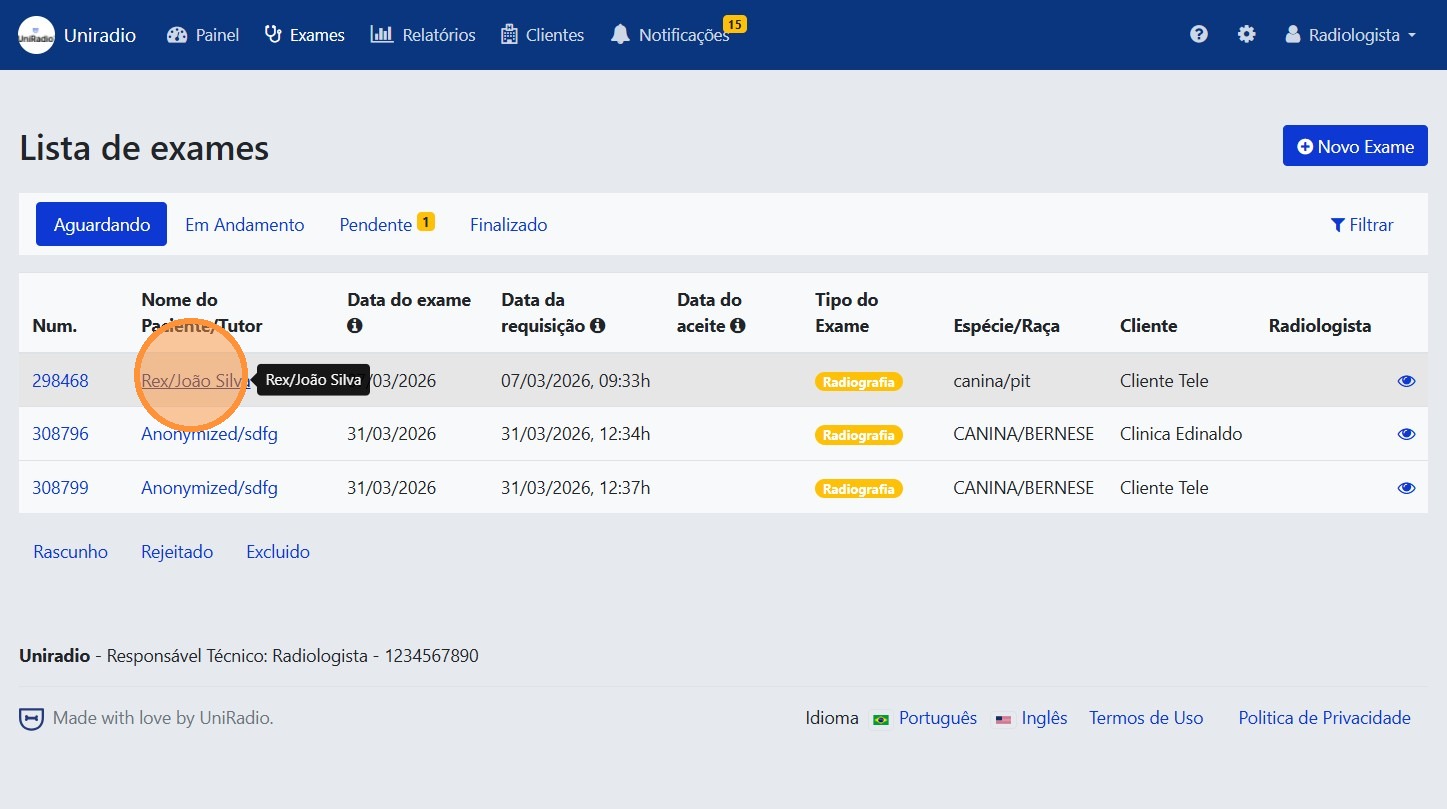
2. Select the desired exam
In the exam list, click on the exam you want to delete.
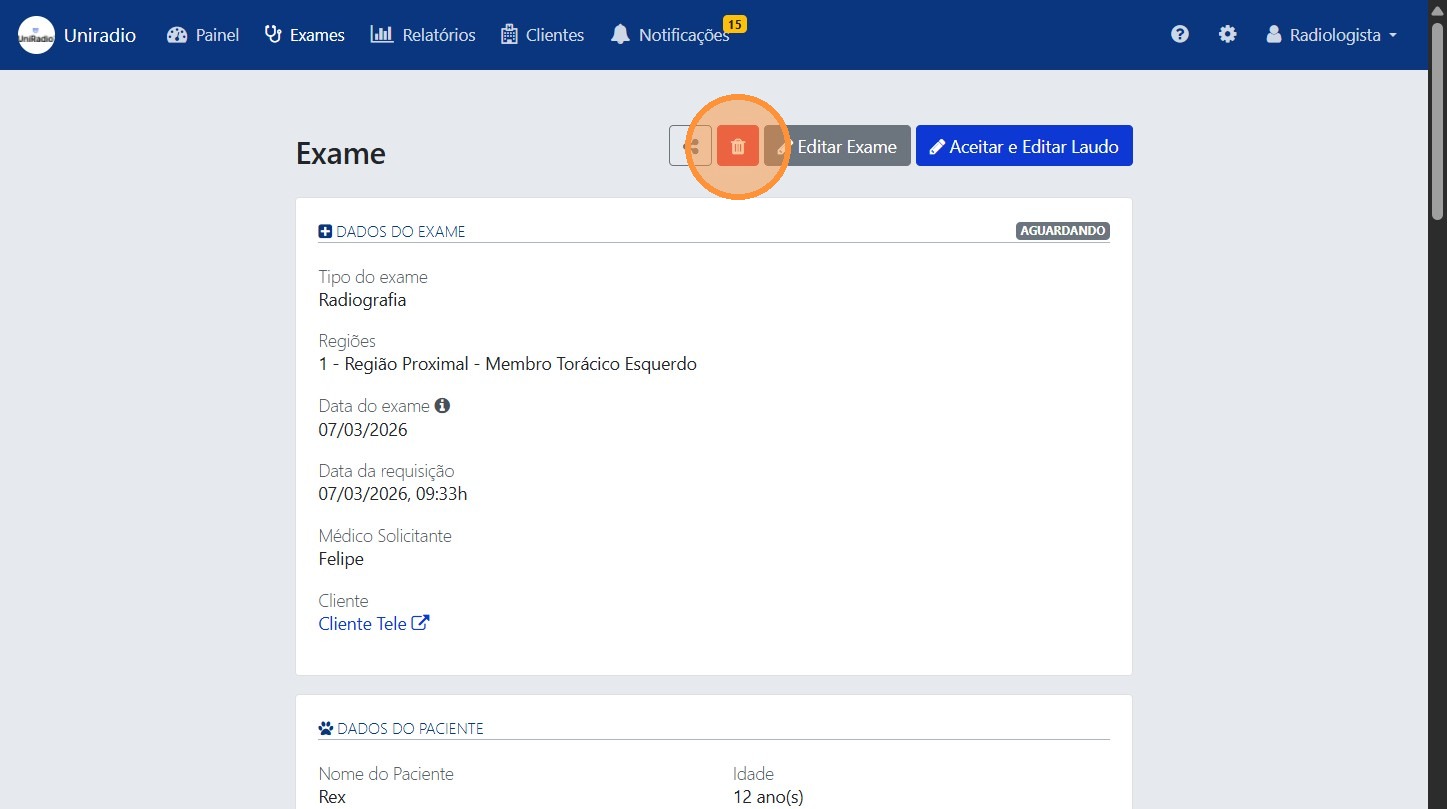
3. Click "Delete"
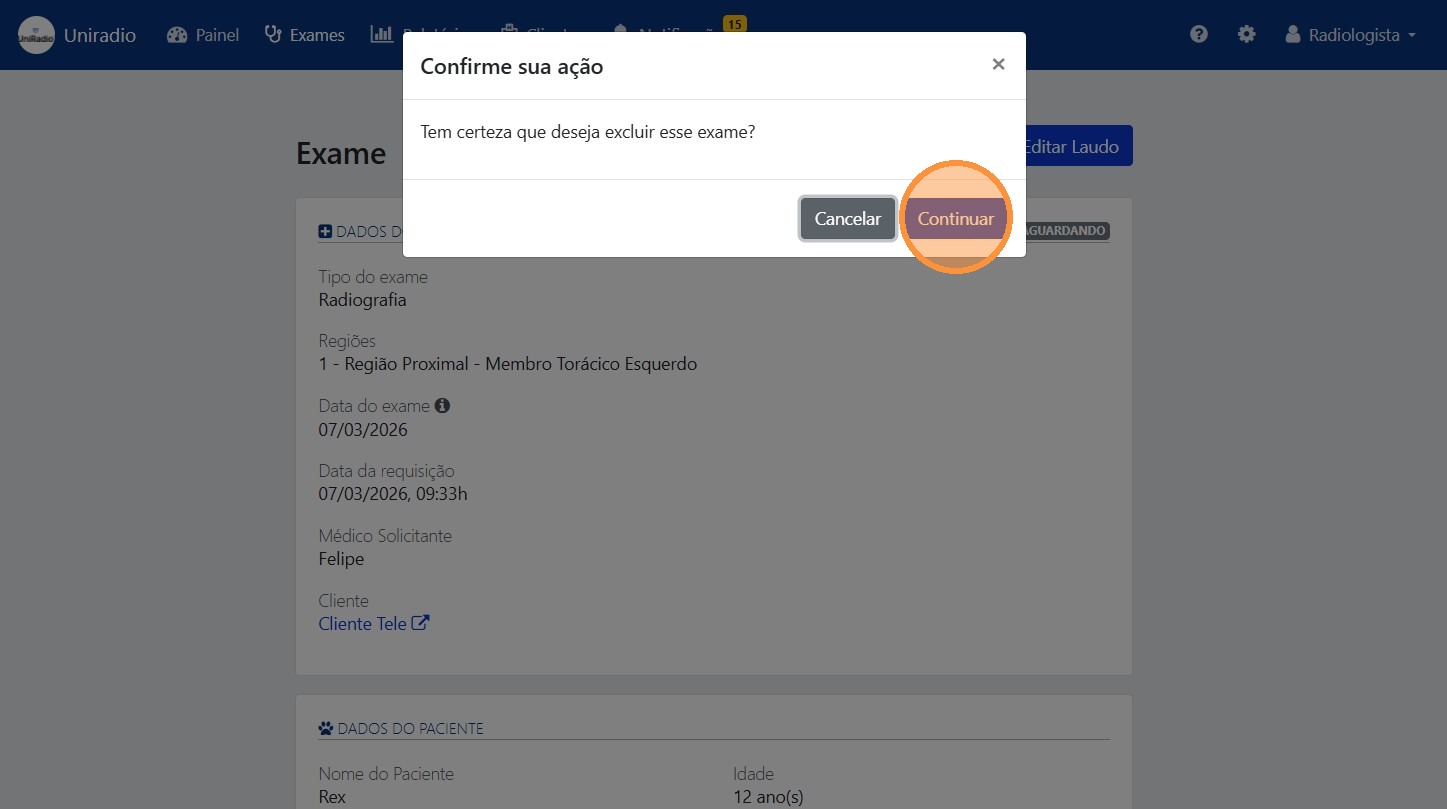
4. Confirm the deletion
Click "Continue" to confirm the deletion of the exam.
Need Help?
Check our FAQ or contact support if you encounter any issues when deleting an exam.