
How to Create a Report Template
Learn how to create custom report templates on the UniRadio platform to speed up your documentation.
Step by Step
1. Access the UniRadio platform
Sign in to your account and go to app.uniradio.vet.br/exams
2. Open the side menu
Click the side menu icon to expand the navigation options.
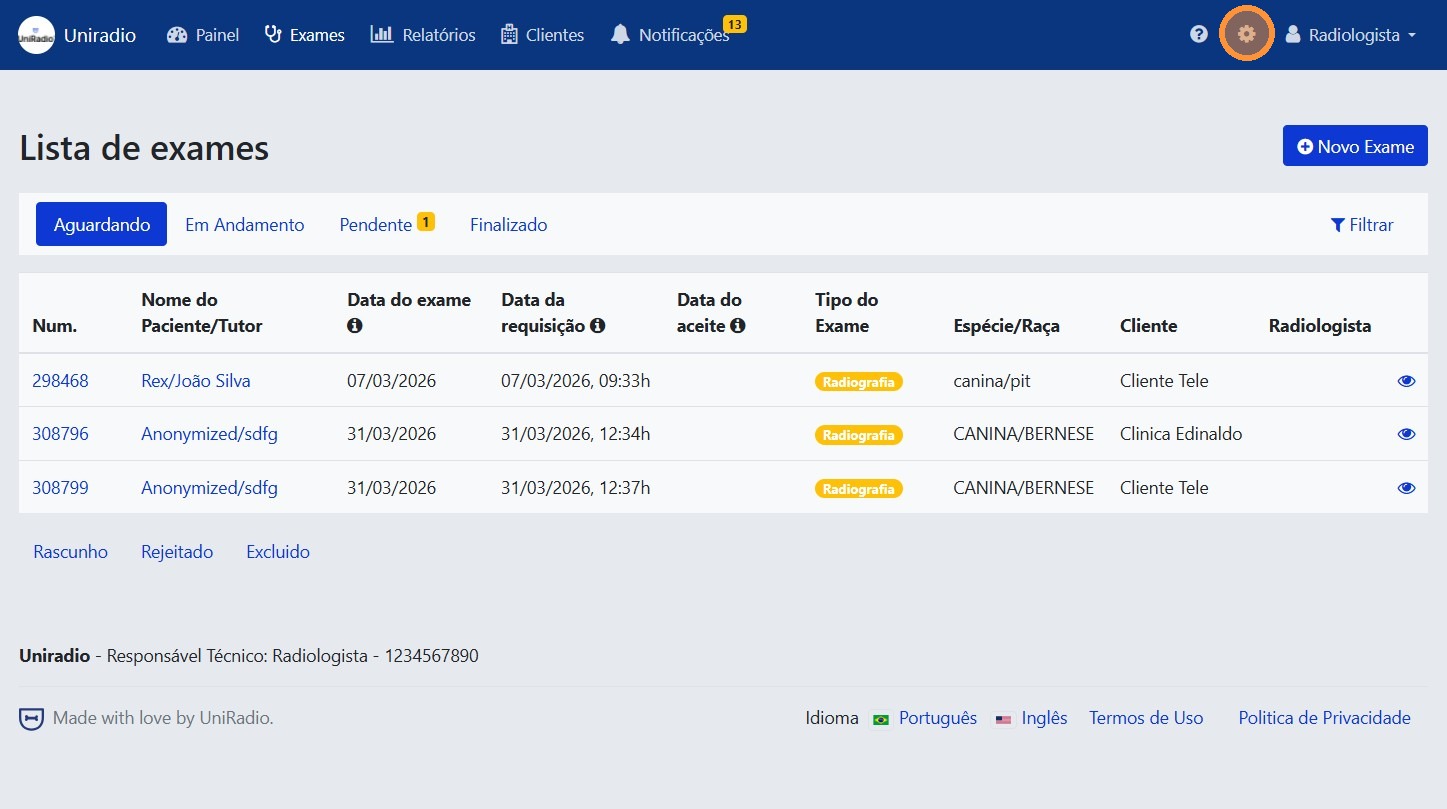
3. Go to "Report Templates"
In the side menu, click "Report Templates" to access the list of existing templates.
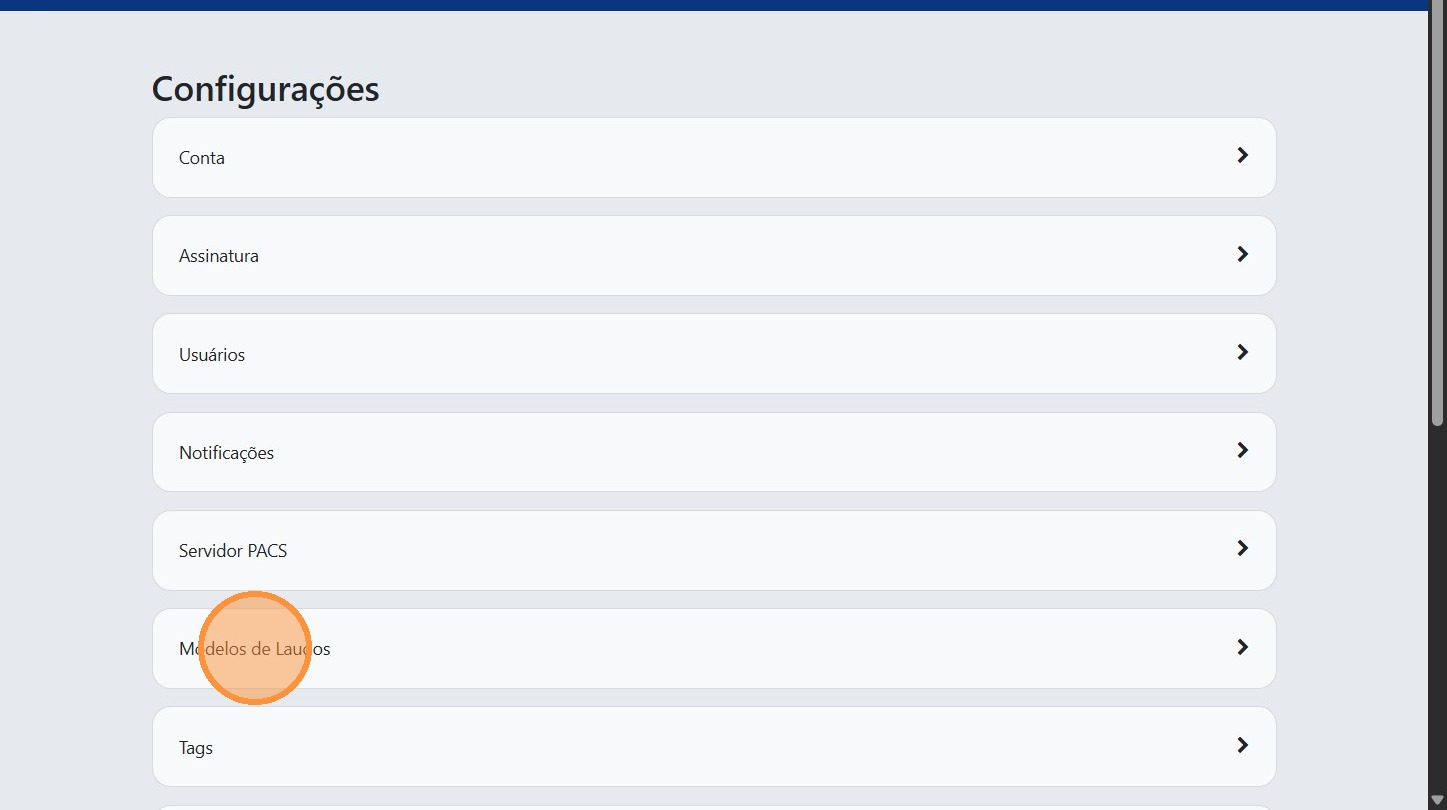
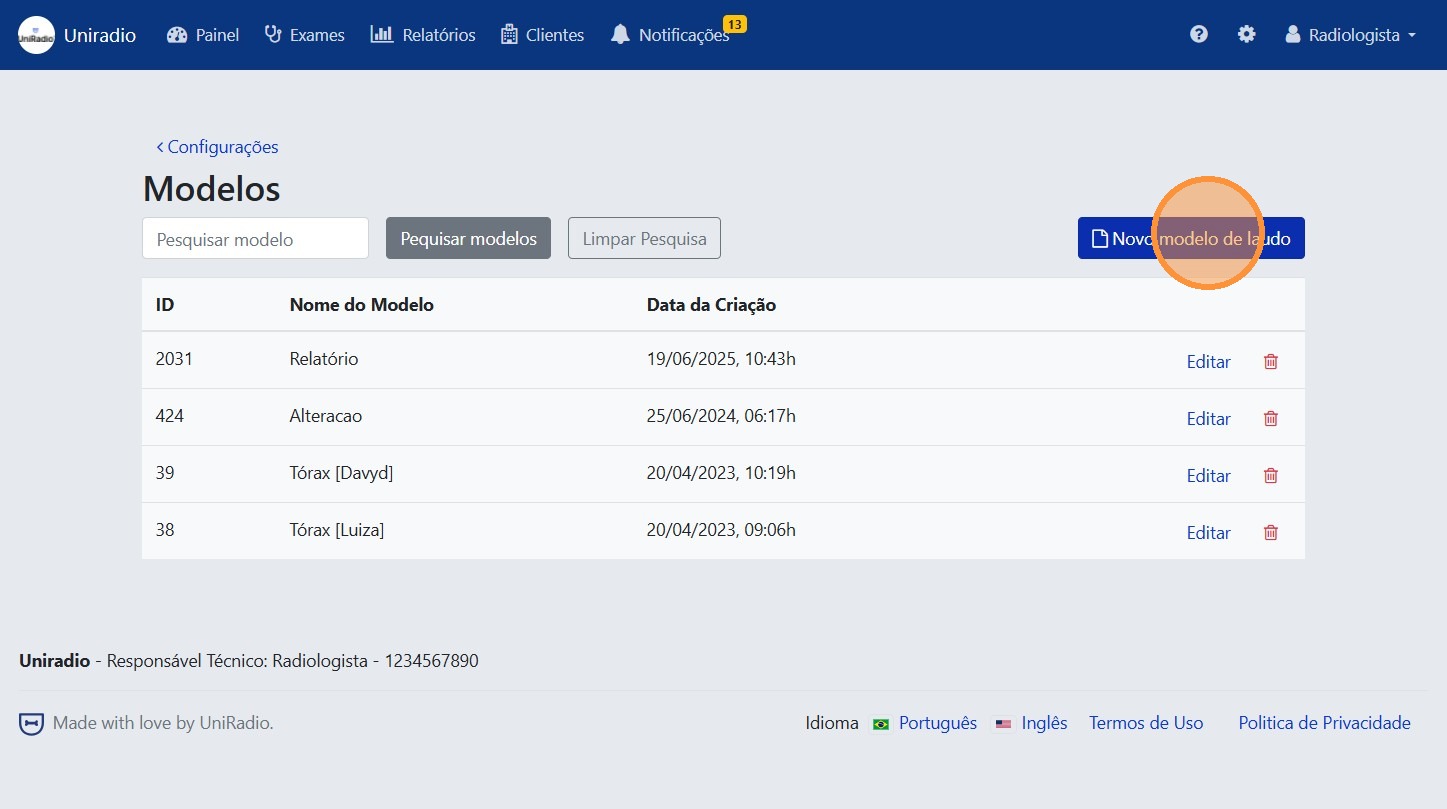
4. Click "New report template"
Click the "New report template" button to start creating a new template.
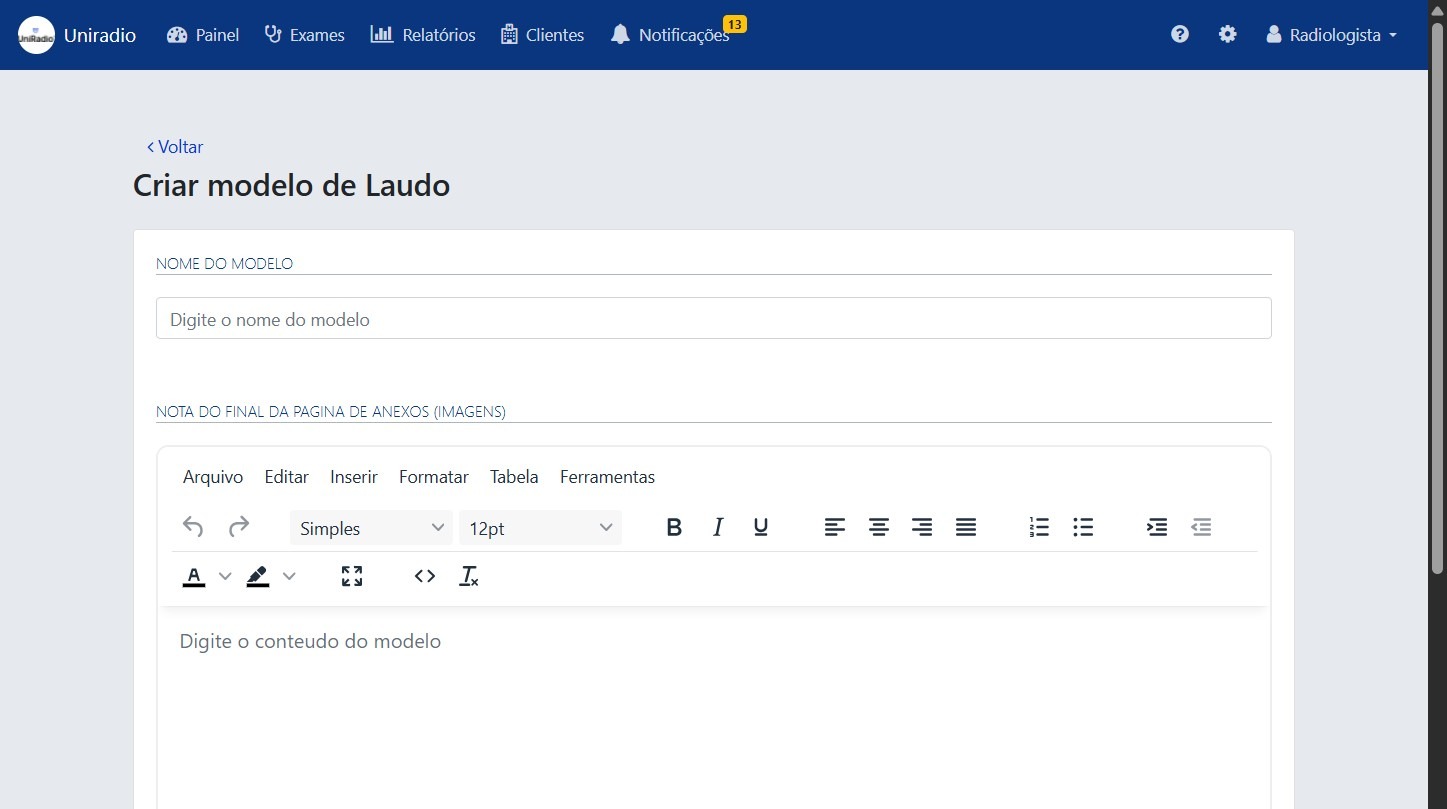
5. Fill in the form
Fill in the template information, such as name, species, modality, and report content.
Template naming
It is recommended to name the template without spaces, using a hyphen (-), underscore (_), or all together. Example: xray-template, ultrasound_template, radiographytemplate. This makes it easier to insert the template in the report editor using the "#" autocomplete shortcut.
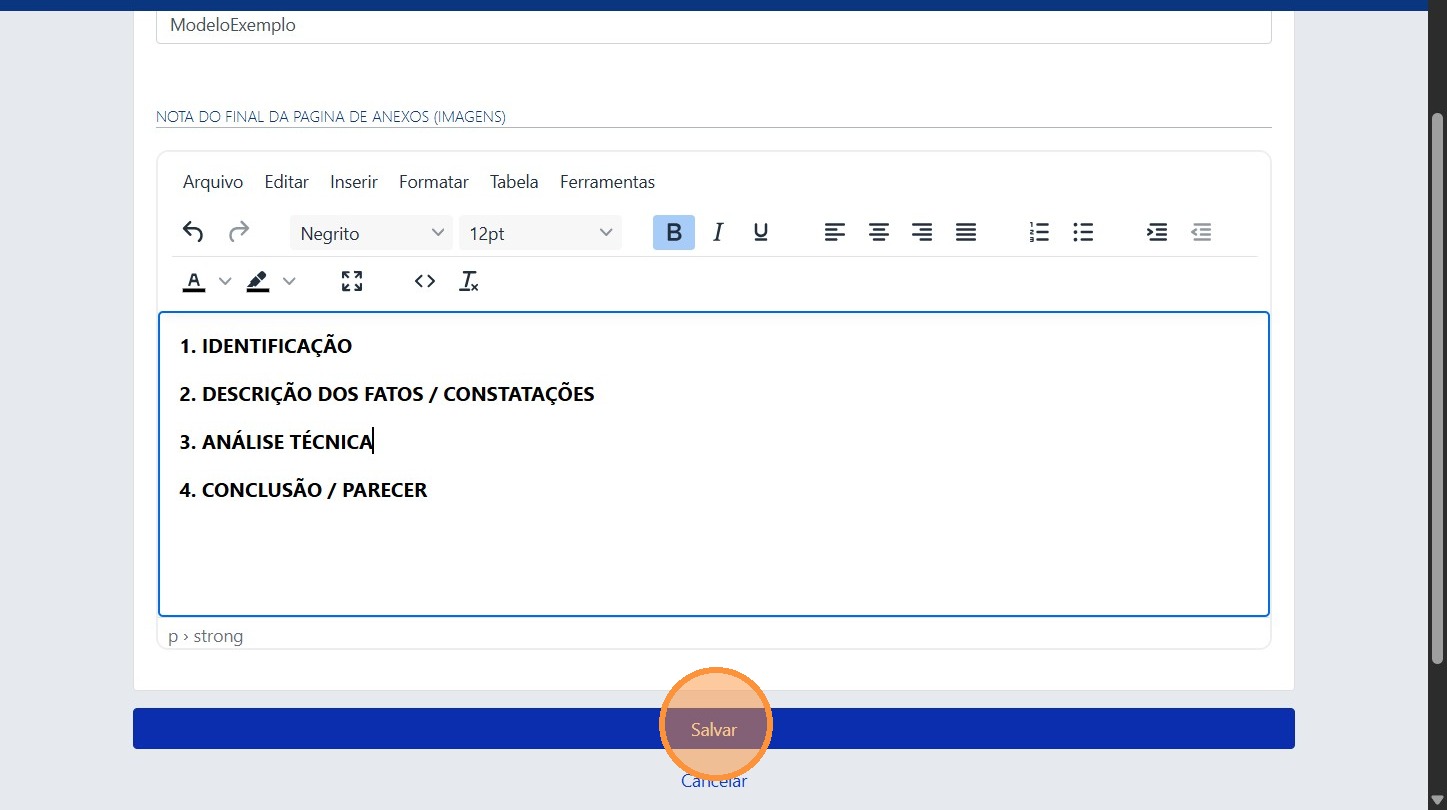
6. Click "Save"
After filling in all the information, click "Save" to register the new report template.
Need Help?
Check our FAQ or contact support if you have trouble creating report templates.