
How to Disable Two-Factor Authentication
Learn how to disable two-factor authentication (2FA) on your UniRadio platform account.
Note on re-enabling
After disabling a two-factor authentication method (either Email or WhatsApp), you will need to validate the method again — that is, send and confirm the code — before being able to enable it again in the future.
Step by Step
1. Access the UniRadio platform
Sign in to your account and go to app.uniradio.vet.br/exams
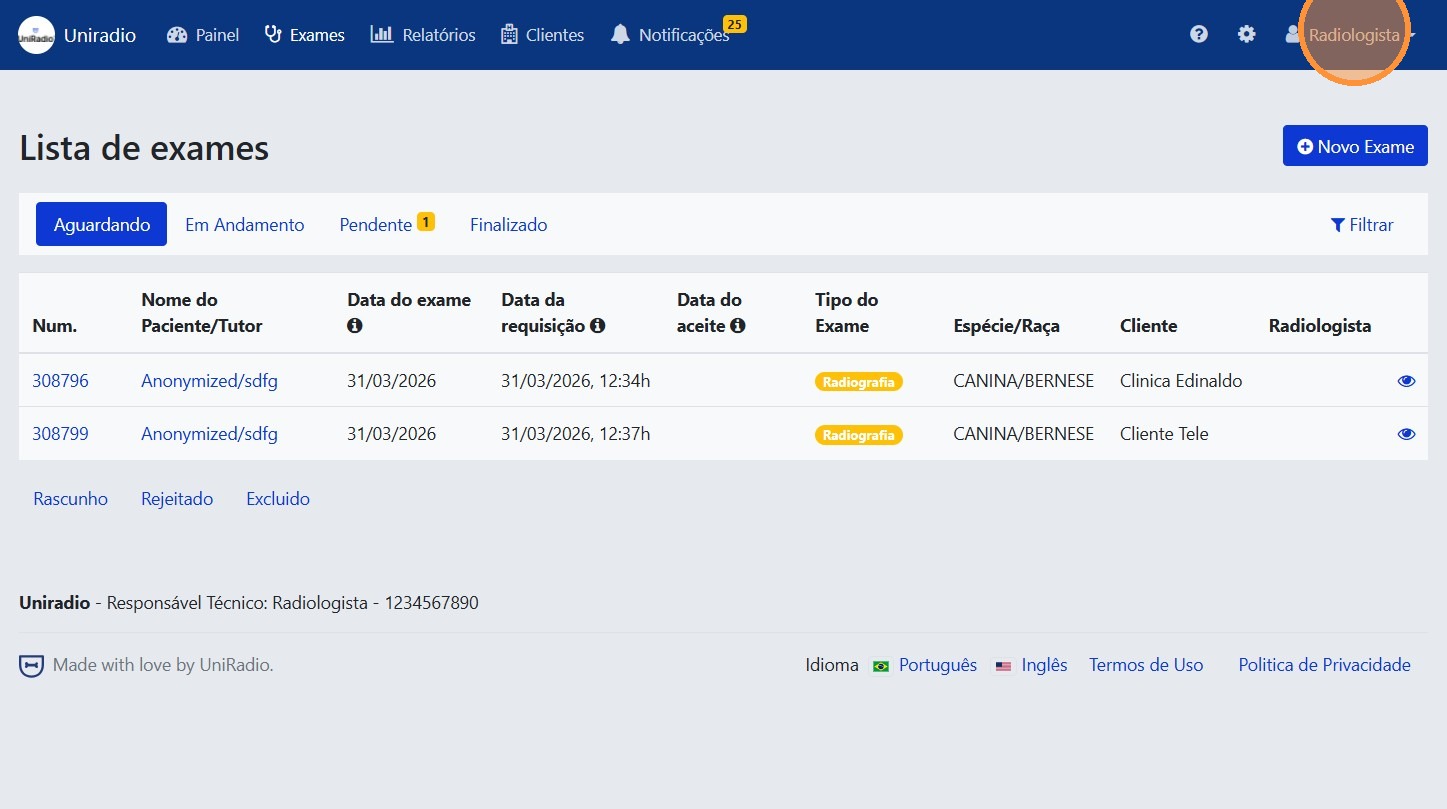
2. Click the user menu
In the upper right corner, click your name or user icon to open the menu.
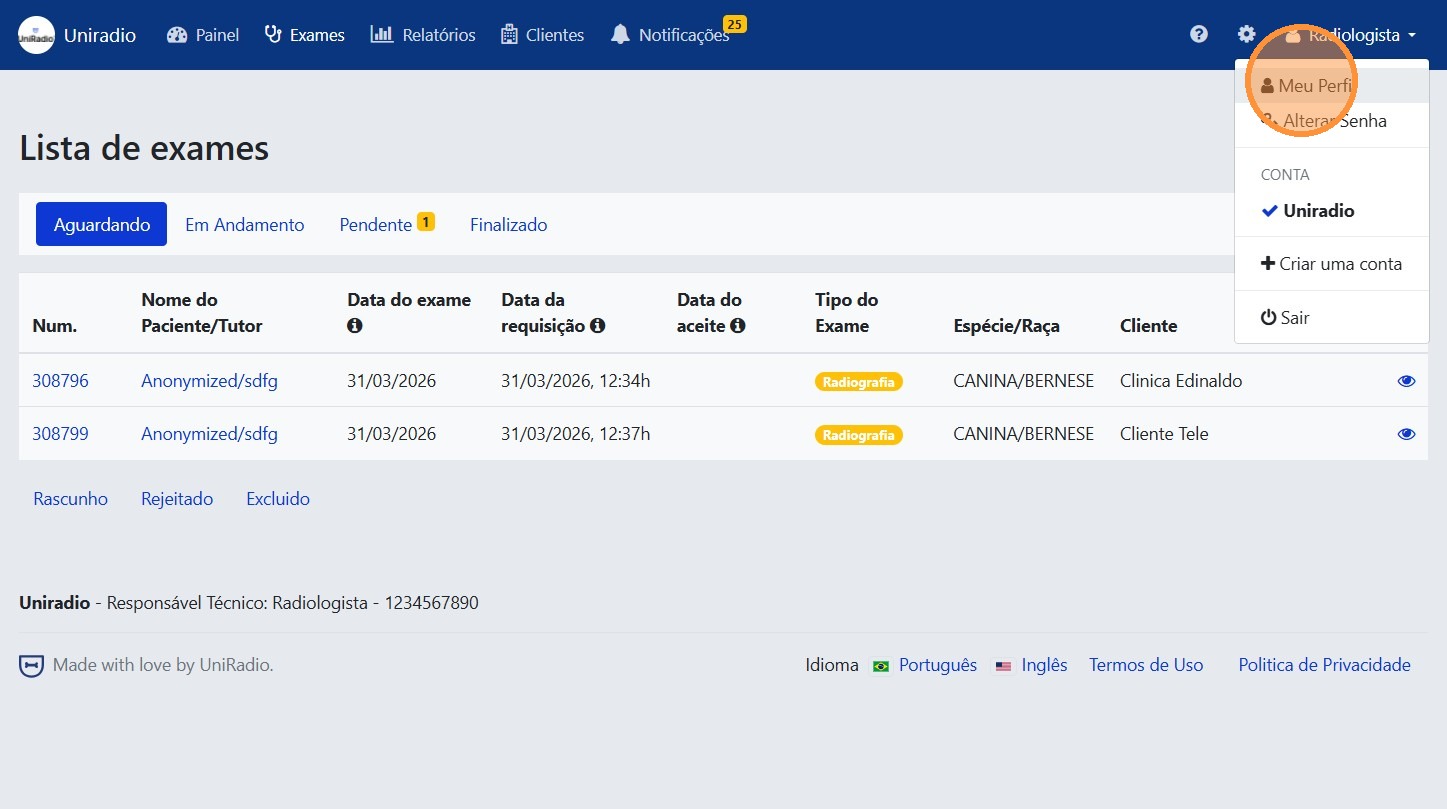
3. Click "My Profile"
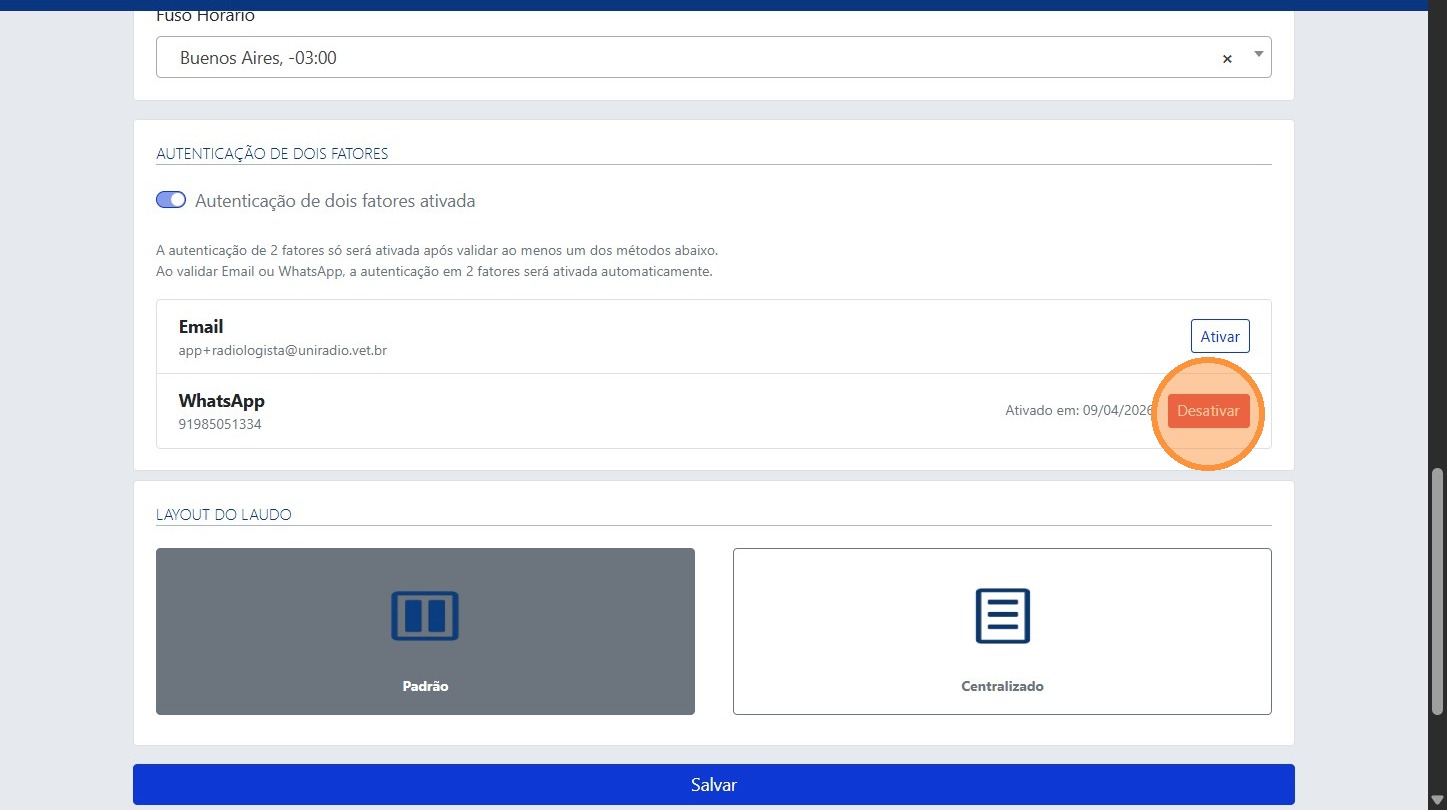
4. Click "Deactivate"
Locate the two-factor authentication option and click "Deactivate".
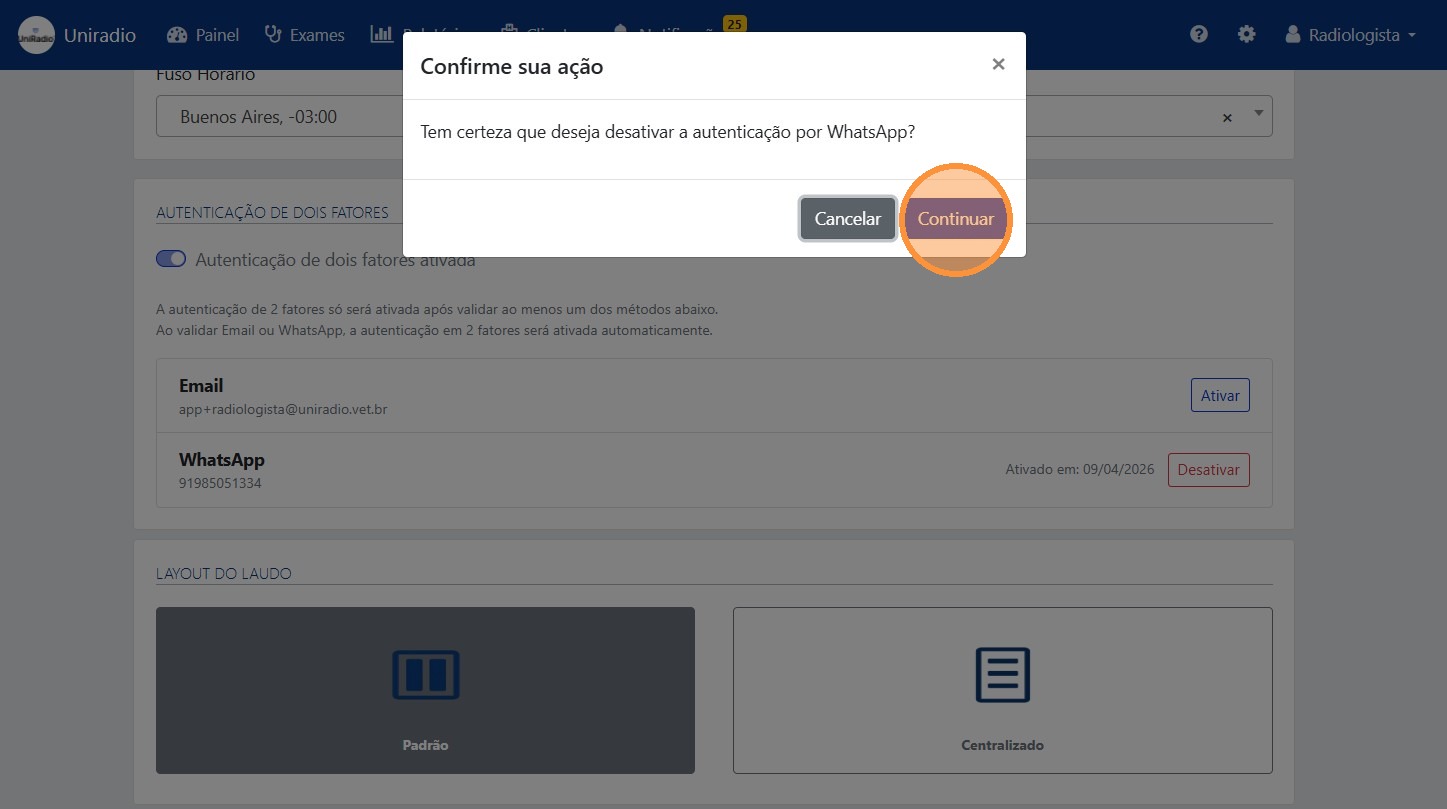
5. Click "Continue" to confirm the deactivation
Need Help?
Check our FAQ or contact support if you have trouble disabling two-factor authentication.