
How to Attach a PACS Study to an Exam
Learn how to link diagnostic images from your PACS server to an exam in the UniRadio platform.
Configure your equipment to send to the PACS
Before attaching a study, your imaging equipment must be configured to send images to the UniRadio PACS server. Select your software below:
| Software | Tutorial |
|---|---|
| Carestream | How to configure Carestream |
| Dr.Tech | How to configure Dr.Tech |
| Ultramedic | How to configure Ultramedic |
| VXVue | How to configure VXVue |
| Voyance | How to configure Voyance |
Once you have sent the study from your equipment, come back here and follow the steps below to link it to the exam.
Step by Step
1. Access the UniRadio platform
Sign in to your account and go to app.uniradio.vet.br/exams
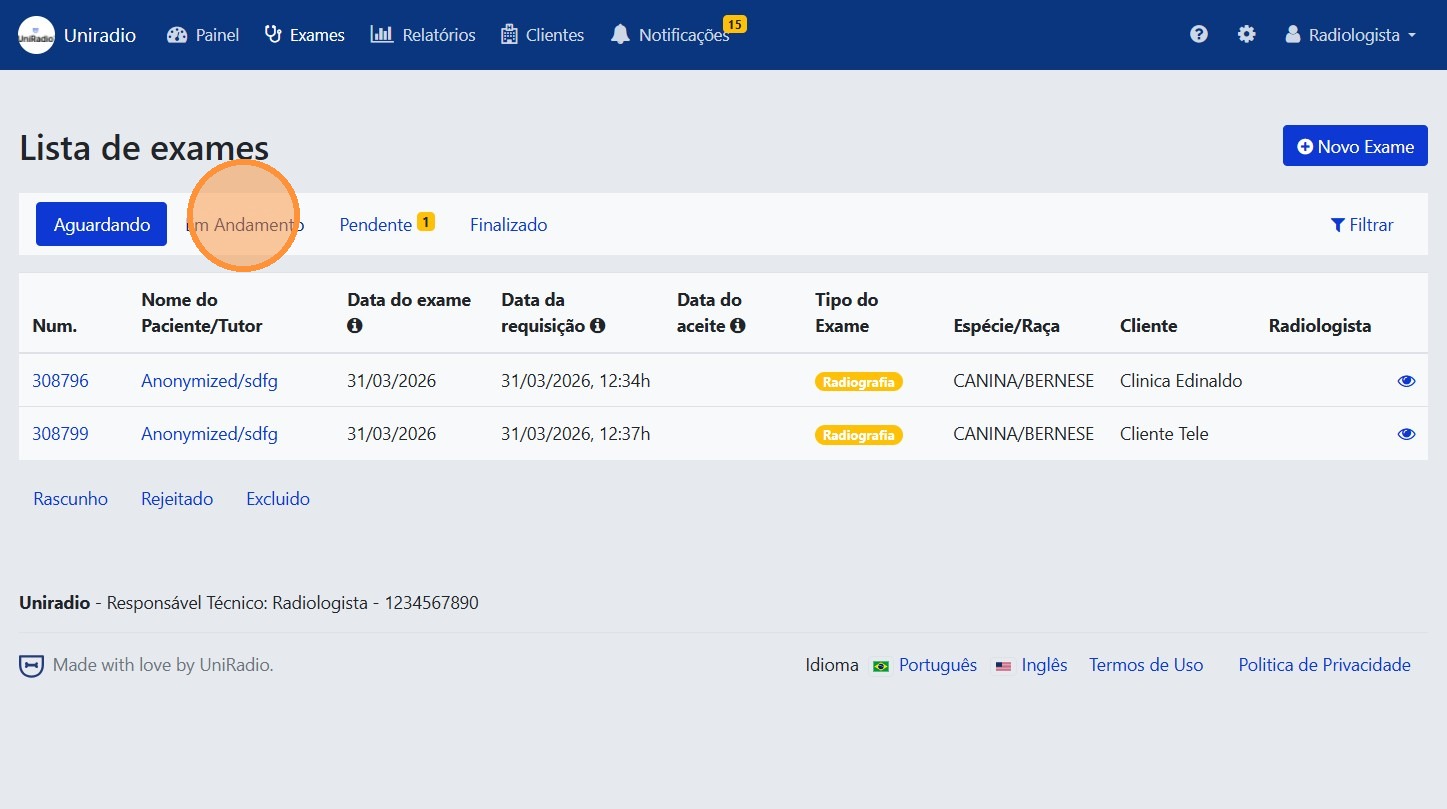
2. Click on "In Progress"
Filter exams by the "In Progress" status to locate the desired exam.
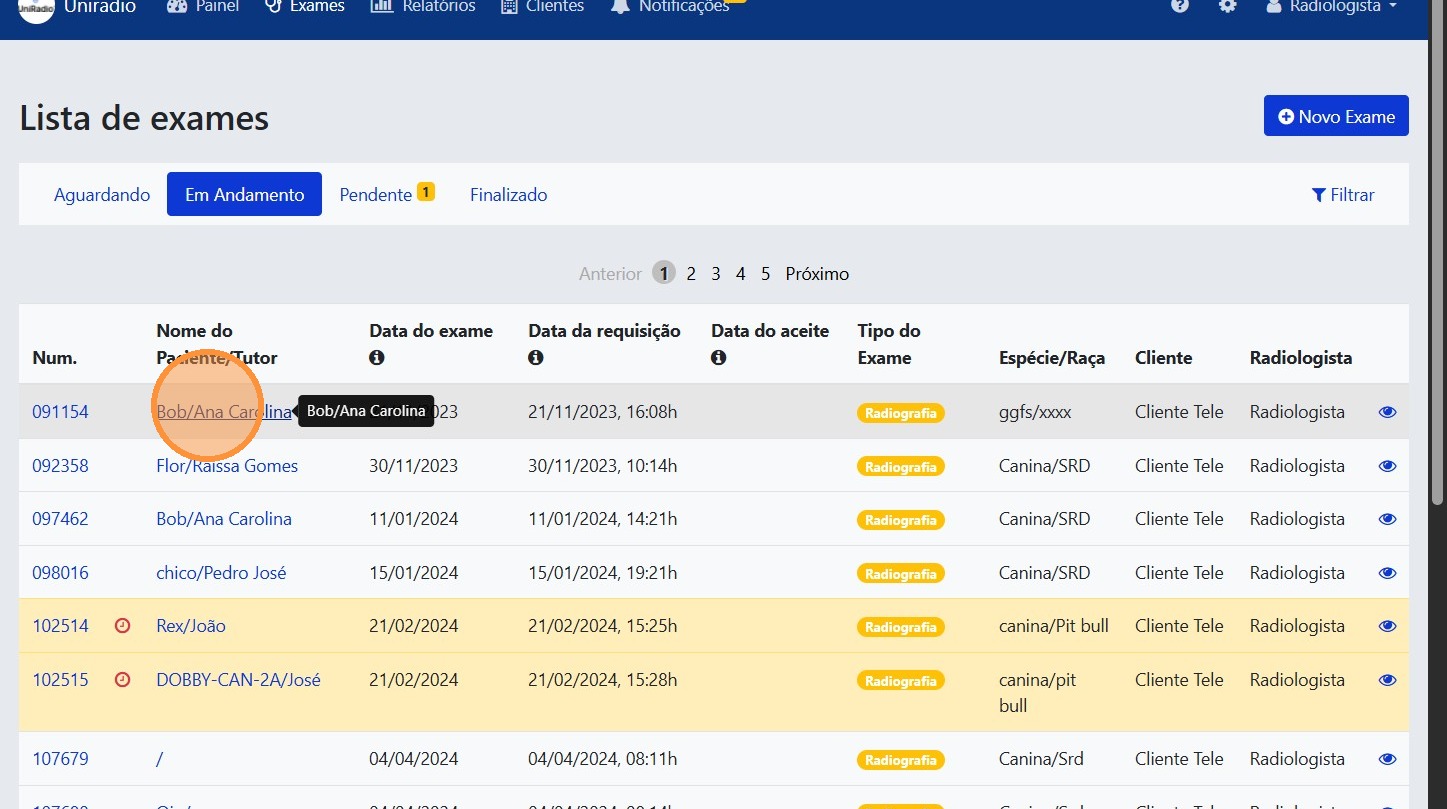
3. Select the desired exam
Click on the exam to which you want to attach PACS images.
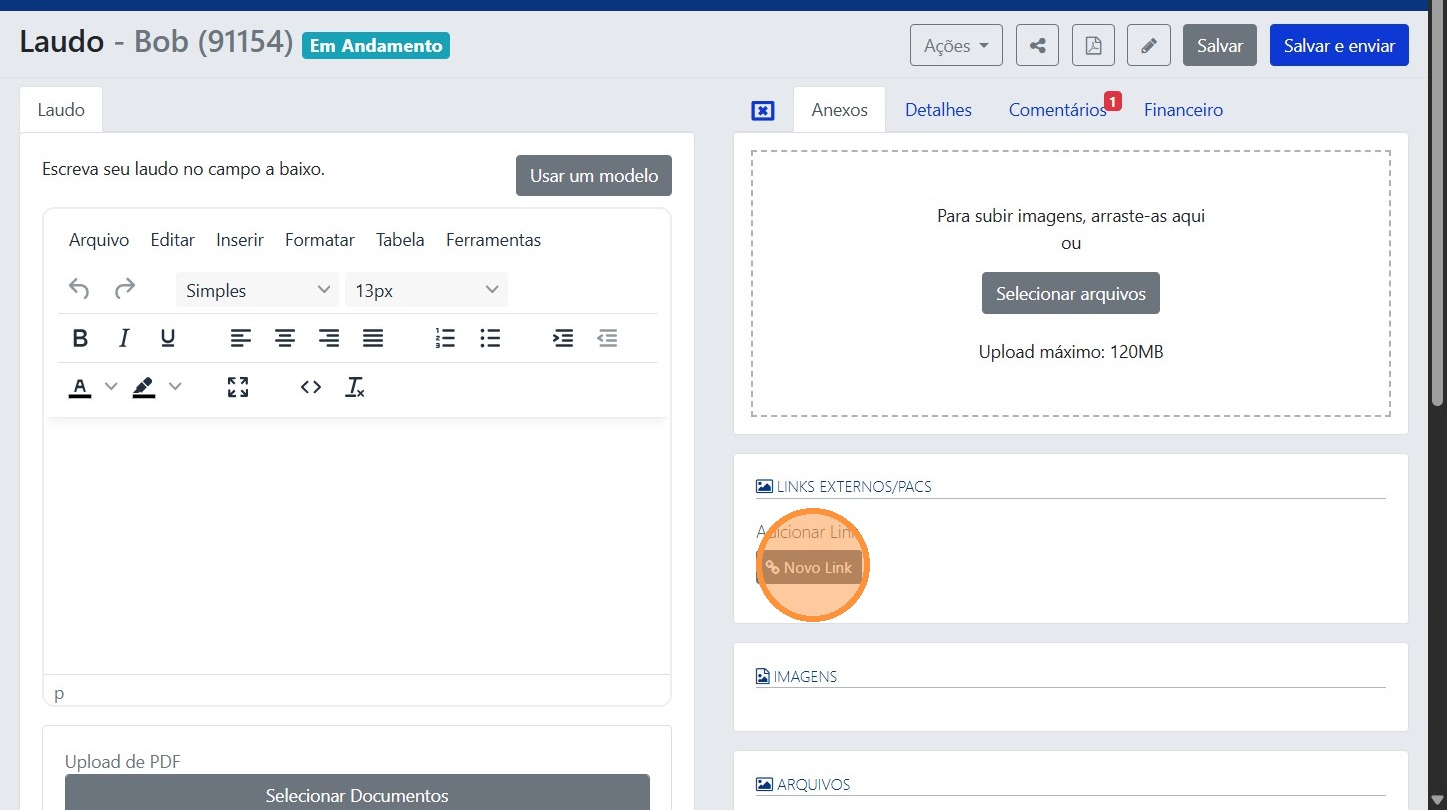
4. Click on "New Link"
5. Click on "Choose"
Select the study available on the PACS server that you want to link to the exam.

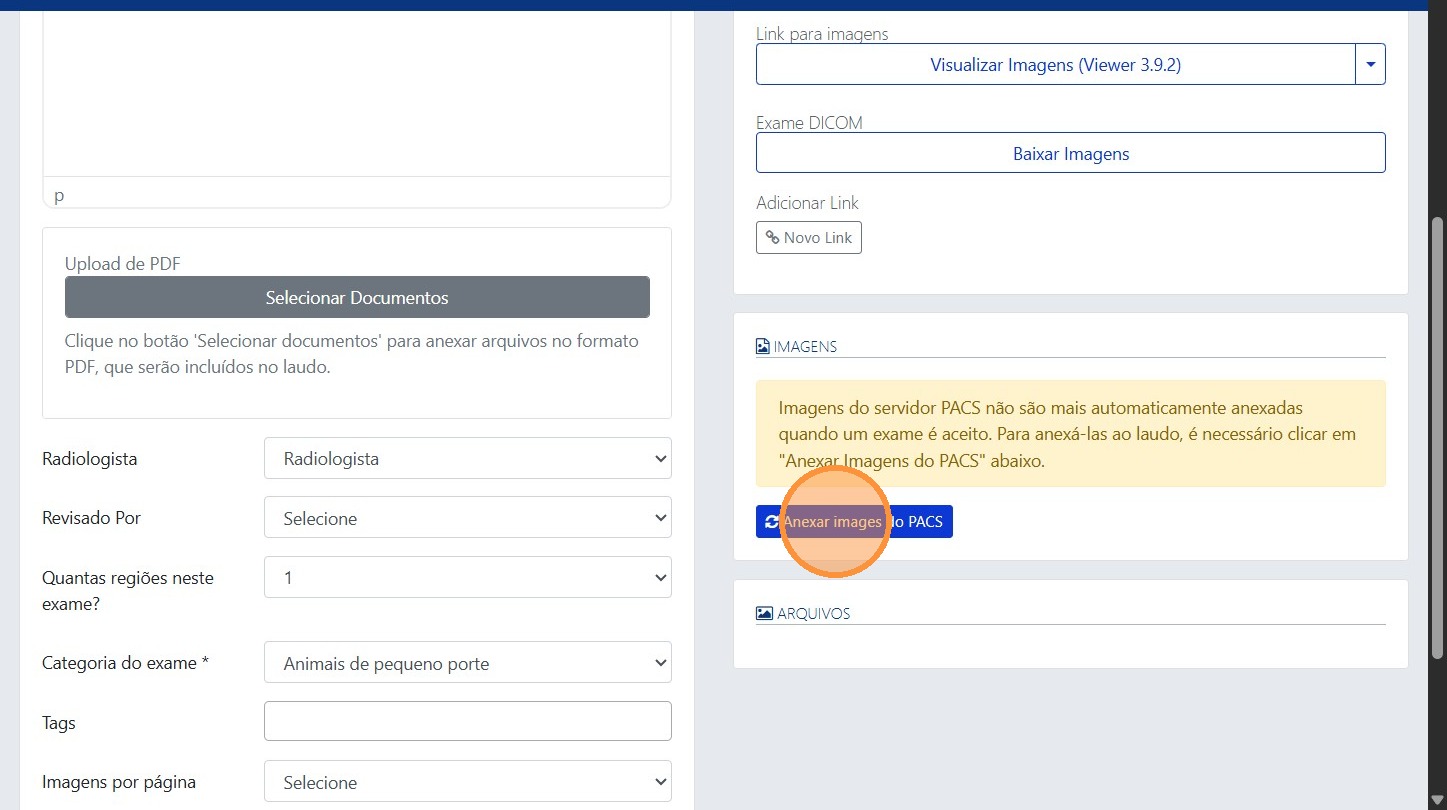
6. Click on "Attach PACS Images"
Click this button to sync the PACS images to the report. The images will be available for viewing directly in the exam.
Need Help?
Check our FAQ or contact support if you encounter any issues when attaching PACS images to an exam.